


How do I request and approve API Keys?
API key requests must be made through the API Integrations system, which empowers you to efficiently and securely manage granting and revoking API keys. You must be an administrative user configured in the Support Request System to set up and generate keys.
Using this system lets you generate keys faster while keeping the process secure.
Step 1: Navigate to your 'API Integrations'
To request a key, you must have the 'Request API Keys' security function, which is typically on the 'User Profile' for anyone with the ability to submit support requests and the ability to export.
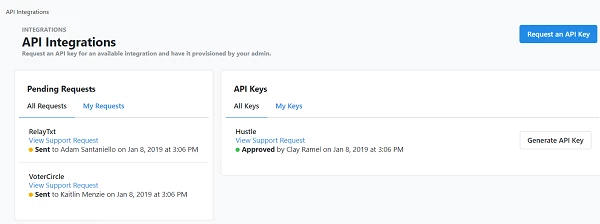
To begin, open 'API Integrations' page from the Sidebar.
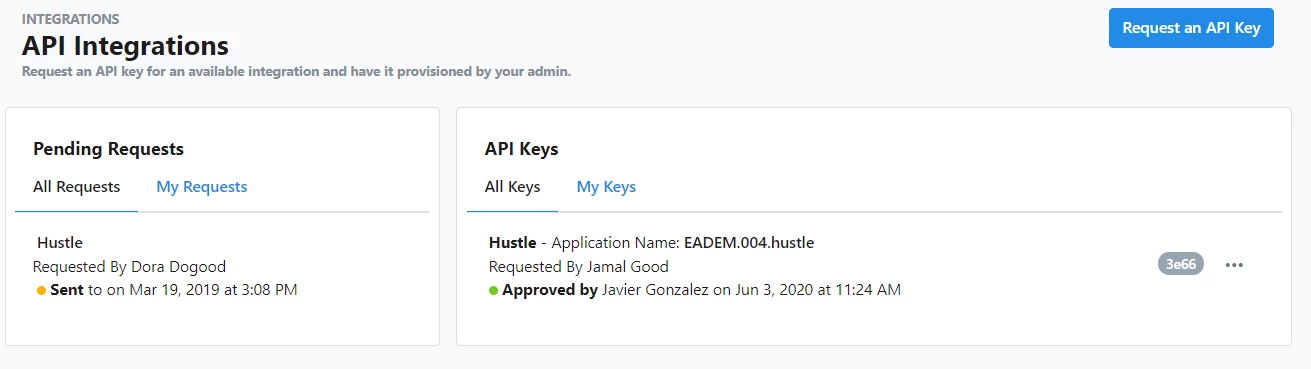
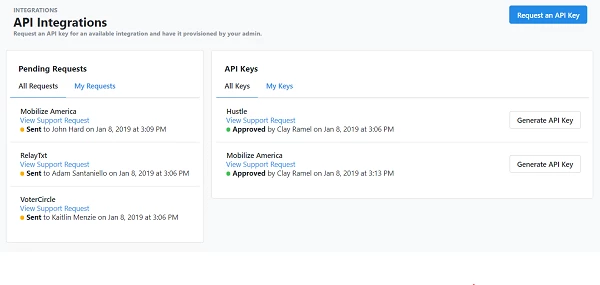
From the 'API Integrations' page, you can view:
- generated keys (i.e. integrations that are likely being used)
- approved requests for which users have not yet generated a key
- pending requests (not yet approved or denied)
- denied requests
You can also regenerate a key from this page within 7 days of the request being approved.
Step 2: Administer your keys
If you are an administrative user set up in the Support Request System (i.e. those who can receive tickets in the system from other users and can send tickets directly to our support team), you can approve or deny requests for keys, as well as revoke issued keys.
After someone has requested a new key, you will receive a ticket in the Support Request System for the API key request, which you can approve or deny.
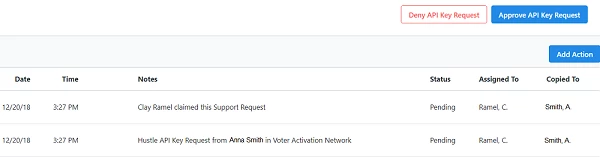
Before you approve the key, you can set an expiration date on the API key's ability to make calls. We recommend setting an expiration date for most keys.
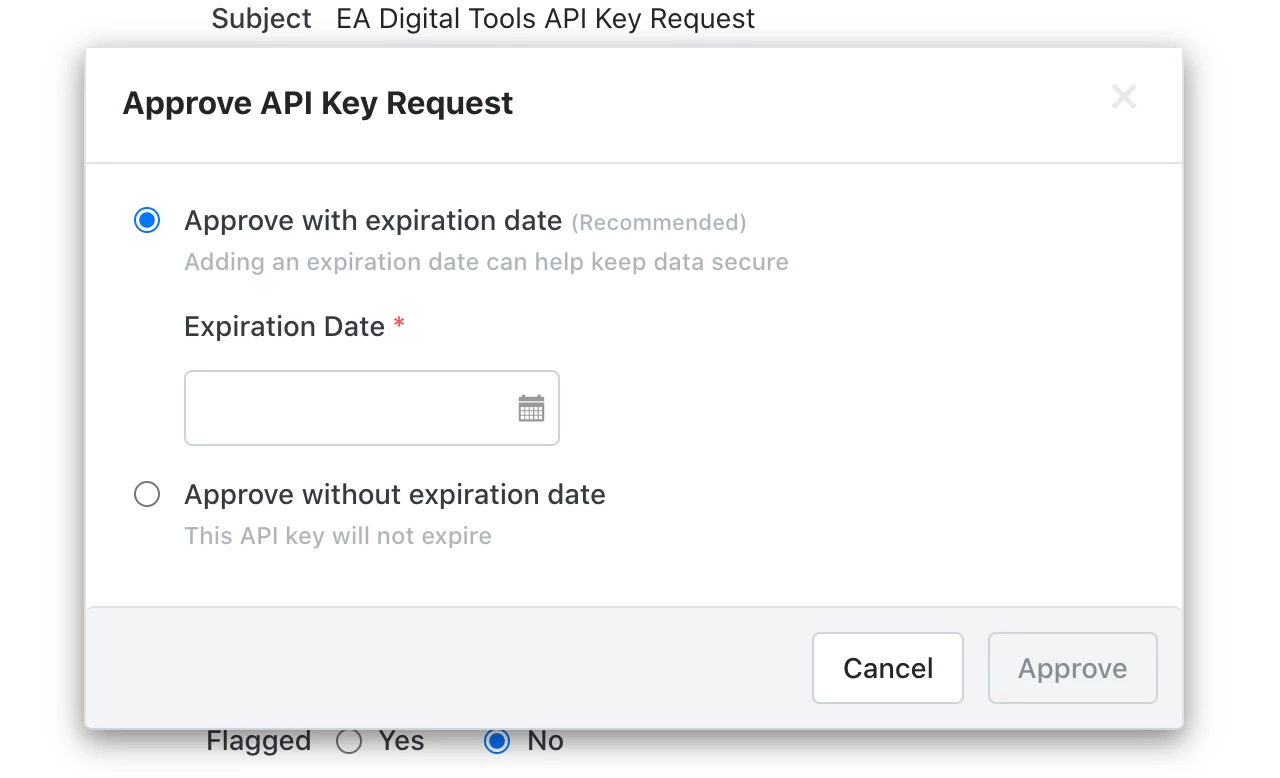
If your organization requires API keys to have an expiration date, your developers and users will need to work with you as the administrator to ensure that keys are regenerated before their scheduled expiration date.
A key’s expiration date can be viewed from the 'API Integrations' page or via an introspection API call.
Read more about introspection API calls in EveryAction
Read more about introspection API calls in NGP VAN
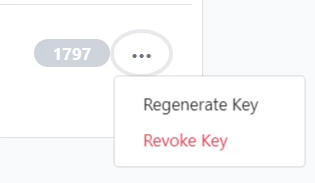
If you are an administrator, you will also have the ability to revoke a key from the action menu. This option will always be available.
Generating an API Key or Integration request (for non-administrative users)
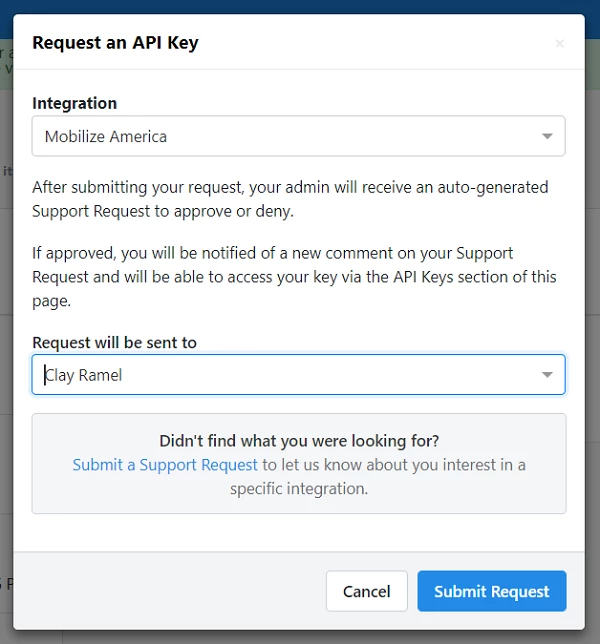
If you are not an administrative user but need to add an integration to your workflow, you can Request an API Key from the 'API Integrations' page. This will send the request to your organization's administrative user, who can approve the request.
You will be asked to select the vendor or app you want to integrate with and the administrator to which the request will be sent.
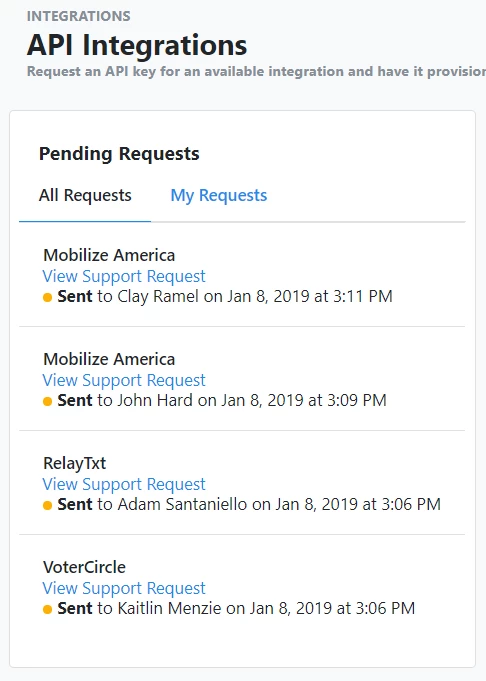
Your request will then appear in the 'Pending Requests' section on the left.
Generating your API Key
Once your administrator has approved your request, the integration or key request will appear in the API Keys section. You can then securely generate a key using the Generate API Key button.
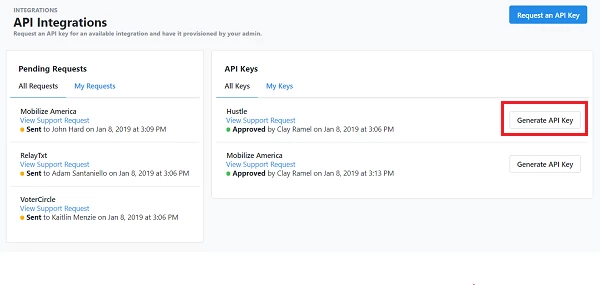
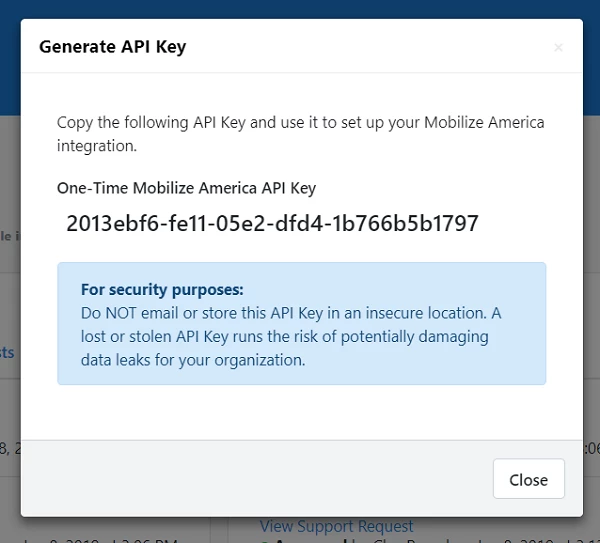
Once a key has been generated, it will be listed in the 'API Keys' section, but you can now view an action menu (...) with an option for regenerating. This will disappear after 7 days to avoid unintentional issues with active integrations.
How do I request and approve api keys? | How does request and approve api keys work in EveryAction? | Why can't I request and approve api keys? | Where do I request and approve api keys in EveryAction? | What is request and approve api keys in EveryAction? | How to request and approve api keys? | Can I request and approve api keys in EveryAction?