



(3 min read)
Our free MiniVAN mobile app allows you to canvass with a phone or tablet. Easily view addresses and details about your audience and log responses to your canvassing questions.
Read more about MiniVAN
Getting started
You can download MiniVAN to your iOS or Android device from your app store.
To canvass with MiniVAN and have the best possible experience:
-
Know your App Store or Google Play password. You may be prompted to provide one in order to download the app.
-
Be sure your device meets the minimum operating system requirements listed in the app description. MiniVAN is only offered on devices still supported by their maker.
-
Update your mobile device software.
-
Update your MiniVAN app to the latest available version.
Logging into MiniVAN
You will be prompted to login with an ActionID, followed by a List Number. Then, if your organizer gave you a Daily Access Code, you will enter it at this stage.
If you have an ActionID from another campaign, the same email and password you used previously will work, as long as the email address is still valid. Multiple accounts can be connected to a single login. To change your password, login to ActionID and select Edit Profile.
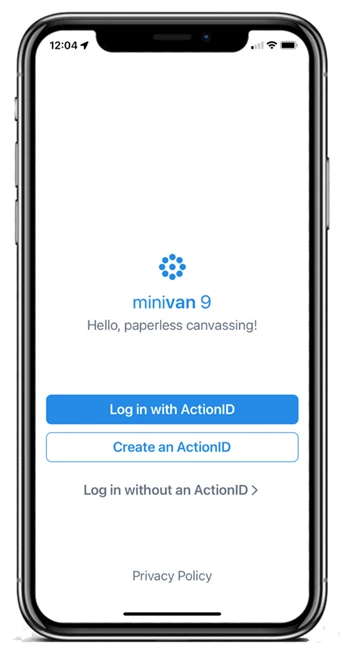
Creating an ActionID
If you need to Create an ActionID, you’ll be asked to enter an email address, choose a password, and provide your name and number. Read and accept the Privacy Policy before moving forward.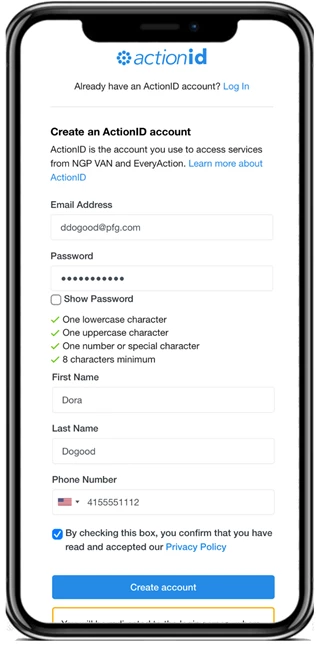
Beginning your canvass
If your organizer assigned a list to you, you’ll see the list after you log in. Tap it and select Download List. Otherwise, find the committee you’re canvassing for and enter the List Number provided by your organizer. If you have a printed list, the list number is on the header of your turf map.