

How do I create a Committee?
Committees are one of the principal means by which system administrators control access to data. Committees are often defined around campaigns or organizations, and each can control elements of their own data.
For example, each committee can create their own unique Survey Questions and Activist Codes and apply that information to the voters that they contact. Committees can designate whether these Survey Questions and Activist Codes are shared with other committees or if they are private to that committee.
Step 1: Navigate to your Committees
- Starting from the homepage, navigate to the left-hand menu. Click Administration > Users, Profiles, and Committees > Committees.
- Or use the Search for a Page field and type Committees.
Step 2: Add a new Committee
Click the 'Add New Committee' button in the upper right corner of the page.

Step 3: Add details for your new Committee
Fill out the required fields and any additional information, then click 'Save' once you are finished.
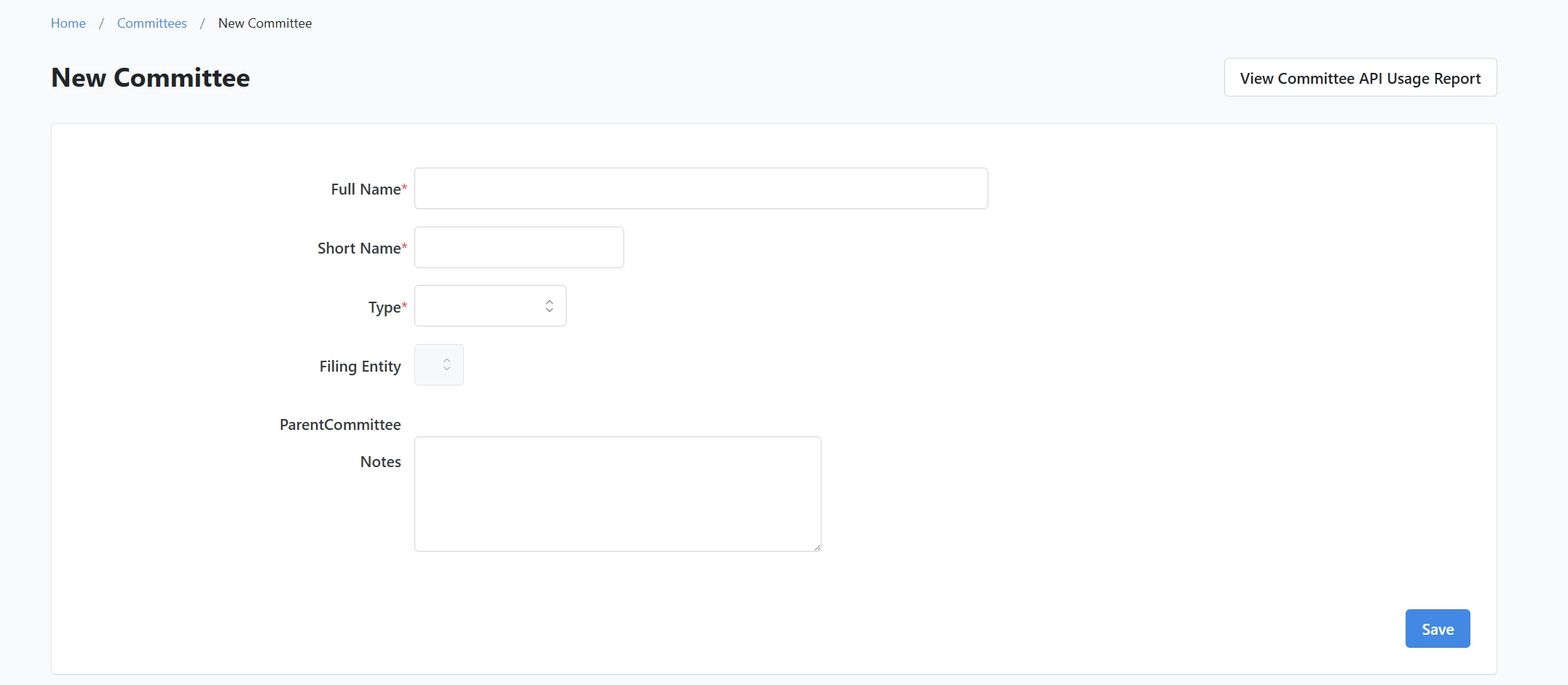
- Full Name: Creates a name for the committee. This name is often a description of the committee's organization (ie. Durham County Democrats) or its purpose (Larry Kissell for Congress).
- Short Name: On some reports and documents the full committee name cannot be displayed. Here, you can define a shorter designation for the committee that is still descriptive so it is recognizable.
- Type: This dropdown menu allows the user to define what kind of committee is being created (for example, a county party or a congressional campaign).
- Notes: Where you can further explain the nature the committee or provide any additional notes about the committee.
- Private Committee: Is a setting that overrides most sharing of survey questions and activist codes.
- National Committee: Allows you to designate if the committee is a national committee.
- My Campaign Data Committee: This dropdown menu allows you to select another committee for data sharing of My Campaign information. The committee selected in the dropdown menu will be the Parent Committee and all the records in My Campaign for the Parent Committee with be sharable with the new committee.
Note: Data sharing between committees can be added later by editing an existing committee but the Child Committee will lose any existing My Campaign Records if it selects a Parent Committee to share its information
- National Reporting: Designates whether that committee's activity will be included in National Canvass Reporting or National My Campaign Reporting.
Not quite what you were searching for?
- Navigate back to the Basics Resource Index.
How do I create a committee? | How does create a committee work in EveryAction? | Why can't I create a committee? | Where do I create a committee in EveryAction? | What is create a committee in EveryAction? | How to create a committee? | Can I create a committee in EveryAction?