



The best way to maintain an up-to-date and accurate database is to conduct routine searches for duplicates and merge them. Sometimes, however, you will have contacts that are created by mistake or that don’t have any data you need to keep. You can delete these contacts directly from the contact record.
Deleting a contact in the All Details view
Navigate to the Actions section of the All Details page and select Delete Contact to remove the record.
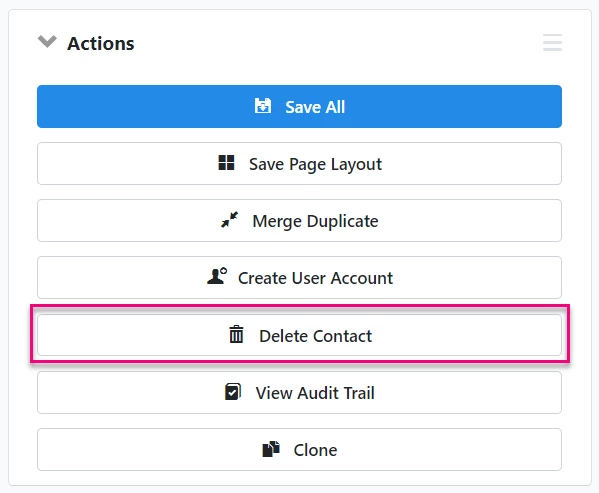
Choosing this option immediately deletes the contact from your records.
Deleting a contact in the Contact Record view
Open the More action menu on the left-hand column and select Delete to remove the record.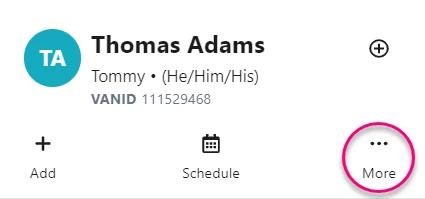
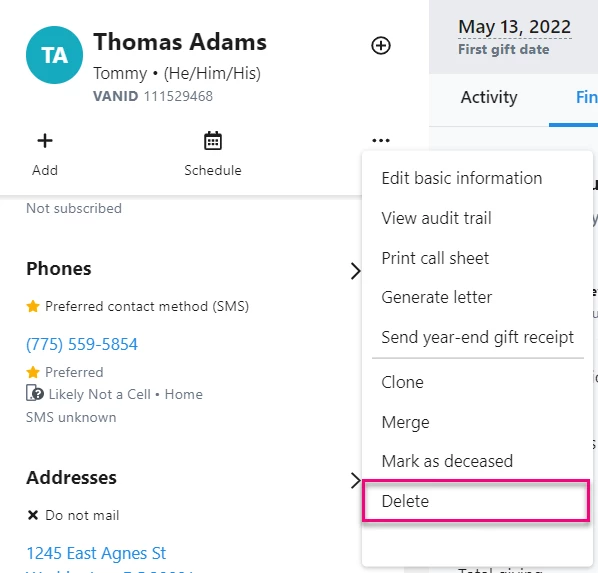
Choosing this option immediately deletes the contact from your records.
Using suppressions instead of deleting
If a contact record contains any of the following data, it cannot be deleted:
-
Contributions
-
Pledges
-
Recurring Commitments
-
Disbursements
-
Debts
-
Action Plans
-
Membership
-
Primary member of Financial Household
This prevents deleting contacts with a financial relationship to your organization, which decouples those donations or other financial transactions from any history.
A message appears to say you cannot delete a contact if it includes any financial data.
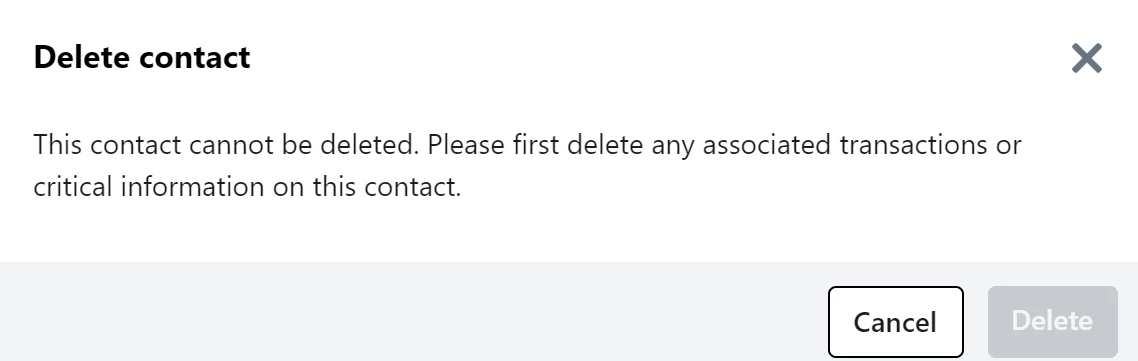
To exclude records that cannot be deleted from your searches, apply Suppressions.
Read more on suppressions
How do I how to: delete a single contact record? | How does how to: delete a single contact record work in EveryAction? | Why can't I how to: delete a single contact record? | Where do I how to: delete a single contact record in EveryAction? | What is how to: delete a single contact record in EveryAction? | How to how to: delete a single contact record? | Can I how to: delete a single contact record in EveryAction?