



If you have to file compliance or disclosure reports, there are several pre-configured templates in the Report Manager that you can use to track your contributions and disbursements, as well as ensure that you are not missing any of the data you need.
The information available in your Report Manager depends on your state or filing district and your package or user permissions.
Using Data Integrity Reports
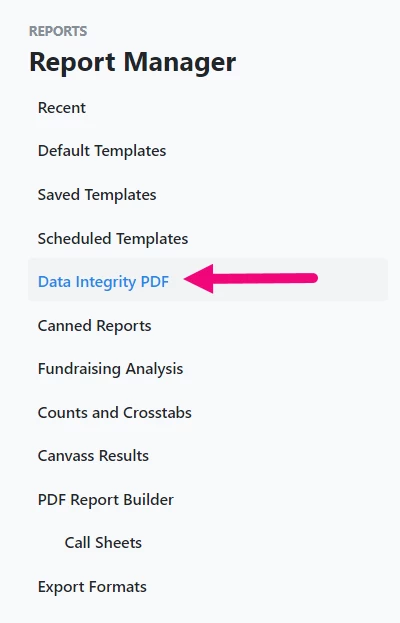
Data Integrity reports help you troubleshoot and audit compliance data entry. You can track debts or loans, and any payments made on them, and see if you are missing any payments that should be recorded. Access the reports from your Report Manager menu.
After selecting the report you want to run, decide what records the report searches on and apply any designation, dates, or period and cycle criteria you want in order to narrow the report further.
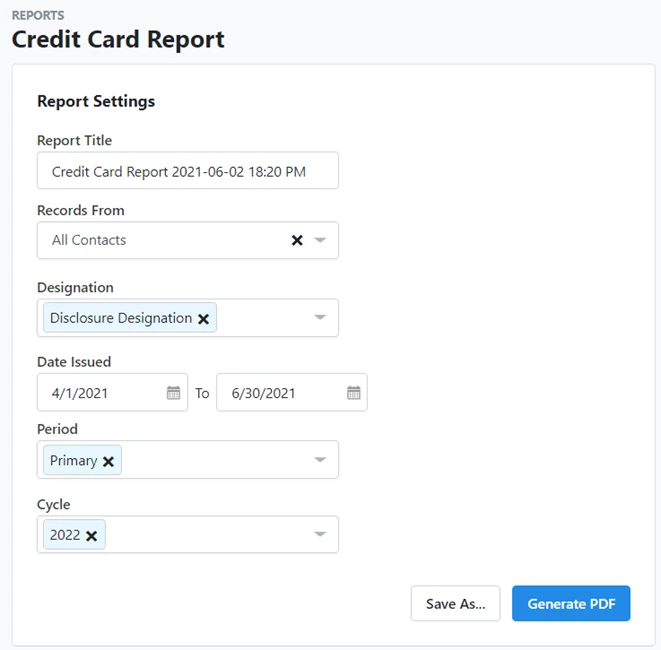
Reports generate PDFs that you have immediate access to and can retrieve later through My PDF Files on your Main Menu.
Examples of Data Integrity Reports
Credit Card Report: View total credit card payments and their linked credit card items. Compare total credit card payment disbursement amounts to the itemized totals of the linked disbursements.
Debts Owed by the Committee Report: View debts owed by the committee and their linked debt repayment disbursements. Compare debt amounts to the itemized totals of the linked disbursements.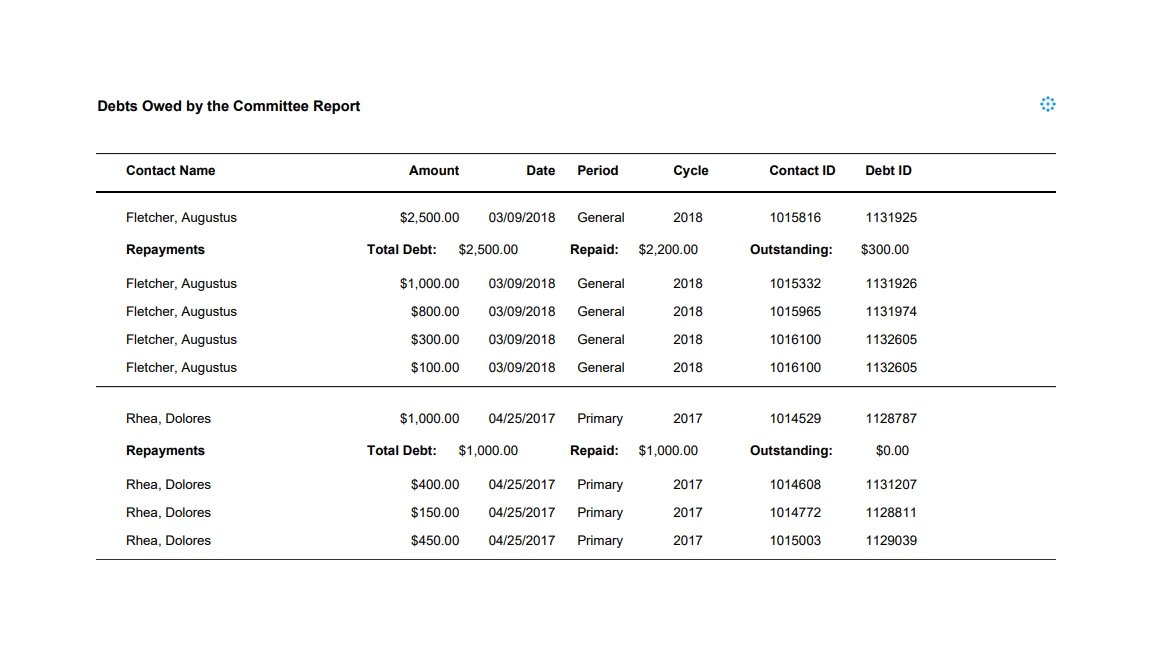
Debts Owed to the Committee Report: View debts owed to the committee and their linked debt repayment contributions. Compare debt amounts to the itemized totals of the linked contributions.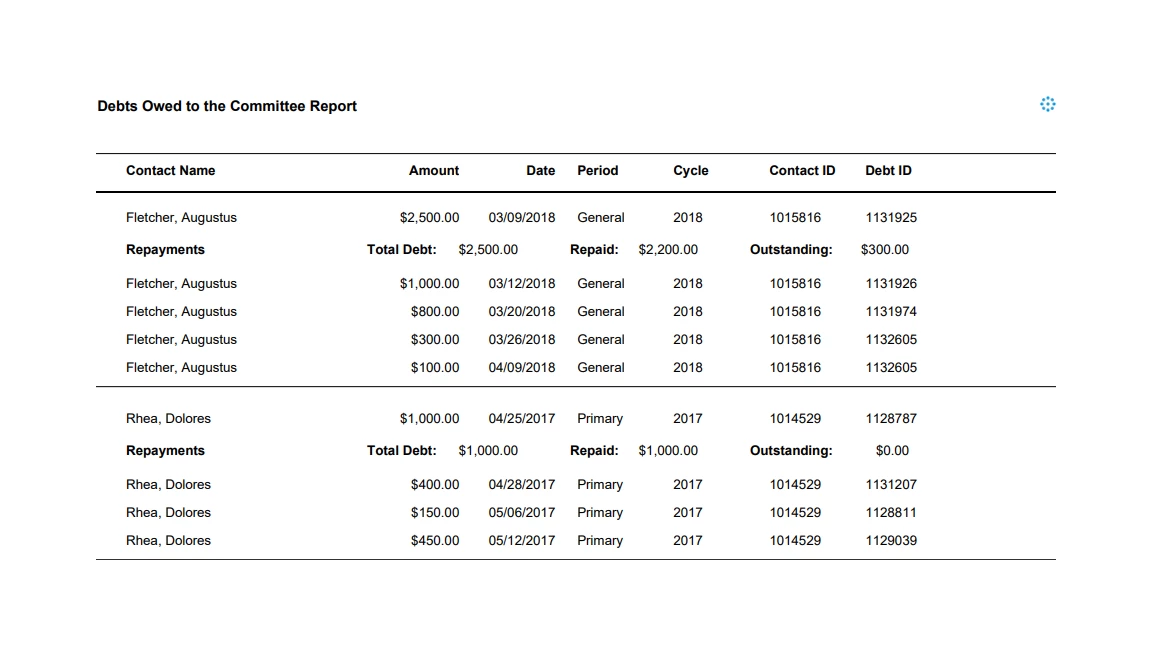
Fundraising Breakdown Report: A breakdown of what types of contributions and contributors make up your fundraising totals.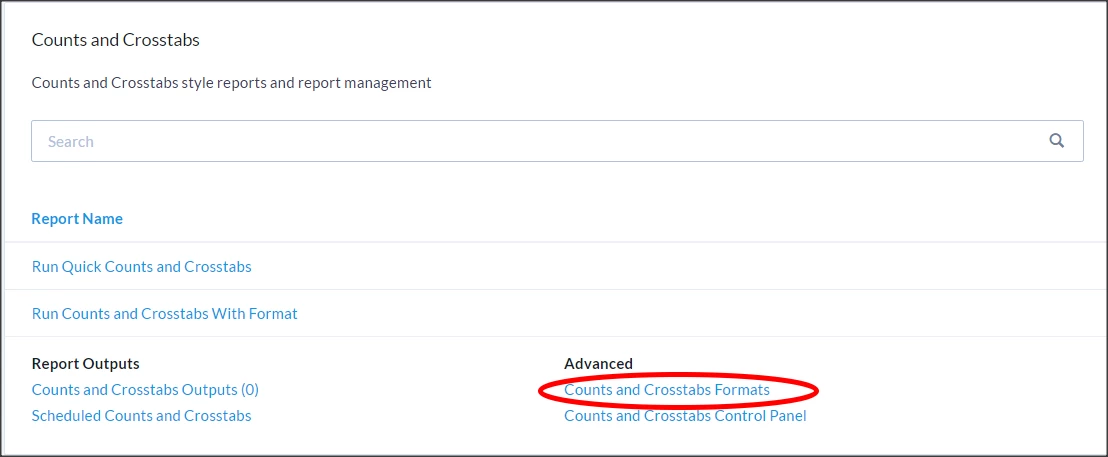
Joint Fundraising Report: View Joint Fundraising contributions and their linked contributions. Compare Joint Fundraising contribution amounts to the itemized totals of the linked contributions.
Loans Made Report: View loans made and each linked repayment contribution. Compare loan amounts to the itemized totals of the linked contributions.
Loans Received Report: View loans received and each linked repayment disbursement. Compare loan amounts to the itemized totals of the linked disbursements.
Partnership Report: View Partnership/LLC Member contributions and their linked contributions. Compare Partnership/LLC Member contribution amounts to the itemized totals of the linked contributions.
Reimbursement Report: View total reimbursement payments and their linked reimbursement items. Compare total reimbursement payment disbursement amounts to the itemized totals of the linked disbursements.
Using default report templates
There are also some Default Report Templates available in Report Manager that you will find useful when preparing your data for filing disclosures:
-
Contribution Acknowledgement Report: Tracks contributions that have not been marked as Thanked.
-
Over Limit Report: Lists contacts who have given in excess of the contribution limit for a specific period or cycle. You must set your committee’s cycle limits within the database first for the report to calculate totals.
-
Contribution Report: Lists all contributions
-
Missing Employer or Occupation Report: Lists contacts who are missing either Employer or Occupation information on their contact record. Two filters are applied by default to exclude fields (retired, homemaker, deceased, etc.) and to include fields (requested, none, not given, etc.). These can be disengaged before you run your report.
-
Disbursement Report: Lists expenditures
-
Email Performance Report: Includes a list of recipients and any relevant statistics and send results of the Targeted Email you choose before running the report.
-
Online Forms Custom Questions Report: Submissions made through an Online Form created in Online Actions.