

Solved

Assigning Staff members

  • October 21, 2025
  • 1 reply
  • 35 views

Forum|alt.badge.img

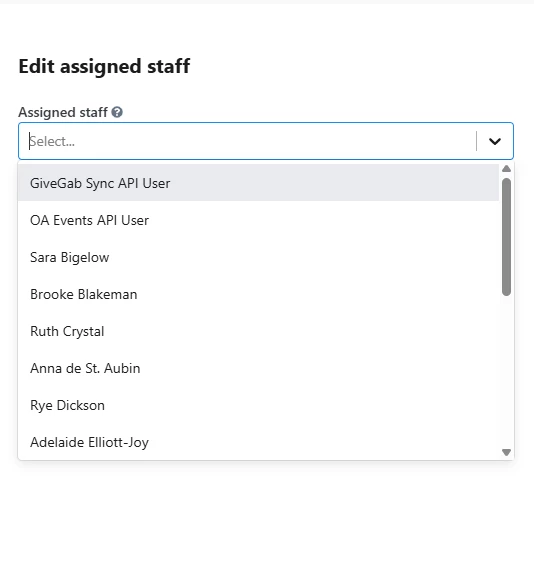
When I go to assign a staff member to a contact for contact management, I am not seeing all of the staff members listed in the drop down menu. Even though these staff members have been added to the “assigned to” dropdown field through the Custom Fields and I can see their names showing up there, I cannot see them when I go into a contact and try to assign them. 


Best answer by torvic vardamis

Hi ​@brooke!

In order for a name to appear in the “Assigned Staff” dropdown menu (as shown in your screenshot), that person must have an EveryAction User Account. The dropdown pulls directly from your list of active users.

It sounds like you may have a Custom Field with a similar name, but that field isn’t connected to the user list or the “Assigned Staff” function.

For more info on Assigned Staff, here’s a great article. 

Thanks!

1 reply

torvic vardamis
Forum|alt.badge.img+2

Hi ​@brooke!

In order for a name to appear in the “Assigned Staff” dropdown menu (as shown in your screenshot), that person must have an EveryAction User Account. The dropdown pulls directly from your list of active users.

It sounds like you may have a Custom Field with a similar name, but that field isn’t connected to the user list or the “Assigned Staff” function.

For more info on Assigned Staff, here’s a great article. 

Thanks!