


How to: Search on early/absentee vote data
(3 min read)
Knowing who has voted early, or is prepared to vote with a mail-in ballot can help you structure your GOTV efforts. When your campaign creates target universes, you can save time and resources by excluding people who have early voted in the current election by searching on Early Voting in Create A List. You can also view voters who have ballots but have yet to return them, so you know who to nudge.
Getting started
In Create a list, find the Early Voting drop down. Make sure the election cycle displayed is current. If your record is outdated, your state or national administrator can submit a support request to have it updated and to clear out the previous election’s early vote data.
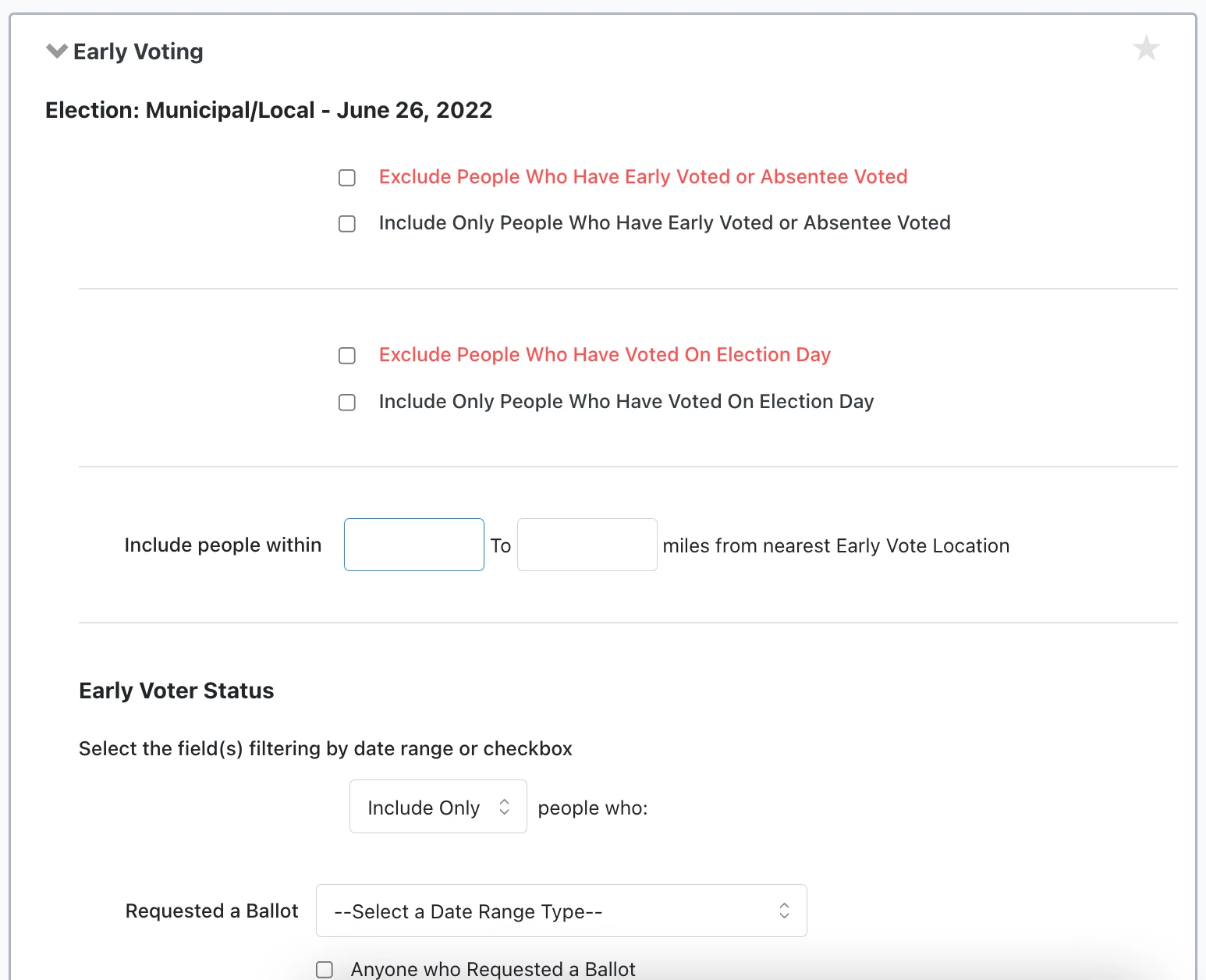
You can choose to Exclude or Include voting records according to:
-
People Who Have Early Voted or Absentee Voted
-
People Who Were Mailed a Ballot
-
People Who Have Voted On Election Day
State and national administrators may ask to have these settings displayed and, during an election, to have them checked by default for expedient searching.
In the Early Voter Status section, you can choose to include or exclude any or all records from your search results based on the criteria you select.
-
Select Include Only, ALL to include people who meet all of the criteria
-
Select Include Only, ANY to include people who meet at least one of the criteria
-
Select Exclude, ALL to exclude people who meet all of the criteria
-
Select Exclude, ANY to exclude people who meet at least one of the criteria
Several fields ask for a date range type. Select Between to bracket the range between two dates. Select In the range of to set a general time frame. In the month of allows you to choose a particular month in a given year. You may select multiple years.
Excluding early/absentee voters from your GOTV universes
If you are running a Virtual Phone Bank (VPB), you can also check Exclude anyone who has Early Voted or Absentee Voted under Additional Settings when you Add New Phone Bank. Early Vote/Absentee data refreshes automatically at 15 minute intervals, so you don't need to send the phone bank to the next round to update this information.
Excluding people who have early voted both when you Create a list and when you set VPB details is especially helpful if 1) you created a static list phone bank, because VPB will remove anyone who votes after the list is created, and 2) you have householding enabled, because this will prevent householding from pulling in contacts who have already voted.
Creating universes for mail-in ballot campaigns
Some state election authorities provide specific data about early and absentee ballot status. In this case, if your site administrators have loaded that data, you can narrow your list to people who are at a particular stage of the voting process using Early Voting in Create A List.
For example, you can create a list of people who have Mailed a Ballot but have not Returned a Ballot according to the early vote data,op so you can remind them of the deadline to return it, and any other important information about casting their ballot.
You may also want to provide information about their early vote locations, so they are more likely to successfully cast their ballot.
How do I how to: search on early/absentee vote data? | How does how to: search on early/absentee vote data work in EveryAction? | Why can't I how to: search on early/absentee vote data? | Where do I how to: search on early/absentee vote data in EveryAction? | What is how to: search on early/absentee vote data in EveryAction? | How to how to: search on early/absentee vote data? | Can I how to: search on early/absentee vote data in EveryAction?