


How to: Manually register supporters for a Ticketed Event
(2 min read)
You can manually add tickets to a contact record and tie in the associated contribution if you have circumstances where attendees are not able to use your form. This might happen, for example, if your attendee is paying for a Ticketed Event with cash or check or if they ask for a last-minute addition of a guest to their registration. Once you've manually added the information to the event, you'll be able to see it in your searches and event results reports. However, since your contacts are not using your Online Actions Event form, it will not update your event form totals or be included in any results for your forms.
Adding events and tickets to a contact record
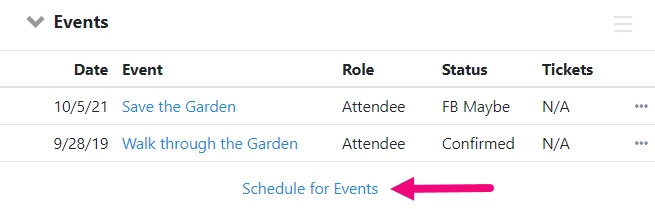
To add someone to an event, open their Events section from their contact details. Select Schedule for Events and then filter and find the event you want.
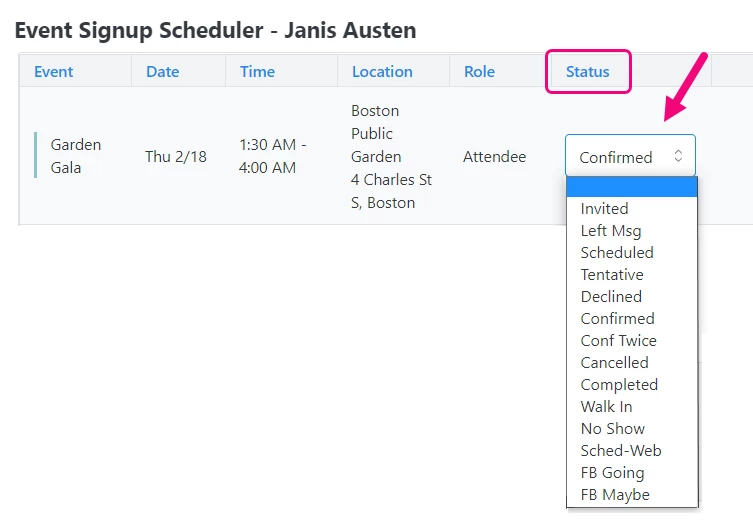
To add them to the event, select a Status (Invited, Scheduled, Confirmed, etc).
After you Save & Close, you will see the event added to your contact record.
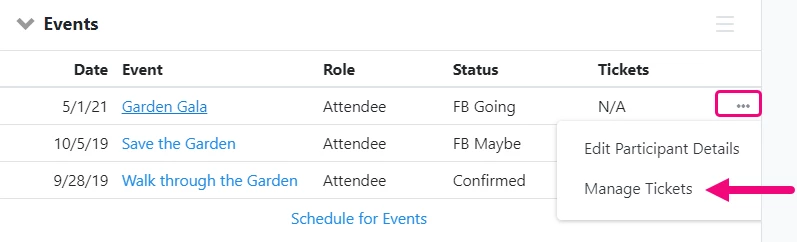
If you need to add a new guest, that is associated with them, you can use the action menu to select Manage Tickets.
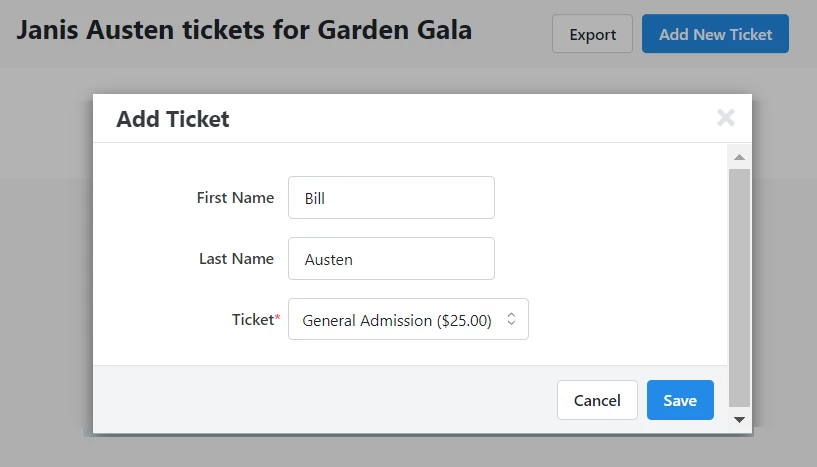
Select Add New Ticket and then fill in the information for their new guest.
Adding Multiple Participants
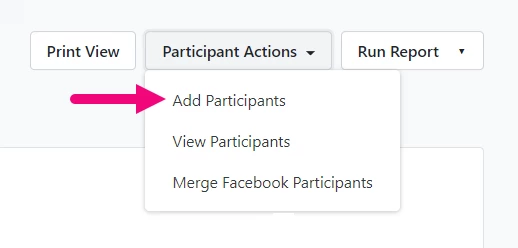
If you want to add multiple participates at once, you can do that from the Event details page. Open the Event List from the Sidebar and then click on the name of the event you want to update.
Use the Participant Actions dropdown and select Add Participants.
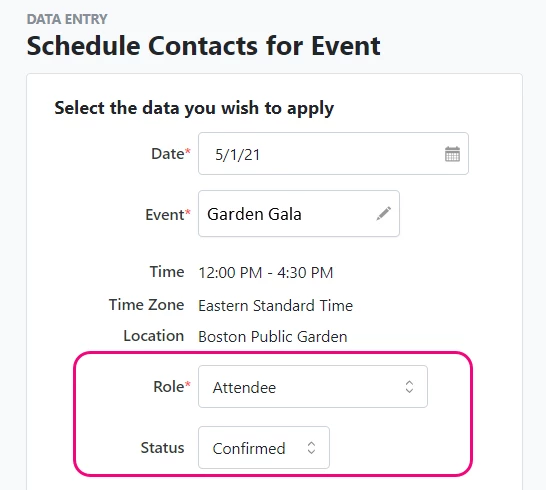
Add any additional information you need on the contact records you'll be selecting, such as Role or Status.
You can then use the quick search to find the contacts you want to add.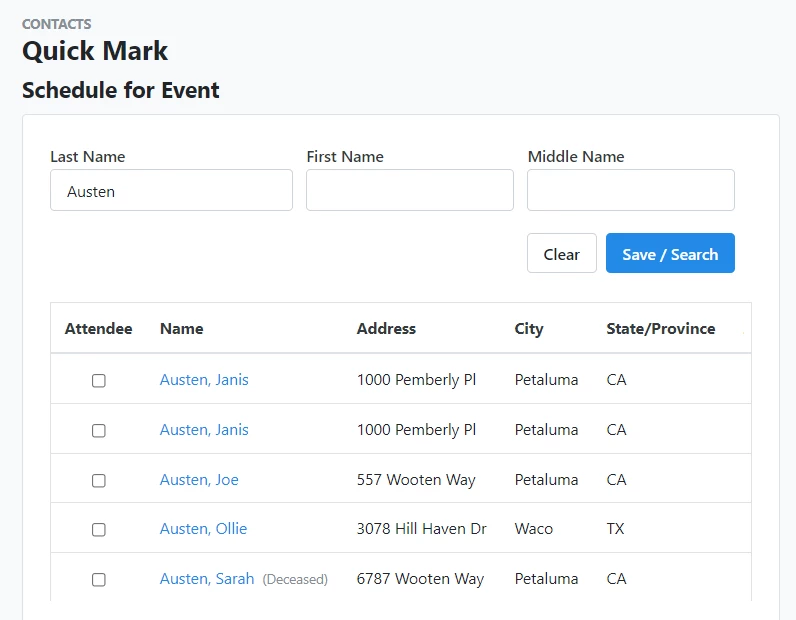
Deleting a ticket from your event
If you need to delete a ticket, you can open the Events section on a contact record, and use the Action menu to select Manage Tickets. You can then select Delete Ticket.
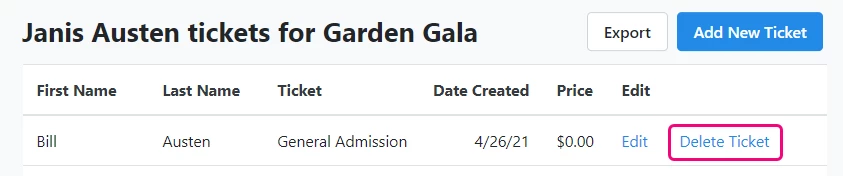
Deleting an Event from a Record
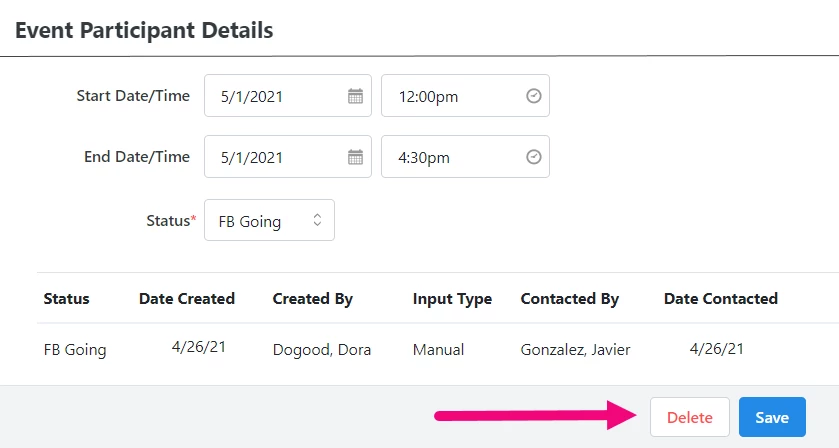
You can also remove an Event from a contact record by selecting Edit Participant Details from the Action menu in the Events section on a contact record. Then, select Delete.
How do I how to: manually register supporters for a ticketed event? | How does how to: manually register supporters for a ticketed event work in EveryAction? | Why can't I how to: manually register supporters for a ticketed event? | Where do I how to: manually register supporters for a ticketed event in EveryAction? | What is how to: manually register supporters for a ticketed event in EveryAction? | How to how to: manually register supporters for a ticketed event? | Can I how to: manually register supporters for a ticketed event in EveryAction?