



Step 1: Navigate to your 'View My Folders' page
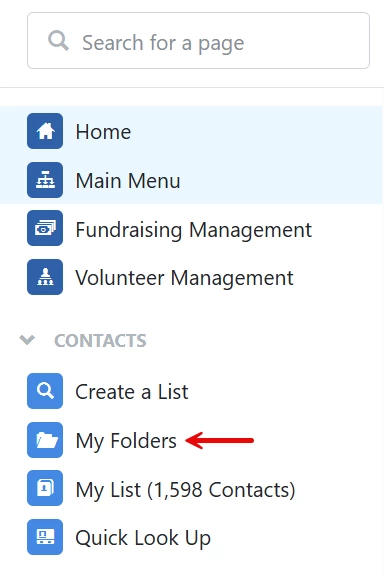
From your 'Main Menu', click 'My Folders' under the 'Contacts' tab on the left navigation panel.
Step 2: Select the folder you want to share
Click on the name of the folder you want to share access to.

Step 3: Edit 'User Access'
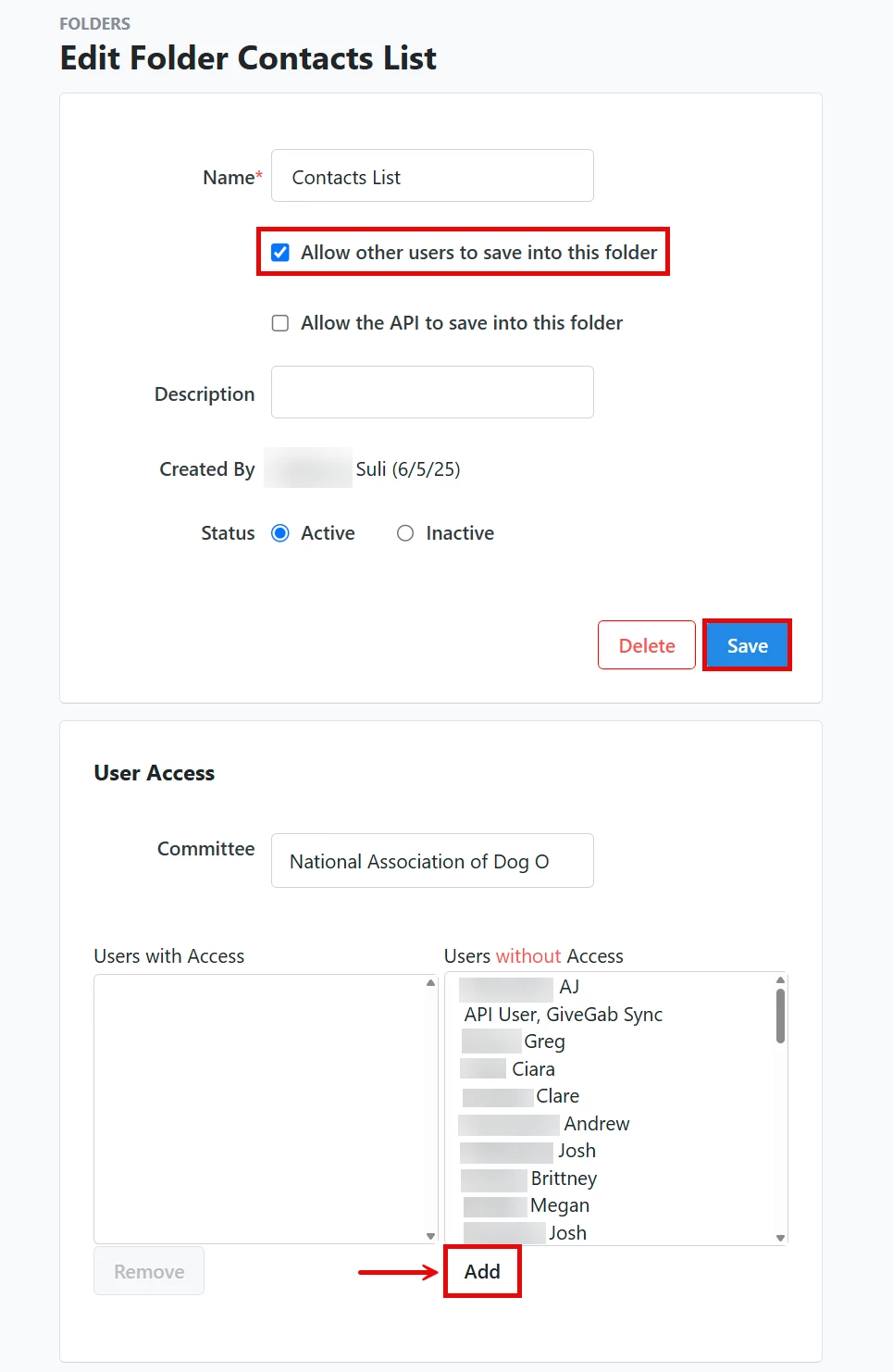
Note: If you want to allow other users to save into this folder as well, check the box next to that option and then click 'Save'.
Here, you can select the names of users who should have access under the 'Users without Access' column and click the 'Add' button. This will automatically move them under the 'Users with Access' column. To revoke access from a user, select their name under the 'Users with Access' column and then click 'Remove'.
What else do you need help with?
Not quite what you were searching for?
Navigate back to the Feature Overview.