Since Bonterra/NGP VAN Payments does not currently support instant bank verification, donors contributing via ACH (bank transfer) must complete a verification process—called an ACH mandate—for donations under $150. This process is required by Nacha, the governing body for ACH payments in the U.S.
To make things easier, here’s a step-by-step guide you can share with your donors, so they know exactly what to expect:
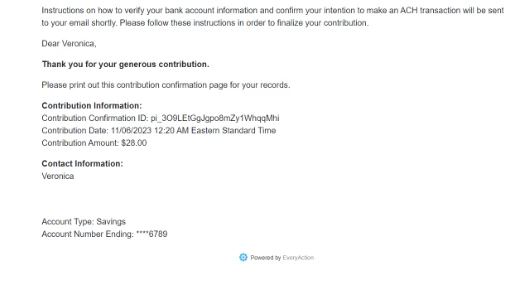
Step 1: Check Your Email for an ACH Confirmation
When donors choose ACH as their payment method, they’ll be asked to provide an email address. If your organization has enabled standard confirmation emails, they’ll get a message letting them know how to finalize their donation.
Action for Donors: Look for an email confirming that instructions are on the way.
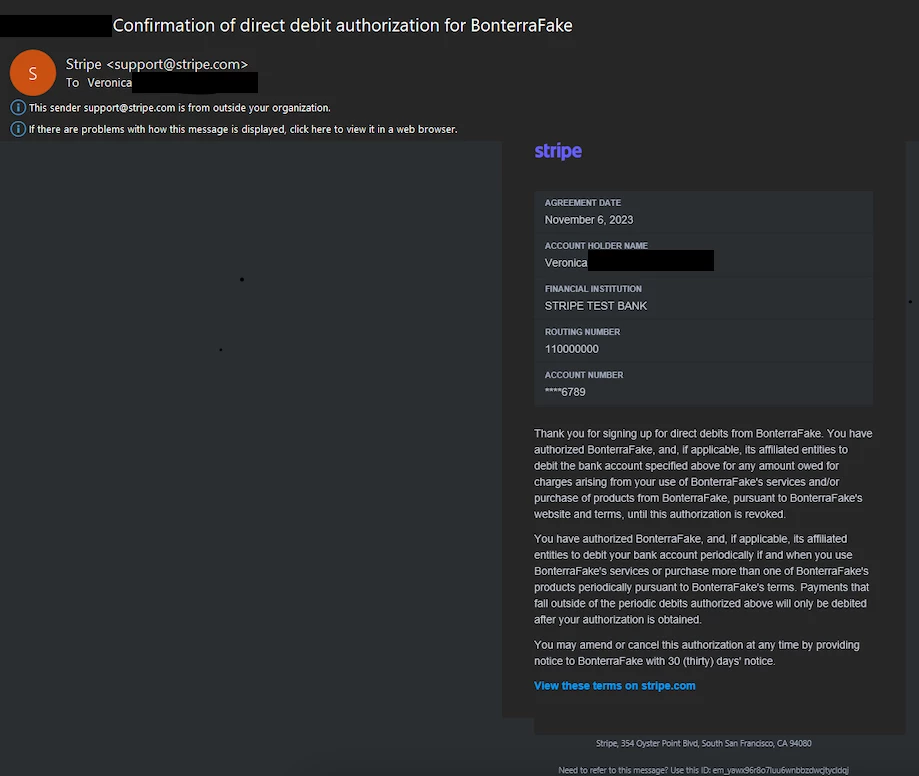
Step 2: Open the Mandate Email from Stripe
Next, donors will receive an email from Stripe, the secure payment processor, with the title, “Confirmation of direct authorization for [Your Organization name]. This email outlines the official agreement to debit their bank account.
Action for Donors: Review this email to understand your authorization for the donation.
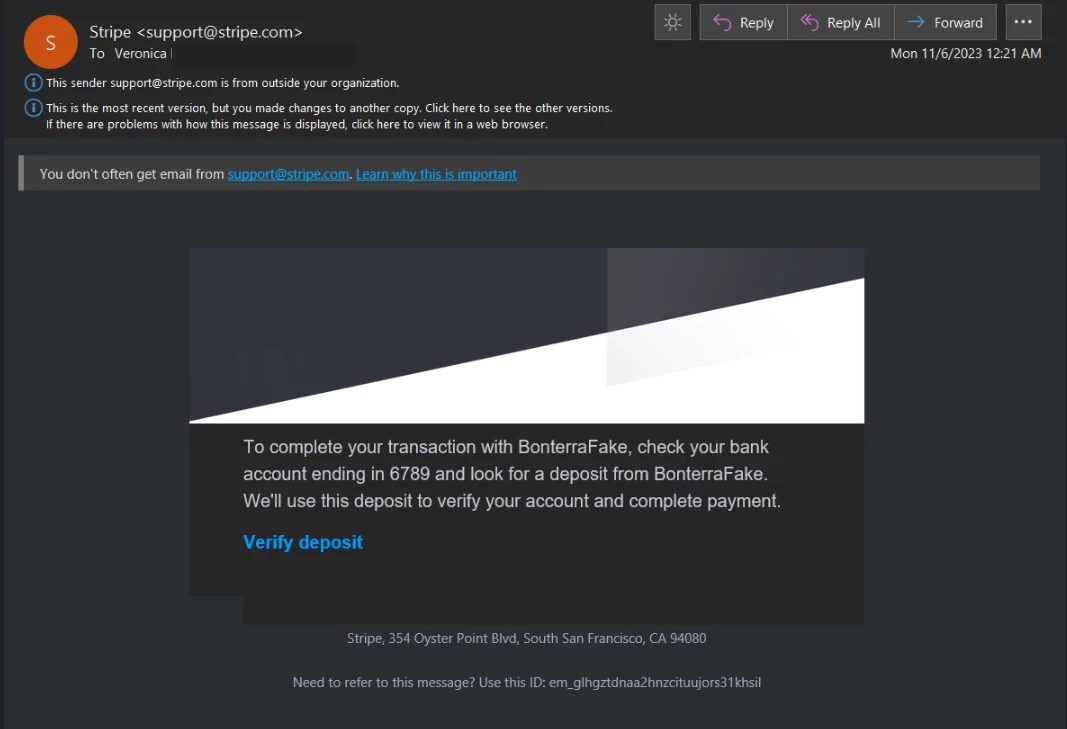
Step 3: Confirm Microdeposits to Complete the Process
Within a day or two, donors will receive another email stating that 1–2 small deposits (called microdeposits) have been made to their bank account.
Action for Donors:
-
- Log in to your bank account and note the exact amounts of the microdeposits.
- Click the link in the email to go to Stripe’s secure site.
- Enter the microdeposit amounts and the 6-character code from the email.
Stripe’s confirmation page will display the organization’s name for reassurance.
⚠️ If the donor does not complete this step, the donation will eventually fail, and no reminders will be sent.
💡 Pro Tips for Organizations
-
Make sure donors know upfront that this process involves a couple of emails and a short wait.
-
Encourage them to check their spam or promotions folders for emails from Stripe.
-
Consider including these steps in your donation thank-you page or confirmation email.
What else do you need help with?
Understanding Designations and Gateways