


How do I add columns to Reports?
Step 1: Navigate to your Report Manager
-
Start from the EveryAction Home page.
-
Navigate using the left menu and click Reporting > Report Manager. Or use the Search for a page field and type Report Manager.
Step 2: Edit your report
You can further customize your report by adding additional columns of information. Columns available to you will depend on the type of report you are creating. Click the 'Edit Columns' button. 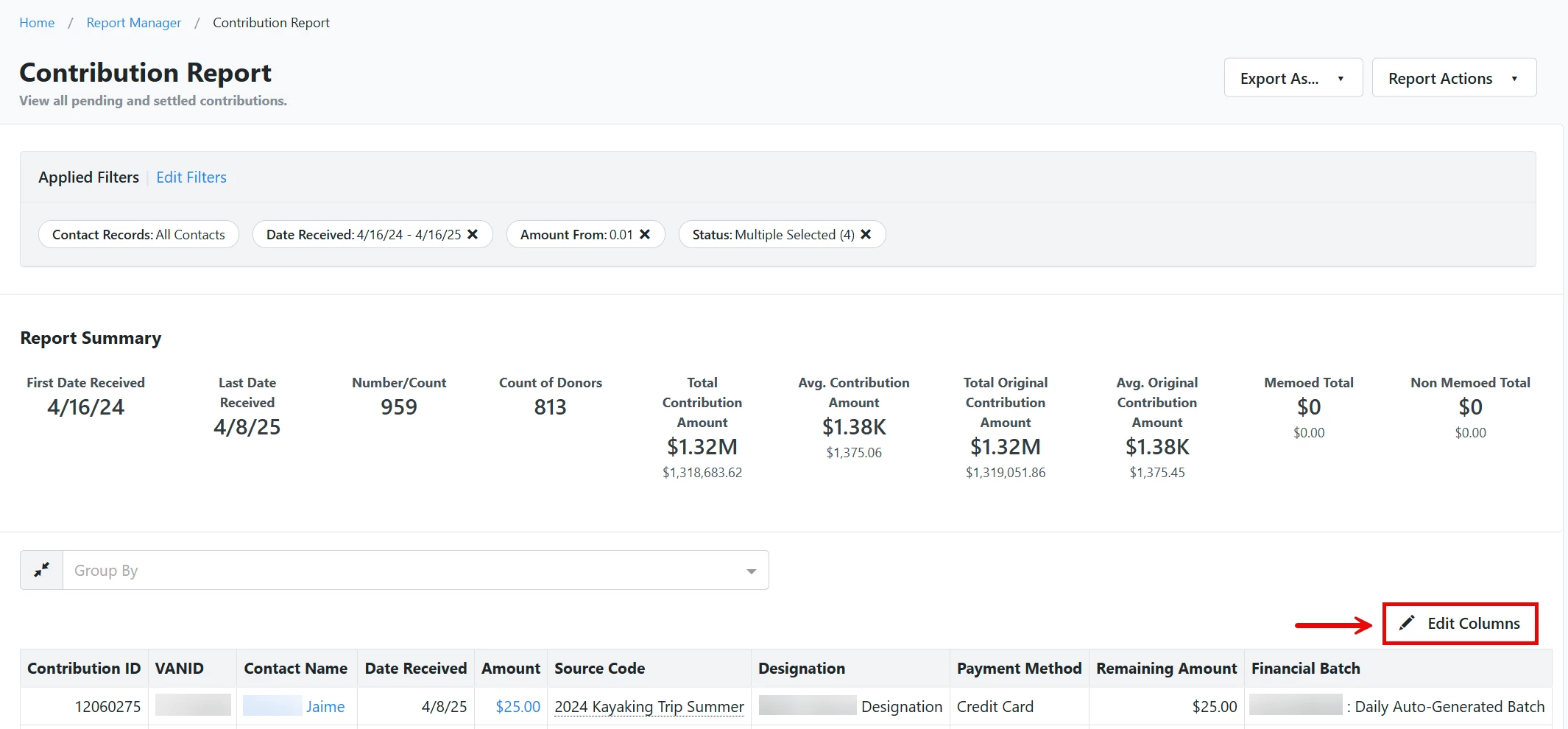
Then, check or uncheck the boxes next to each field. Similarly to Filters, the column fields are grouped into sections that can be collapsed and expanded.
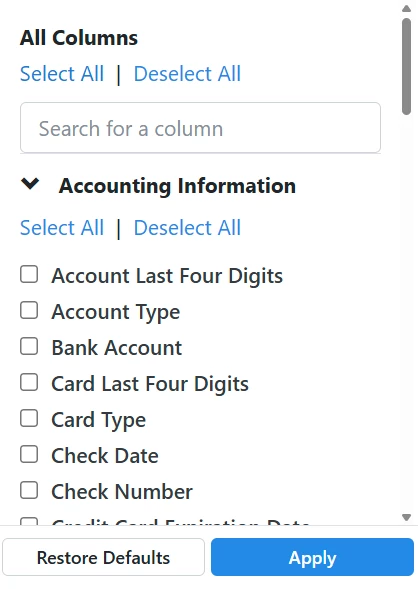
Once you are finished, click the 'Apply' button to save your changes!
Not quite what you were searching for?
- Navigate back to the Reporting Resource Index.
How do I add columns to reports? | How does add columns to reports work in EveryAction? | Why can't I add columns to reports? | Where do I add columns to reports in EveryAction? | What is add columns to reports in EveryAction? | How to add columns to reports? | Can I add columns to reports in EveryAction?