



FastAction's one-click contribution feature allows your donors to make contributions quickly and easily. By enabling this feature, donations are processed automatically when a donor clicks the designated link. This guide will walk you through the steps to set up and effectively use FastAction for one-click contributions.
Step 1: Enable FastAction Auto Processing
Log in to your FastAction account and navigate to the contribution form associated with your Smart Link. Ensure that FastAction Auto Processing is enabled on your contribution form. This feature allows donations to be processed immediately.
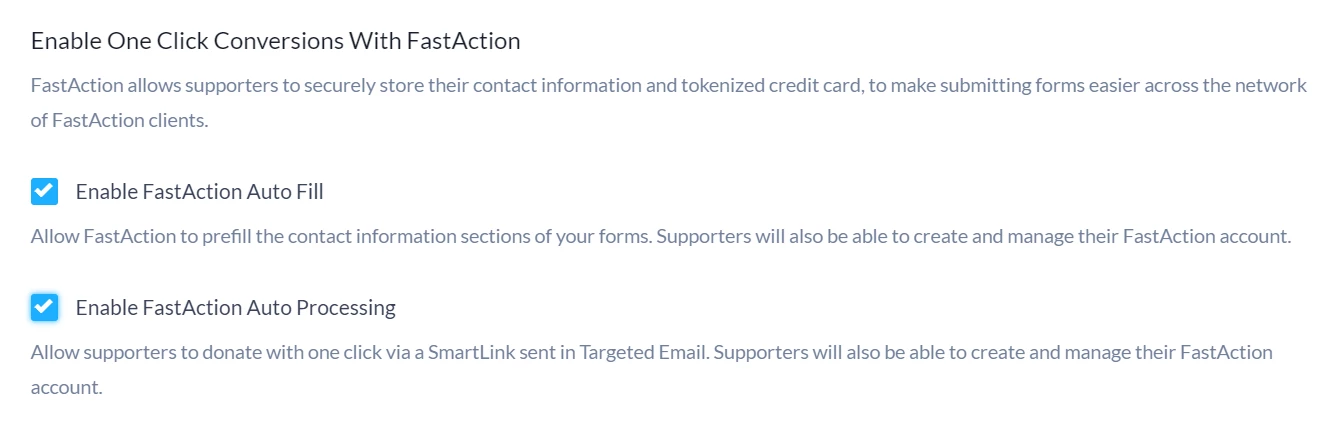
Step 2: Set Up One-Click Contribution Links
Generate your one-click contribution links that donors will use. Make sure to include the {{Amount}} variable in each link to specify the donation amount.
Example: “Give $20 now!”
We recommend that you include a warning to remind your FastAction users that as soon as they choose one of the donation links, their contribution will be processed immediately.
Step 3: Ensure Donor Readiness
Remind your donors that they need to be logged into their FastAction account before clicking the link. Also, make sure their account includes all necessary contact information and tokenized credit card details. If any information is missing, they will be redirected to the Online Action form to complete their donation.
Step 4: Communicate the One-Click Functionality
When you send your email, your one-click contribution links will only work the first time they are clicked. This prevents your supporters' information from being used again if they decide to forward your email to friends and family. If the link is clicked a second time, the form will not prefill with the information contained in the original URL link.
However, if the person who clicks the link a second time is already logged into FastAction, their information will automatically be used for pre-filling the form.
Step 5: Test Your Setup
Conduct a Test Run: Before launching your campaign, test the one-click links yourself or with a colleague to ensure everything works as intended. Make sure that the links direct to the correct contribution amounts and that all information populates correctly for logged-in users.
Step 6: Launch Your Campaign
Once everything is set up and tested, send your fundraising emails with the one-click contribution links.