We’ve made some updates to our login experience! If you come across references to “ActionID” in our help resources, those are being updated to reflect the new name: Bonterra Account. Nothing changes on your end as we tidy up the documentation.
When a staffer leaves your organization, deactivating their user account may pose challenges for the staff that remains. You can lose access to certain assets, like folders and searches, needed for ongoing work.
Understanding asset ownership
When a user is deactivated, the folders, saved lists, and saved searches they created are not accessible by database administrators because:
-
Searches and lists must be saved in a folder
-
Folders and their contents can only be accessed by their creators and the users they grant access to. There are no "access all folders" permissions.
Here are some steps you can take to retain access to those assets.
Inactivating user accounts
Rather than deactivate a user account, you can make a former staffer inactive, revoking their access while retaining ownership of critical assets. Data associated a the defunct user account remain in the system. Ownership of folders and other data points cannot be made to automatically transfer to current staff.
To do this:
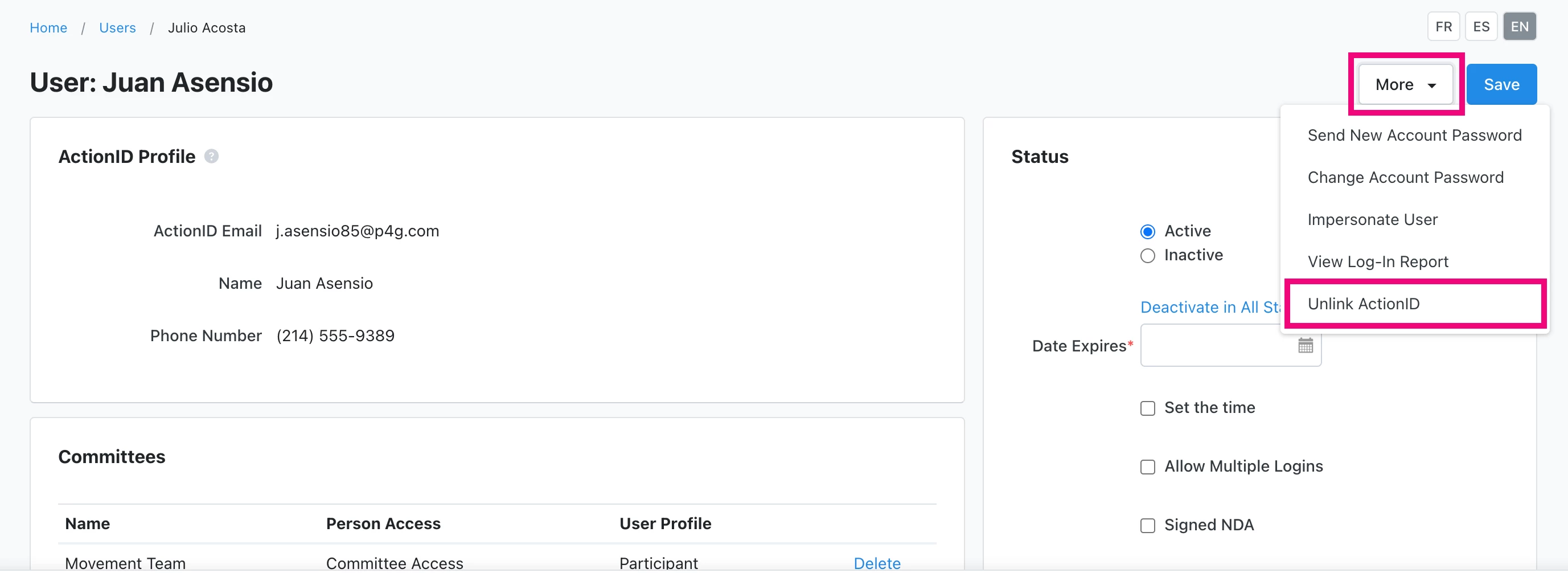
- Unlink the user’s Bonterra Account so the former staffer cannot log into the account but the user account remains open
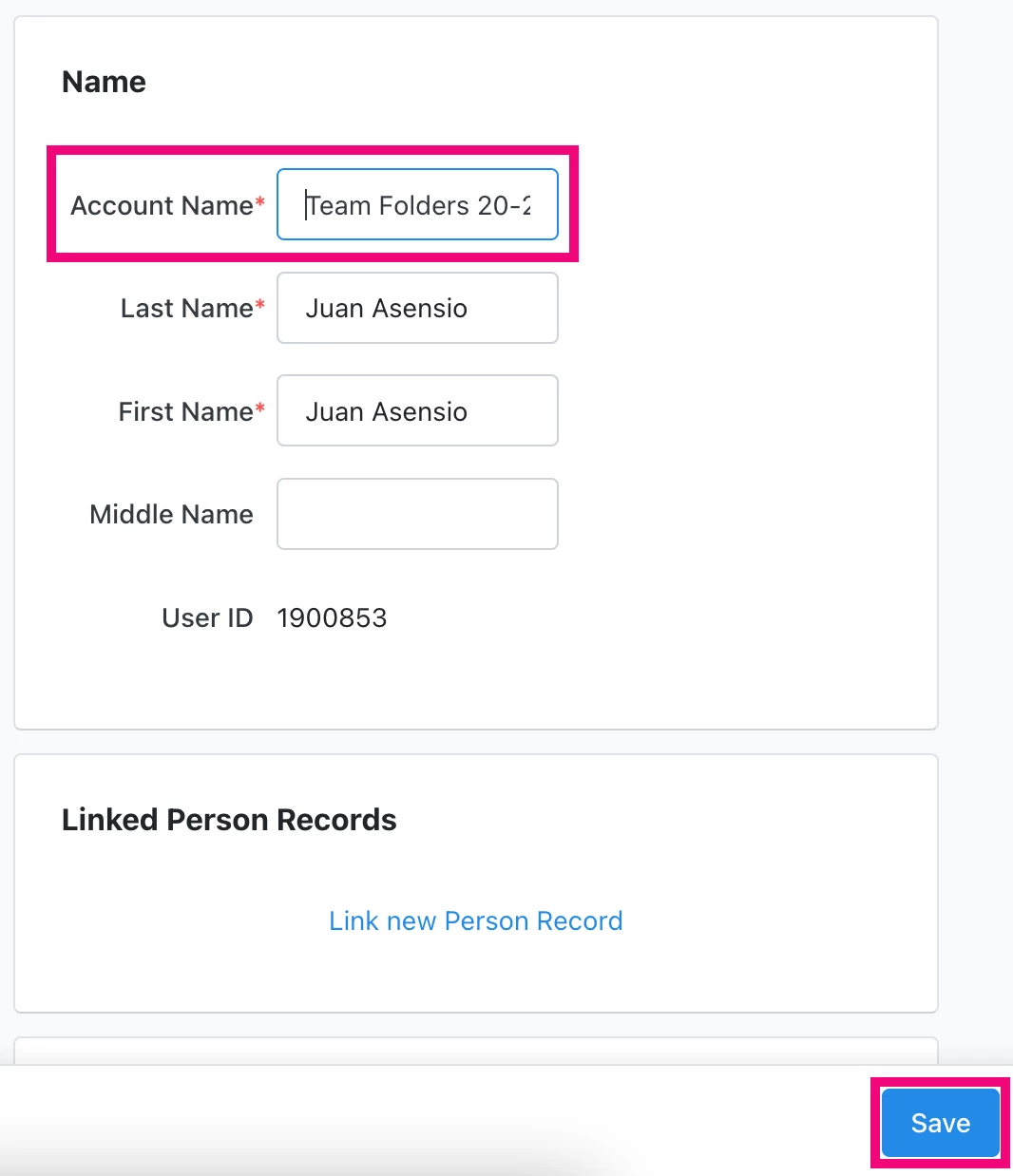
- Rename the user account something generic, role-based
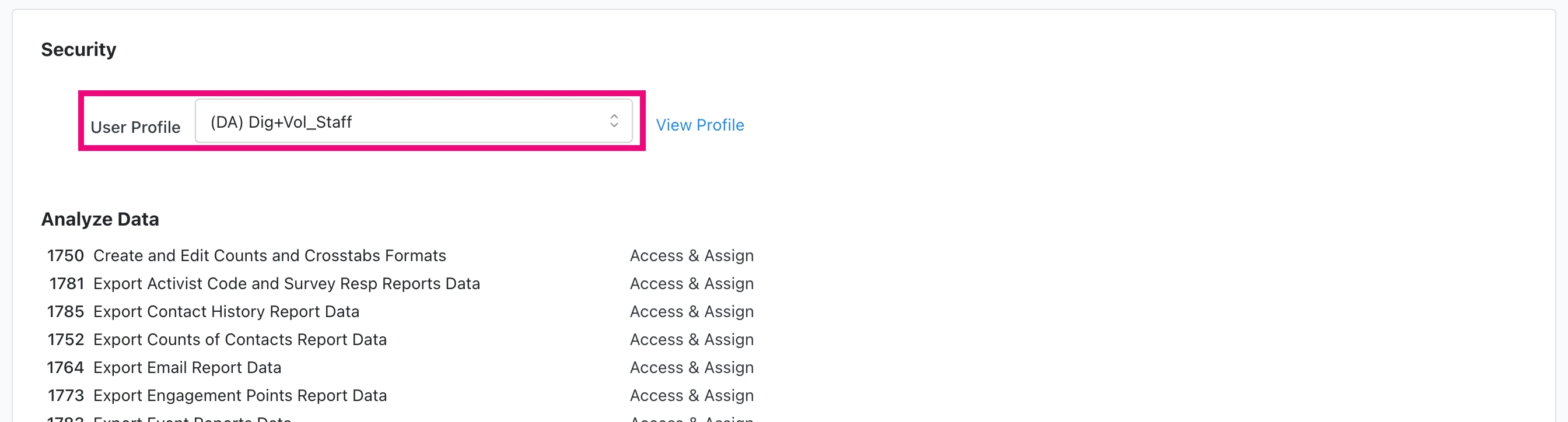
- Reassign the user to a lower User Profile so that other users can impersonate that account. You may need to have client services do this if the staffer was a top-level administrator. While impersonating the former staffer, share any folders of saved searches in that staffer’s My Folder with anyone who needs access to them. Additionally, share any user-specific Reports.
Anticipating turnover
-
The easiest way to hold on to important assets is to add asset transfer to your off-boarding checklist.
-
Eliminate individual folder ownership altogether. Institute a protocol that any assets intended for general access be created under a generic user profile set up with with low permissions expressly so that all staff who need to can impersonate it when creating folders, lists, and searches, etc.
-
Get in the habit of using User Groups. User Groups are committee-specific groups that allow you to share folders among accounts. You can set up groups of staffers whose work intersects. If any one leaves, the group can still access any folder they shared.
Read more about User Groups
How do I administer: deactivated user accounts? | How does administer: deactivated user accounts work in EveryAction? | Why can't I administer: deactivated user accounts? | Where do I administer: deactivated user accounts in EveryAction? | What is administer: deactivated user accounts in EveryAction? | How to administer: deactivated user accounts? | Can I administer: deactivated user accounts in EveryAction?