



We’ve made some updates to our login experience! If you come across references to “ActionID” in our help resources, those are being updated to reflect the new name: Bonterra Account. Nothing changes on your end as we tidy up the documentation.
Overview
This article contains information about how to reset passwords and what to do if your password reset email does not arrive.
Bonterra Account password resets are different from Bonterra Account Two-Factor Authentication (2FA) resets. The former is resetting a forgotten password, which will not resolve an issue with 2FA. The latter may be necessary if your 2FA isn't working. If that's the case, find and use your backup codes that you should have downloaded when first enabling 2FA. If you cannot find them, you will need to contact your administrator, who will send in a request to reset your Bonterra Account.
- Bonterra Account password resets: To reset your Bonterra Account password, go to http://myaccount.ngpvan.com/ > Forgot your password? You will be prompted to enter your Bonterra Account email address. If you use another email address, the reset email will not be sent.
To reset their Bonterra Account password, users should go to the URL where they log in, and click 'Log In with Bonterra Account' and then 'Forgot your password?'
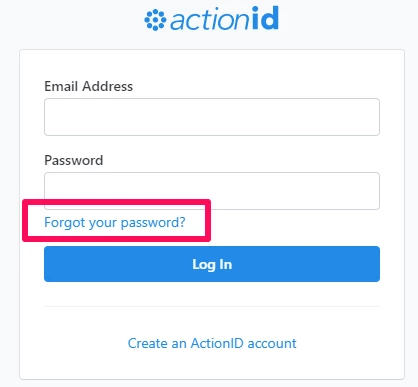
If the password reset email does not arrive within five minutes, users should first check their spam folder. If the email is not there, ask your administrator to send an Bonterra Account invitation.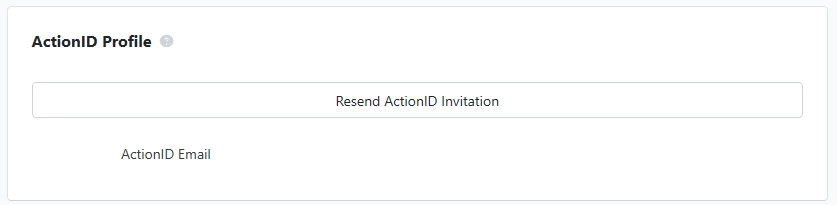
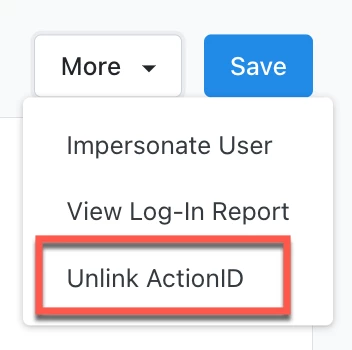
If the button is not there, the administrator can Unlink Bonterra Account from the More menu, which will cause the button to reappear.
How do I password resets? | How does password resets work in EveryAction? | Why can't I password resets? | Where do I password resets in EveryAction? | What is password resets in EveryAction? | How to password resets? | Can I password resets in EveryAction?