



FastAction is our network of saved supporter profiles, designed to make engagement faster and easier by pre-filling forms with a supporter’s data so they can contribute or take action with as little as one click.
Read more about FastAction
Getting the right information is an important part of the process, so we've made it easy for your supporters to update their information on their own from the FastAction website. Supporters can update their profile information, see their transaction history, and learn more about how FastAction works to keep their data safe while making it easy to take action using Online Actions forms.
Managing FastAction profiles
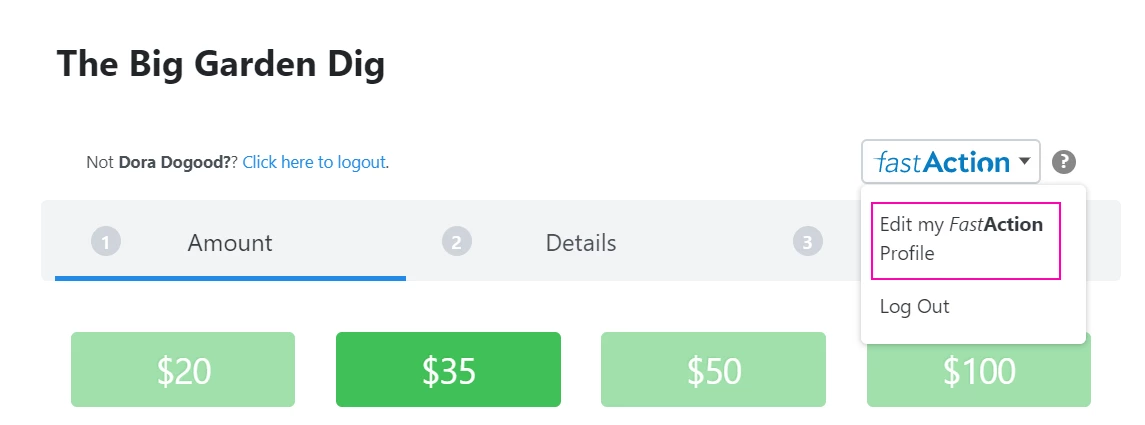
All FastAction users can update the settings in their profile by using the link from any online forms that have FastAction enabled or by visiting fastaction.ngpvan.com directly.
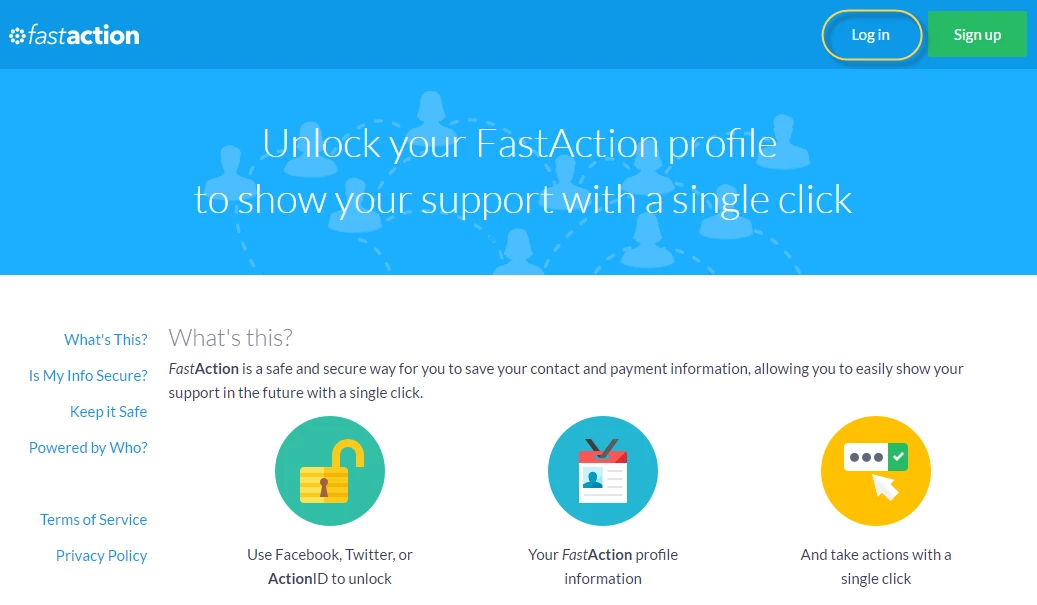
If they are visiting the web link directly and are not logged in, your supporter will need to Log in to their account to view or update their profile.
Once they are logged in, supporters will see an area where they can update their contact and payment information. There is a tab at the top that will let them see which Transactions are associated with this profile. 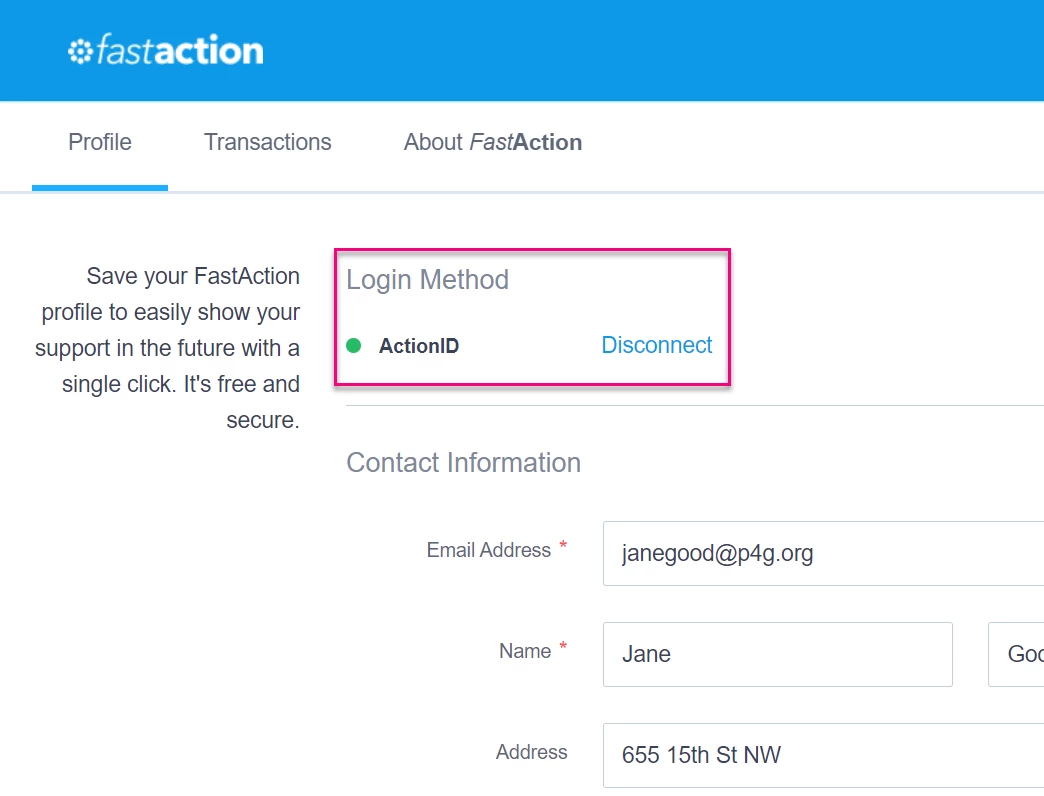
Removing a FastAction profile
If a supporter created their FastAction account by accident or has decided that they wish to delete their existing profile, they can do so, but keep in mind that this profile will no longer be accessible on any form that uses FastAction, not just your organization’s forms.
Warning: All information, including transaction history, will be permanently deleted.
From the Profile page, select Delete Profile from the bottom of the page.
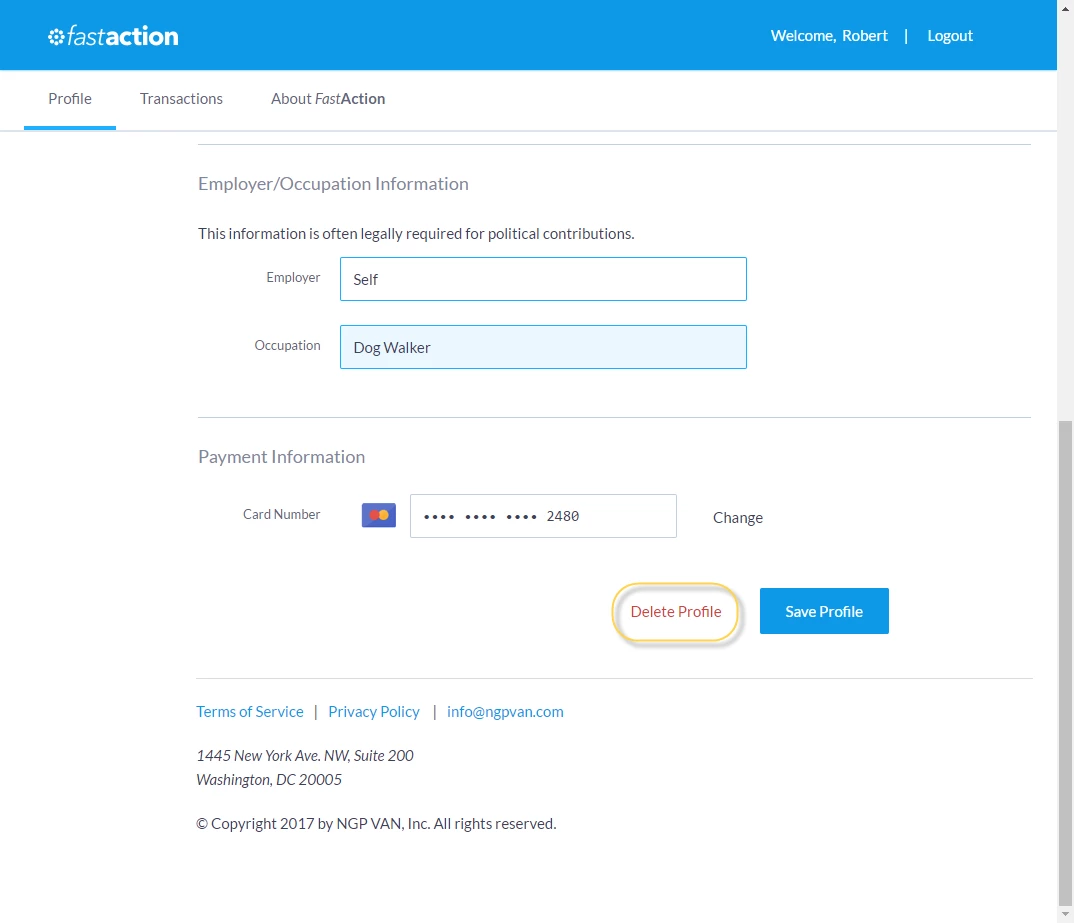
Confirm the action by selecting Ok.