


Step 1: Navigate to Online Actions
- From the homepage, navigate to the left-hand menu. Click Engagement > Communication Tools > Online Actions.
- Or use the Search for a page field and type Online Actions.
Step 2: Choose the form to apply your campaign
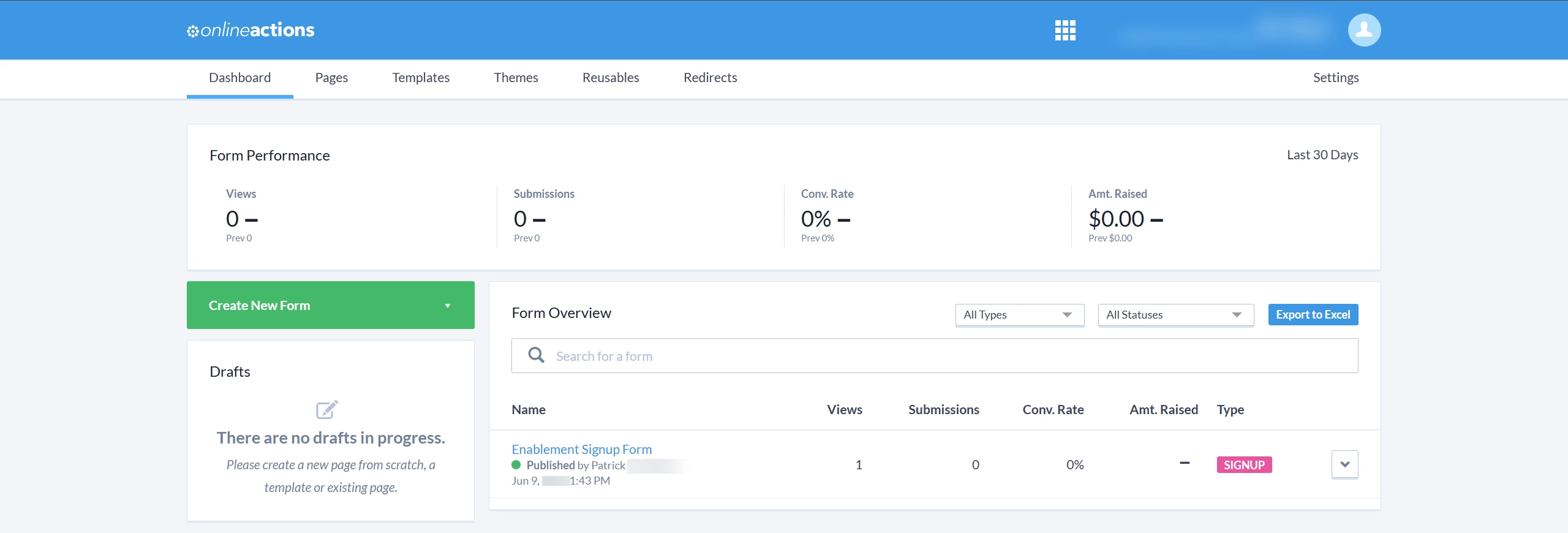
Find the form you want your campaign applied to and click on its name to edit it. You can search for your form by name or scroll through the list under the 'Form Overview' section.
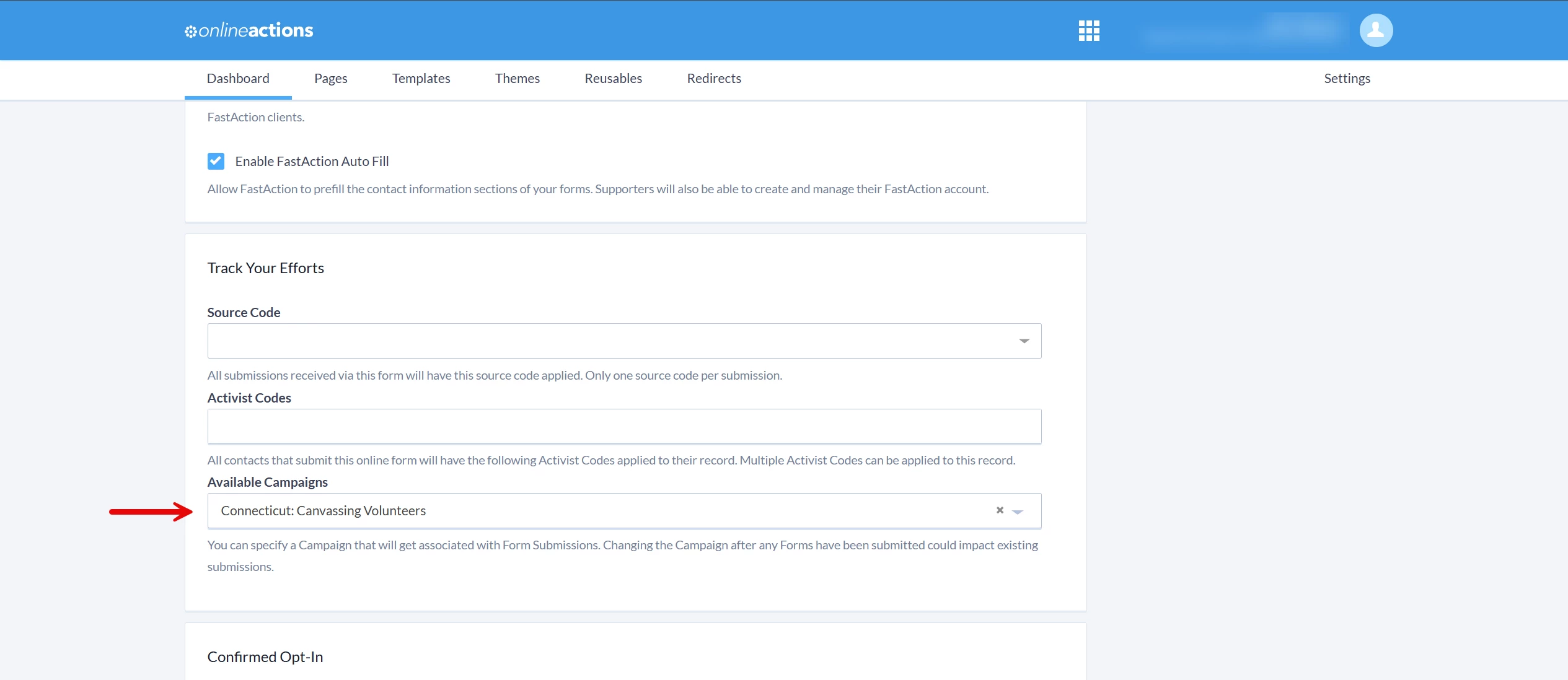
Step 3: Scroll to the 'Track Your Efforts' section
In the form builder, scroll under the 'Basics' step for any of your forms and use the 'Available Campaigns' dropdown to select the campaign you want linked with your form. The campaign assigned to your form can be changed at any time (this will update any existing form submissions and any future submissions with the new campaign name).
Once you have finished making your updates, scroll down and click 'Publish Changes'.

What else do you need help with?
Not quite what you were searching for?
Navigate back to the Codes & Effort Tracking Resource Index.
How do I apply a campaign to an 'online actions' form? | How does apply a campaign to an 'online actions' form work in EveryAction? | Why can't I apply a campaign to an 'online actions' form? | Where do I apply a campaign to an 'online actions' form in EveryAction? | What is apply a campaign to an 'online actions' form in EveryAction? | How to apply a campaign to an 'online actions' form? | Can I apply a campaign to an 'online actions' form in EveryAction?