



ManualLink lets you securely submit your nonprofit’s bank account information to our team without connecting to Plaid – however, it can take up to 8 weeks to be processed and receive approval.
Our ManualLink option is designed for those folks whose needs are not met by the DirectLink application – that is why we strongly recommend using the DirectLink option first!
Step 1: Get started
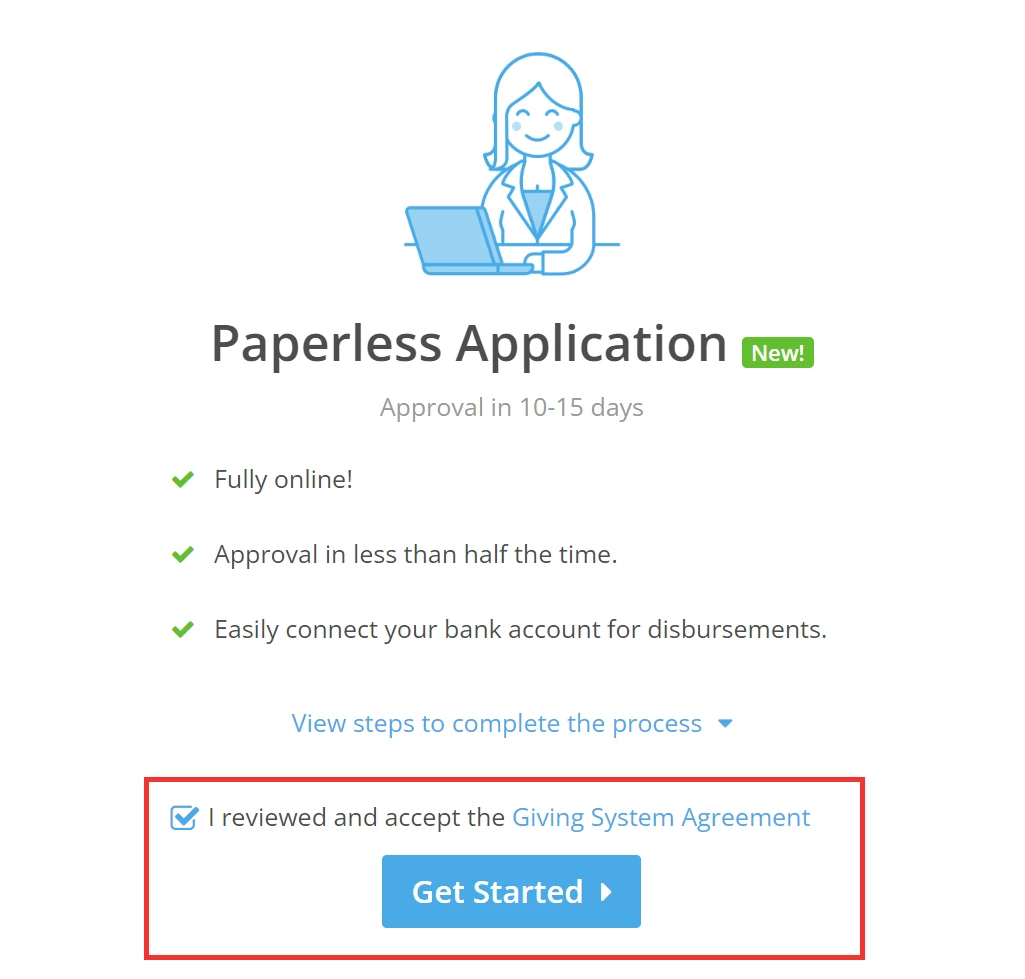
To get started, check the box next to 'I reviewed and accept the Giving System Agreement' - then click 'Get Started'.
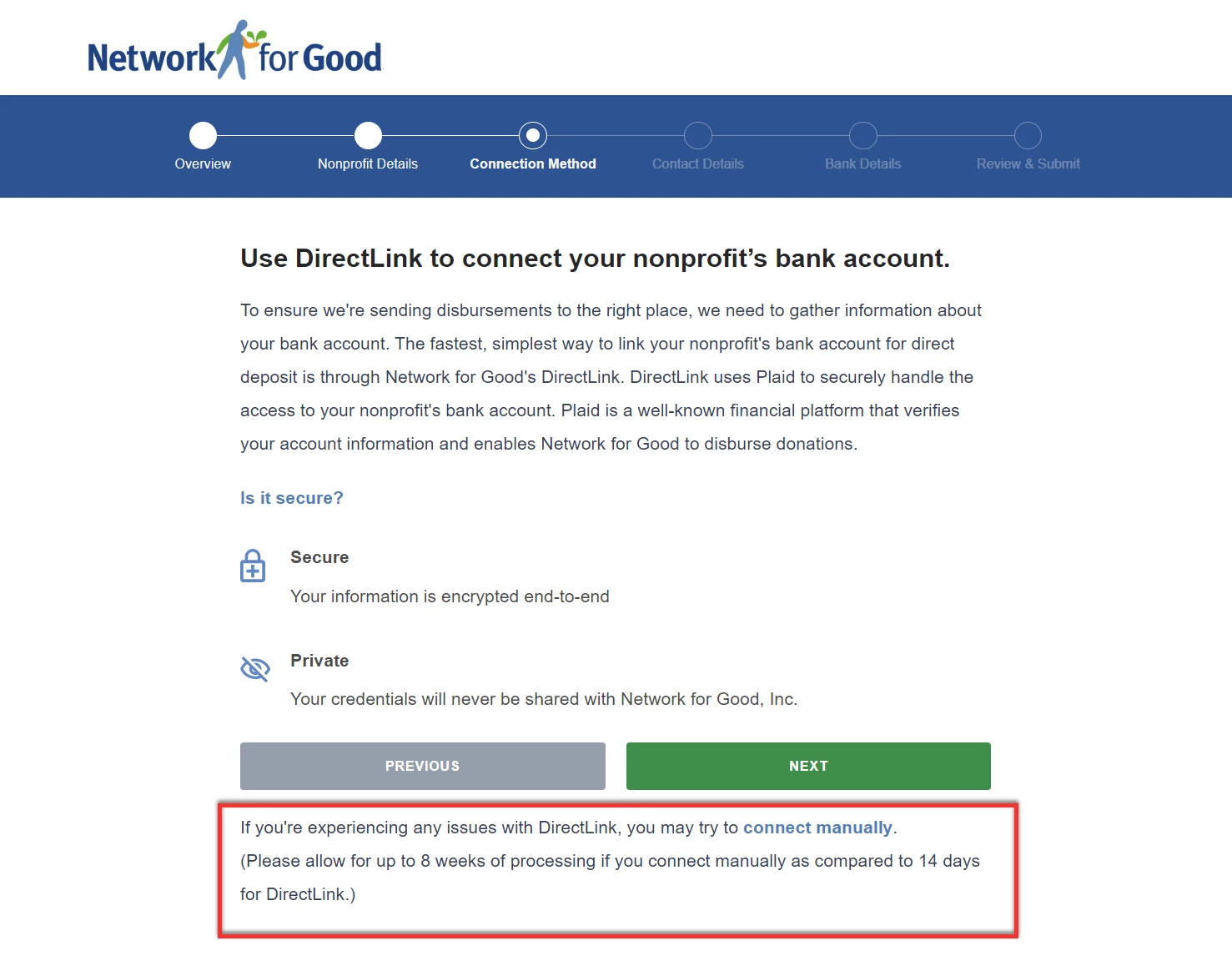
You will be directed to the 'Overview' page where you can click the 'connect manually' to apply via ManualLink.
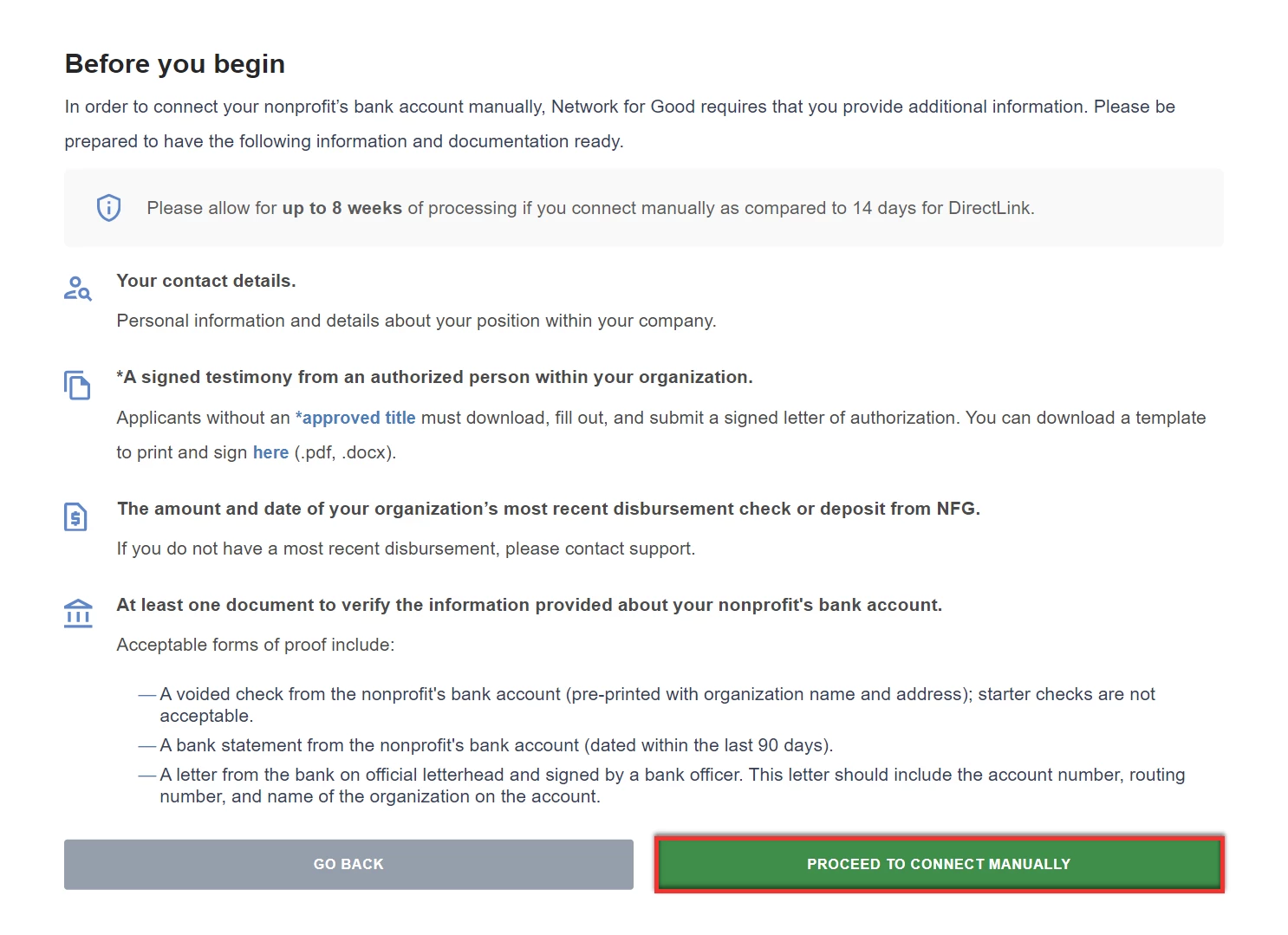
Carefully review the details on the page and then click 'Proceed To Connect Manually'.
Step 2: Review the information on file for your organization
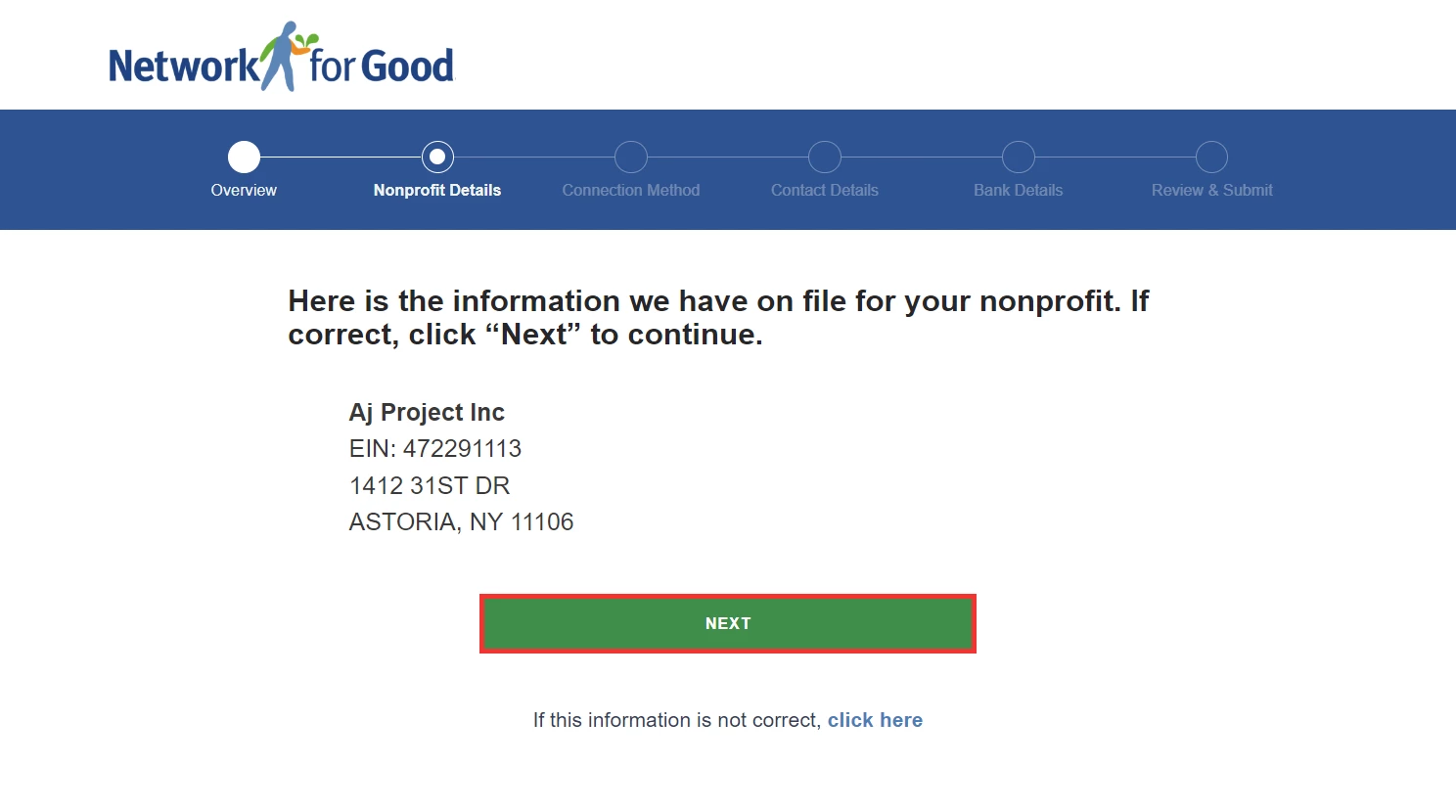
On the 'Nonprofit Details' step of the application, you will be asked to review basic information about your nonprofit, including your organization's name, EIN, and address.
If the information is incorrect, click the link at the bottom of the page. Otherwise, click 'Next' to proceed.
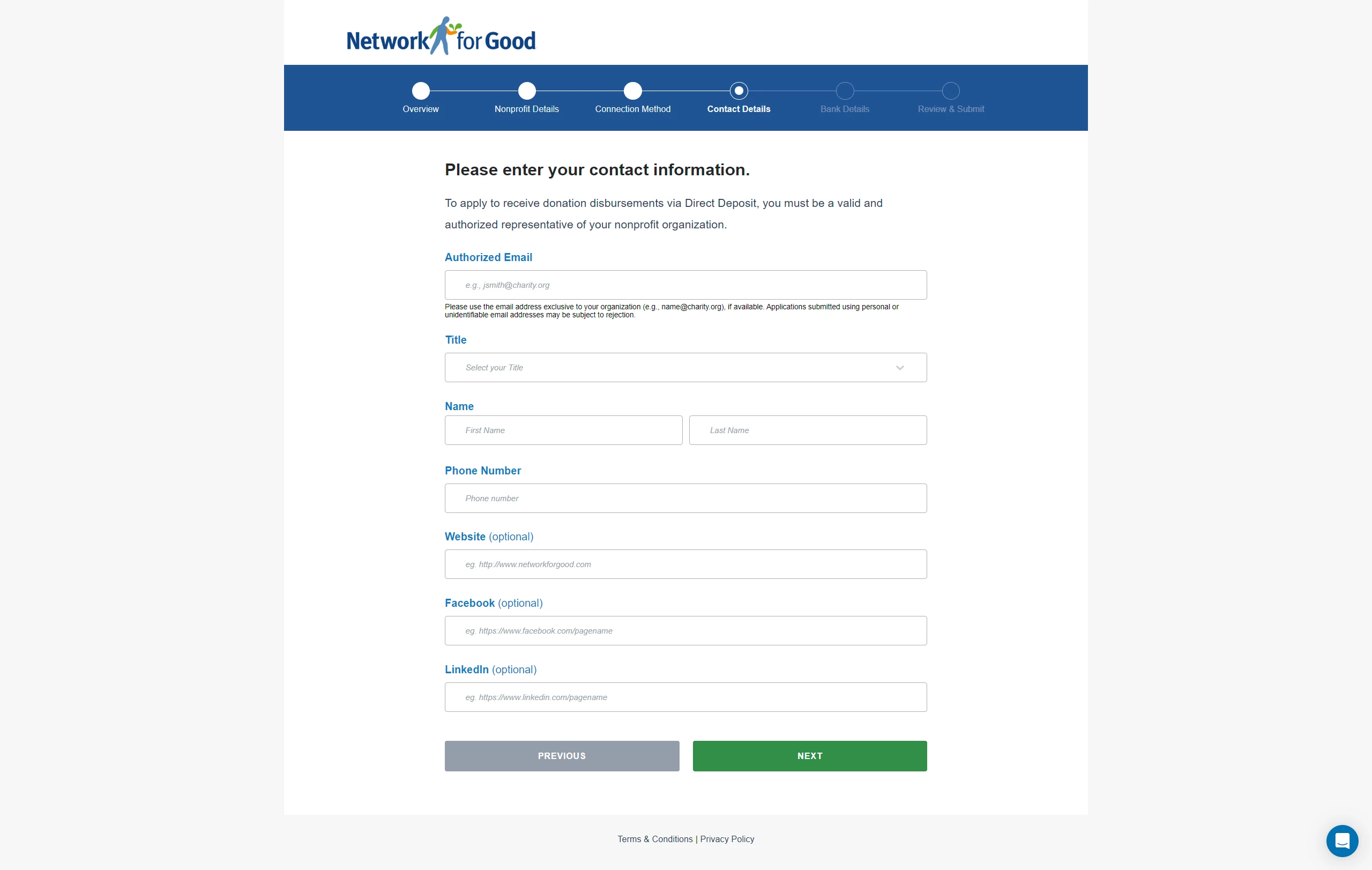
Step 3: Verify your organization's authorized representative
In this section, enter the contact information of your organization's authorized representative to verify their identity.
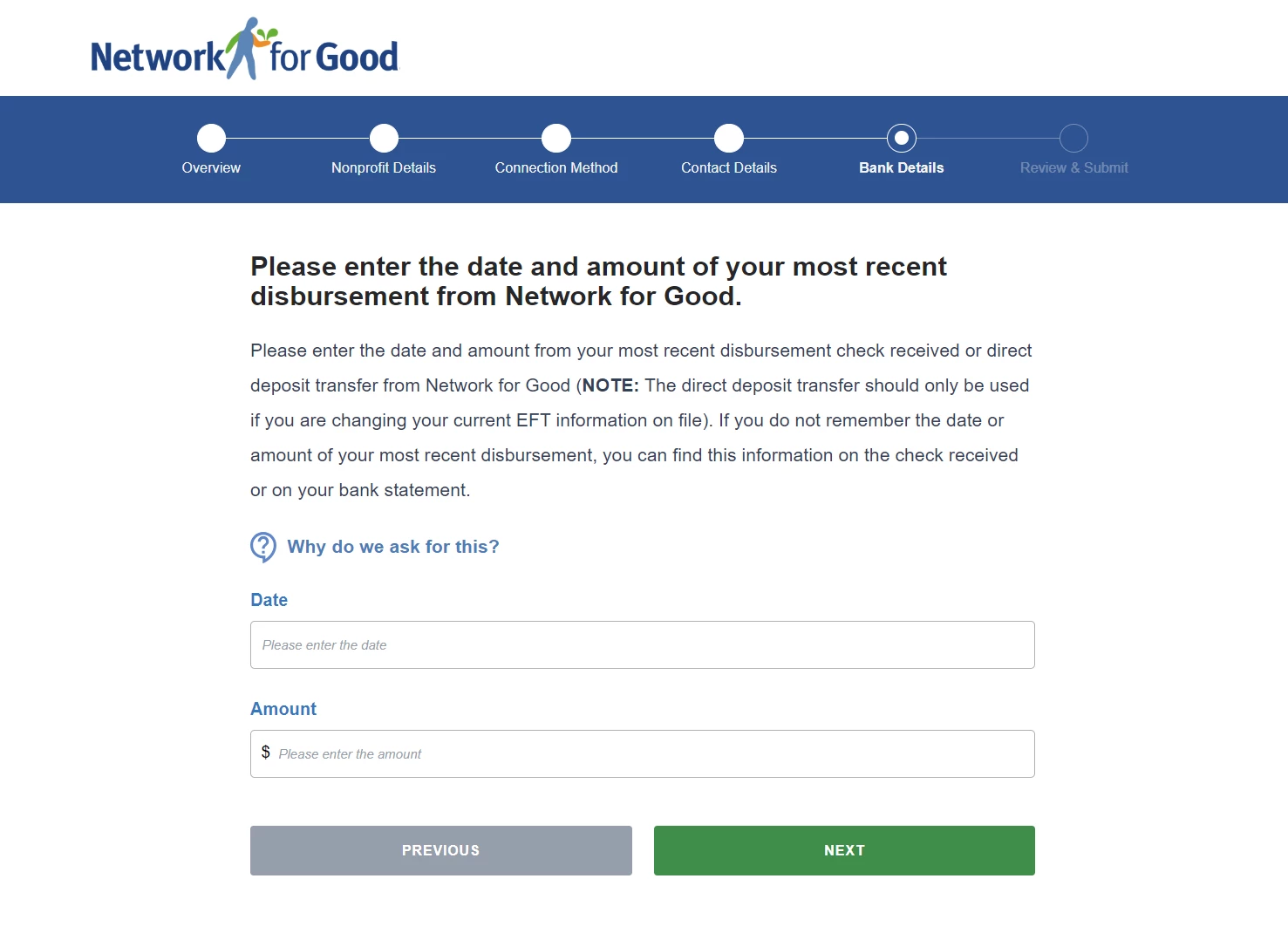
Step 4: Confirm your most recent disbursement
Under the 'Bank Details' section, you will be asked to enter details about your most recent disbursement from Network for Good.
Step 5: Confirm your organization's bank account details
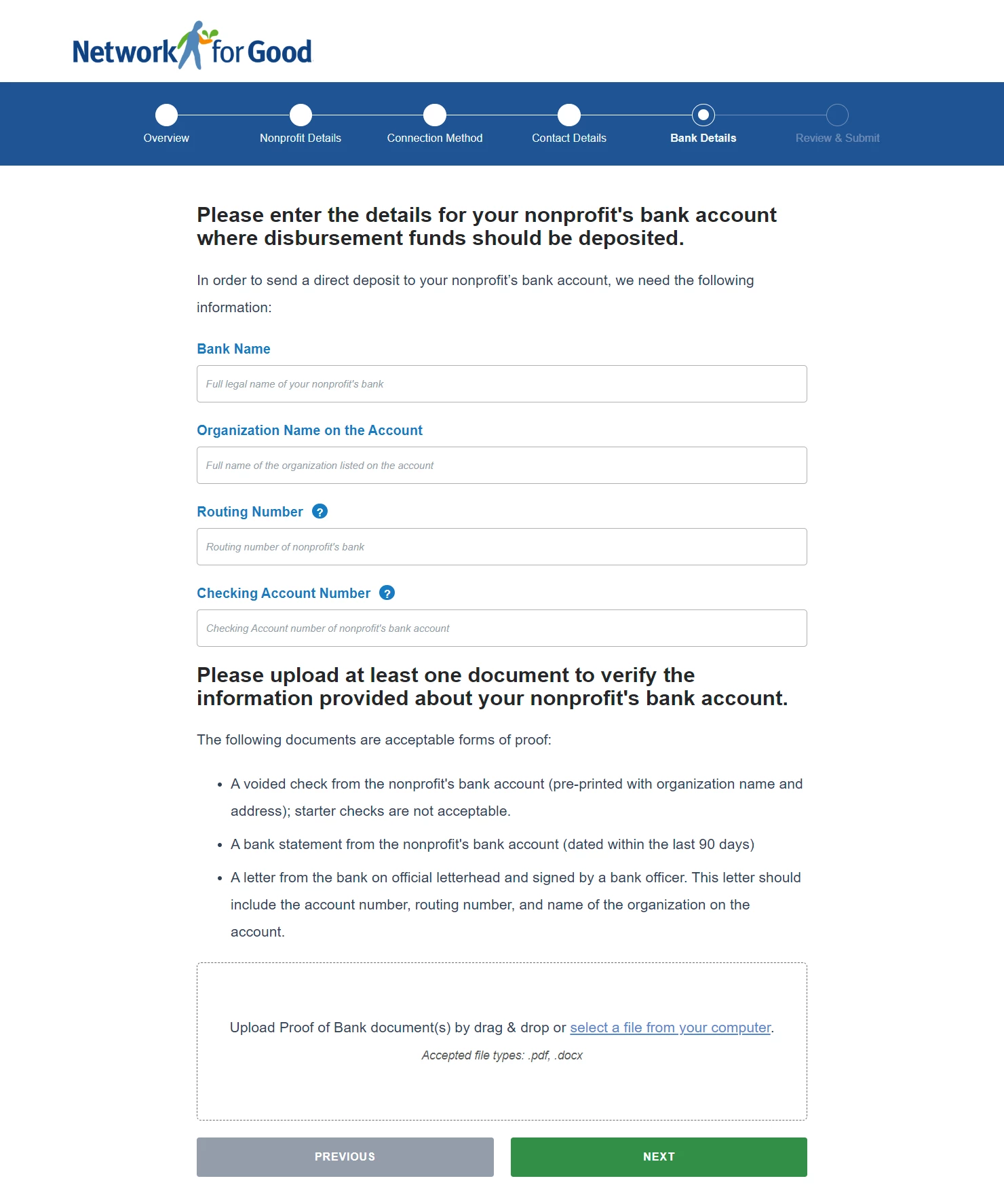
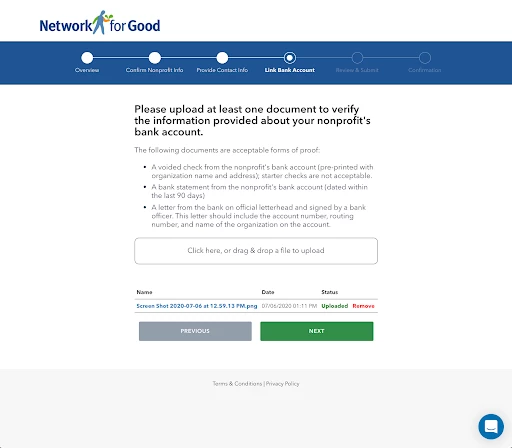
With the ManualLink option, you will be prompted to provide information to verify that you have access to your nonprofit's donation activity. This typically means including a scanned copy of a voided check or a bank statement for your organization.
Step 6: Review and submit your application
Finally, you can review your application before submitting it for approval!
What else do you need help with?
How do I apply for direct deposit?
How do I apply for direct deposit using DirectLink?
Not quite what you were searching for?
Navigate back to the Feature Overview.
How do I apply for direct deposit without using Plaid? | What is ManualLink for For Good direct deposit? | How long does ManualLink take to get approved? | What documents do I need for ManualLink direct deposit? | Why was my ManualLink application delayed? | Do I need to upload a voided check for direct deposit? | Can I switch from DirectLink to ManualLink?