Creating images and videos that are the right file size and that fit on mobile screens is a crucial part of ensuring the accessibility and deliverability of your MMS messages in Mobile Messaging. Follow these guidelines so your supporters will see your message the way you intended.
Before sending to your list, be sure to test your messages on several different kinds of devices to confirm it is displaying as you intend.
Read more about how to create and test your mobile messages
File types and limits
MMS allows you to send static .JPG or .PNG images, animated .GIFs, or short videos. Your files must be the correct type and size to send successfully.
|
File type |
File format |
Max file size |
|---|---|---|
|
Static image |
.JPG or .PNG |
Less than 500 KB |
|
Animated image |
.GIF |
Less than 500 KB |
|
Video |
.MP4 (h264/aac) |
Less than 600KB |
Formatting your videos and images
|
Image or video orientation |
Max image dimensions |
Safe zone |
|
Portrait |
1080 px x 1920 px |
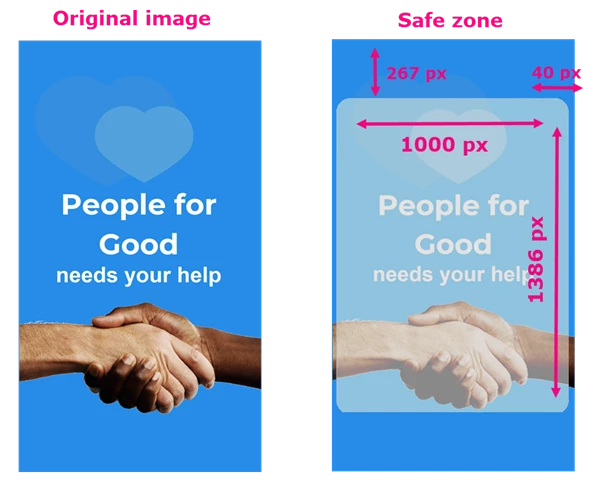
1000 px x 1386 px |
|
Square |
1080 px x 1080 px |
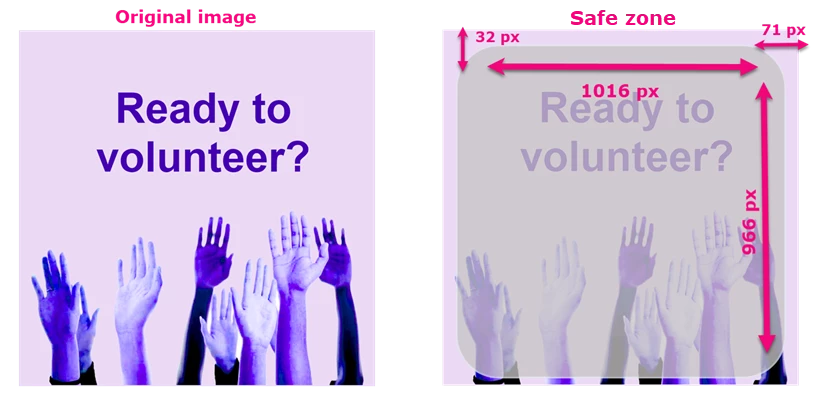
1016 px x 966 px |
|
Landscape |
1920 px x 1080 px |
1740 px x 998 px |
There are three orientations you can use for your images or videos: Portrait, Square, and Landscape. Each orientation has recommended maximum dimension to use in order for your image to display properly on most screens.
Portrait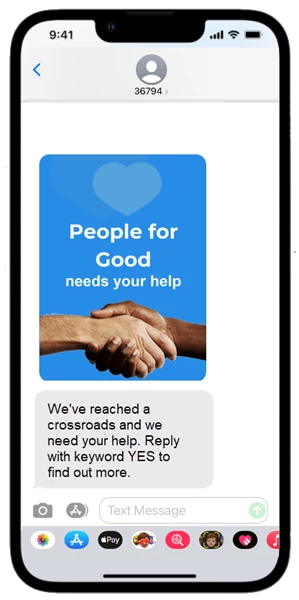 | Square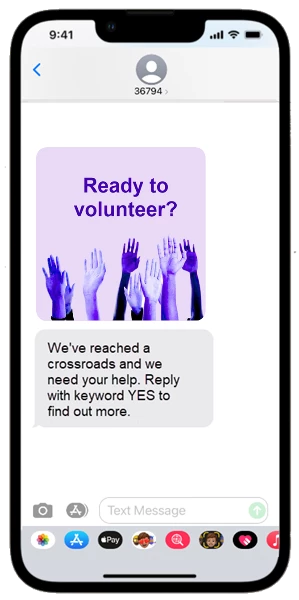 | Landscape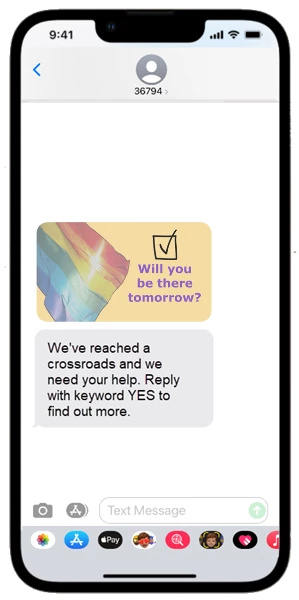 |
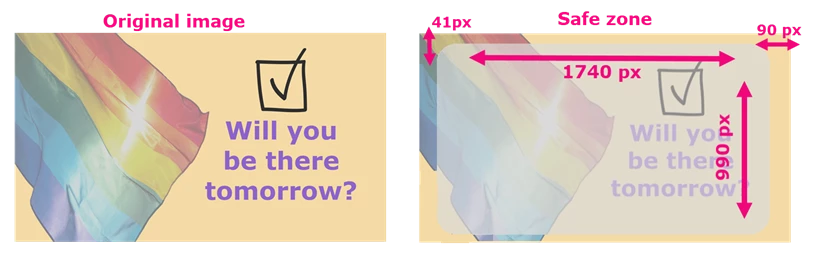
There is some cropping that happens when your image or video is in preview mode for the recipient. When creating your image or video, it is recommended that you keep all important information within the safe zone area to make sure it is completely visible to supporters without needing to click on the element to expand it.
Portrait safe zone
Square safe zone
Landscape safe zone