



Here is a look at what the Notifications Section on your Main Menu will look like.
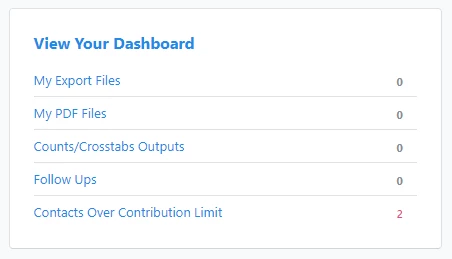
My Export Files
This section is where you can access files you have recently exported.
My PDF Files
This Section is where you can access PDF files you have recently printed.
Counts and Crosstabs allow users to analyze data by comparing various data points. For more information on scheduling these outputs, please visit Scheduling Counts and Crosstabs.
Follow Ups
This section will list any follow up communications you have scheduled. You can edit any scheduled follow ups in this section.
Contacts over Contribution Limit
If you have Cycles and Limits set up, this section gives you information on who has contributed over the legal limit within a cycle. You can view contributions that are over the limit within this page, and see who contributed over the limit. You can set up Cycles and Limits in the Cycles and Limits option within the Disclosure section.