




December Highlight:
Optimized Contribution Forms🎉
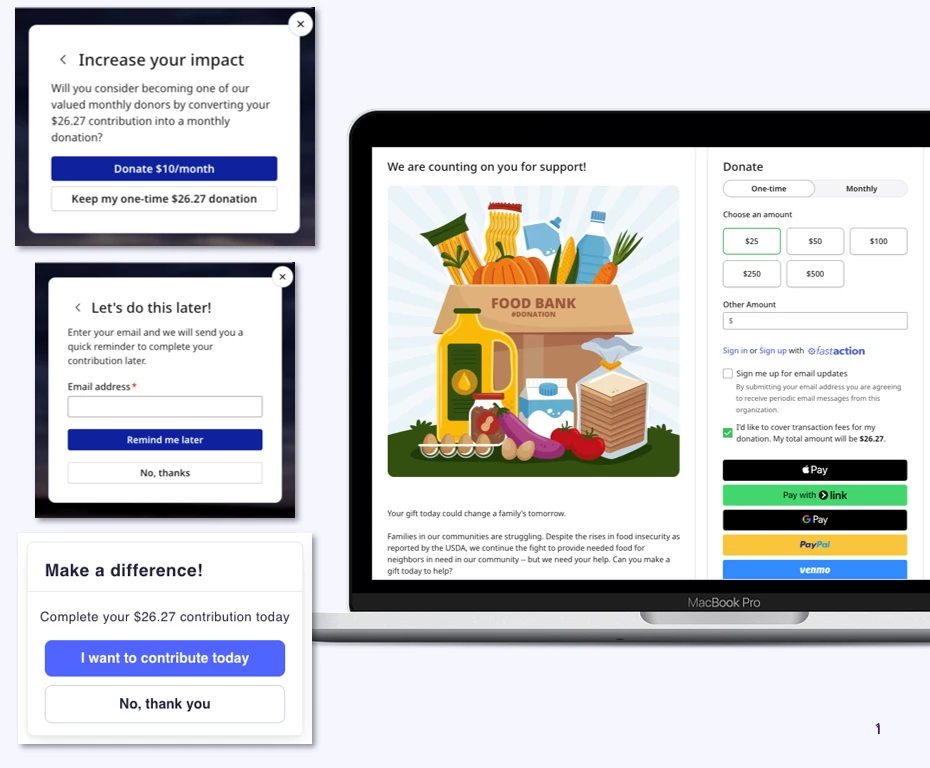
Have you tried the new Optimized Contribution Forms? By combining modern design, AI-driven insights, and supporter data, these forms are designed to help you raise more without adding extra work for your team. Even small updates — like clearer payment options or a more intuitive layout — can make a meaningful difference in how donors engage with your forms.
If you’re still using a classic form, this is an easy way to modernize the giving experience and unlock more value from every donation. Every donor click represents real fundraising potential. Optimized Contribution Forms ensure that intent doesn’t get lost by transforming the donation experience into one that is fast, frictionless, and built to convert—especially on mobile.
If you haven’t explored Optimized Contribution Forms yet, you can get started anytime. The resources we’ve shared — including in-app guidance, emails, and on-demand sessions — are available to help you adopt these improvements at your own pace.
Learn more about Optimized Contribution Forms here.
Watch our recent session on how to optimize your use of these forms here.
Advanced Support Consultant Spotlight:
Closing out the final days of the year strong
by Torvic V., Senior Manager, ASC
"In my experience with clients, a quick reminder to people who clicked your donate link but did not finish is one of the easiest lifts this week. Since Automation executes once per day in your setup, the most reliable path is a one-time follow-up send that you can run more than once daily.
"Consider this: the 'Clicked donate, no gift' workflow."
What it is
A short reminder to supporters who showed intent (clicked donate) but have not completed a gift.
How to run it in EveryAction
- Build the audience (Saved Search).
- Condition A: clicked a donate link in the last 24 hours.
- Condition B: no contribution on record since that click.
- Exclude recent donors.
- Add a second exclusion for anyone who has donated since Dec 29, so they never get multiple end-of-year nudges.
- Send the reminder.
- Keep it brief with one clear button back to the same donation page.
- Repeat as needed.
- Rebuild the saved search before each send so it reflects the latest clicks and gifts if you selected specific previous email sends.
- Suggested times: late morning and early evening Dec 29–31.
- Safeguards.
- Frequency cap: one reminder per person per 24 hours.
- Use UTM tags and a distinct source code so you can attribute revenue to this workflow.
Nice add-ons tied to EveryAction
- Employer Match: keep lookup enabled on the form; add a post-gift reminder to submit the match.
- Tribute Gifts: enable Tribute/Memorial fields, offer a simple honoree notification, and track a “Tribute Donors Dec 1–31” saved search for stewardship.
- Recurring Upsell: turn on the upsell on your year-end form; send a short monthly follow-up to “December Donors.”
- Sustainer Health: Failed payment notices are on so recurring revenue does not slip in December.
If you would like us to wire this up with you, our Advanced Support Consulting team does this work every week as part of our Consultant Support packages. We can help you configure the searches, weave this into your automations, and the suppression rules.
Book time with our advanced support consulting team here.
What’s New
ICYMI: EveryAction Customer Community Forums
Are you wondering “How do others use this feature in EveryAction? Is there a better way to leverage our fundraising expertise with our available tools?”
You’re in the right place.
We’ve recently launched our EveryAction Customer Community Forums, now available through Bonterra Central - designed to be your all-in-one resource hub for EveryAction users.
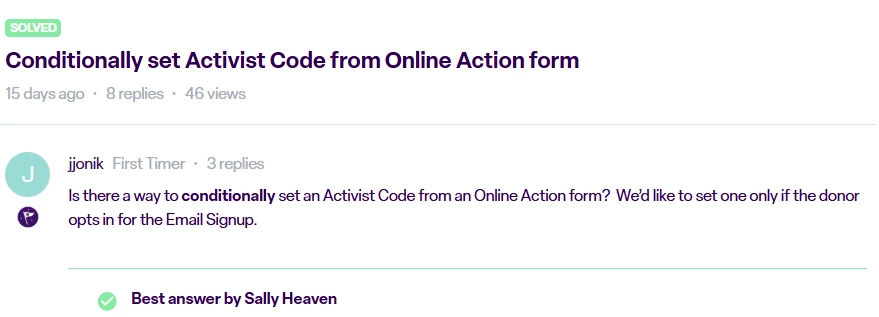
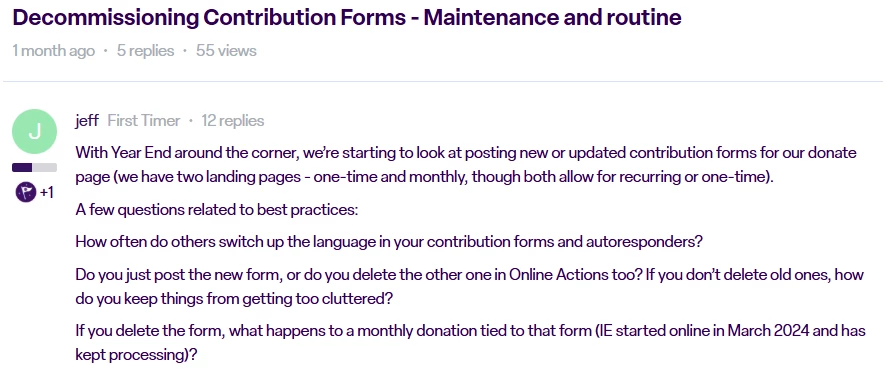
Can’t find exactly what you need using Bonterra Central’s search? Head over to the community forums to ask questions, share best practices, and exchange ideas with other EveryAction users who know the tools you use inside and out.
Continue the conversation here.
Continue the conversation here.
What’s Coming
Make the enhanced experience your own:
explore the new EveryAction homepage today.
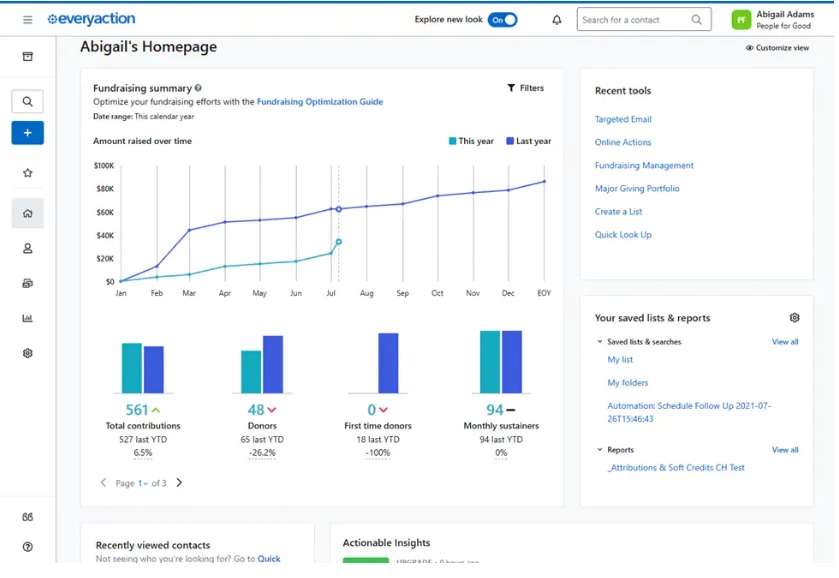
Last month, we automatically upgraded all EveryAction users to our new, streamlined navigation and refreshed homepage experience, and made this new experience your default upon login. Along with providing access to Que, this update makes it easier to view key metrics and activities at a glance, and introduces an improved sidebar navigation option that groups your frequently used tools more intuitively.
Looking ahead, the classic layout will be fully retired on January 14th, 2026. We encourage you to explore the new experience today and get comfortable with everything it offers in advance of this upcoming change!
Learn more about this upcoming change here.
Optimized Contribution Form Enhancements
Earlier this year, we brought you a new, optimized version of your contribution forms, designed to boost both conversion rates and average gift size, reduce setup time, and give donors a flexible, mobile-friendly giving experience.
Next month, we’ll be releasing additional enhancements to these forms based on feedback from organizations like yours. These updates include:
- Updated language for payment options
- Options to adjust ask arrays based on donation frequency
- Ability to upload a logo onto the contribution form
- Opportunity to add a “progress bar” to the form
- Additional internal naming convention field
Keep an eye out for these exciting updates in the coming weeks!
Reminder: Full Access to Que available through January 31, 2026
It’s not too late to keep full access to Bonterra Que! You have until January 31, 2026, to lock in your AI fundraising assistant at 50% off - for just $63 a month.
Connect with our team today to secure this offer, and ensure your tools are optimized for success in 2026!
Learn more about adding Que to your subscription here.
Events & Training
Que-niversity is here!
Ready to see how AI can make your fundraising easier and more effective? Join us for an interactive session introducing Bonterra Que, your new AI-powered fundraising assistant in EveryAction! You’ll discover how Que can help you write better donor messages, create smart donor segments, and plan stronger campaigns—all in less time.
We’ll share practical tips to help you get great results from Que, including how to use prompts that inspire creative, personalized ideas for your fundraising efforts. You’ll also see real examples you can start using right away for donor outreach, stewardship, and coaching. Don’t miss this chance to learn how Que can boost your impact and take your fundraising to the next level!
Register for Que-niversity here.
Year-End Reporting Made Easy: Turn December Giving into Actionable Insights | Register here
Tuesday, January 13th, 2026 at 1:30pm CT
In this session, we’ll walk through how to build clean, accurate, and strategic year-end reports. You’ll learn which data points matter most, how to segment donors for meaningful analysis, and how to spot patterns that fuel smarter decision-making for the year ahead.
Whether you are preparing reports for your board, building internal metrics, or simply trying to understand your donor behavior, this webinar will provide actionable guidance to help you confidently report on your 2025 fundraising performance and influence fundraising decisions for 2026.
Que & A | Register here
Friday, January 16th, 2026 AND Friday January 30th, 2026 at 12pm CT
This bi-weekly drop-in is your space to ask questions about Que, swap ideas with peers, and pick up practical tips from our product experts.
We’ll host a live Q&A session to help you get answers to your specific Que questions, provide you with some of the latest tips and tricks on how to leverage patterns and time-saving workflows, walk through a few demos to help illustrate our explanations, and provide you with an opportunity to see how other organizations are using Que.
Ask the Experts: Contact Management in EveryAction | Register here
Thursday, January 22nd, 2026 at 1:30pm CT
Contacts are the foundation of the interactions, relationships, and insights that EveryAction manages. Saved searches, dynamic lists, and bulk upload allow you to simplify contact management, boost data entry efficiency, and organize the information you need to refine your outreach efforts.
Join us for live Q&A with a panel of EveryAction experts as they dive into all of your Contact Management questions.
Beyond the Receipt: Modern Thank-You Strategies That Inspire Donors | Register here
Thursday, January 27th, 2026 at 1:30pm CT
A great thank-you is more than a required acknowledgment - it's one of your strongest tools for donor retention. In this session, we’ll explore modern best practices for creating thank-you experiences that feel warm, personal, and meaningful.
You’ll see examples of high-performing thank-you letters, emails, and stewardship touches; learn how to use donor data to customize appreciation at scale; and discover how organizations are using their donor management systems to streamline and elevate their gratitude workflows.
Important Dates
Upcoming Office Closures
- Thursday, January 1, 2026 - New Year’s Day (US | CA | UK)
- Monday, January 19th, 2026 - Martin Luther King Jr. Day & Civil Rights Day (US)
- Monday, January 26, 2026 - Australia Day (AU)
- Monday, February 16, 2026 - President’s Day (US), Family Day (CA), Bonterra Self-Care Day (AU | UK)
- Monday, March 9, 2026 - Labour Day (AU)
Monthly Maintenance
- Saturday, January 24th, 2026 6am ET - 7am ET
- Sunday, January 25th, 2026 6am ET - 7am ET
- Monday, January 26th, 2026 6am ET - 7am ET
During this time users may encounter intermittent errors. Users are recommended to try their operation again or wait until the completion of the maintenance window.
Please visit the Bonterra Status Page to view all upcoming scheduled maintenance windows.