



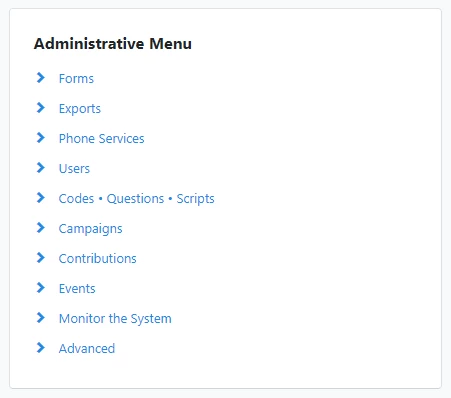
Forms
This is where your forms for data entry and printing are stored. You can edit and make a new form here as well.
Exports
Export Formats: You can create new export formats here, and view export formats you have created.
Phone Services
RoboCalls: You can view and search for past and scheduled RoboCalls.
RoboSurveys: You can view and search for past and scheduled RoboSurveys
Recordings: Listen to and record audio for RoboCalls
RoboSurvey Scripts: You can add, view and search for RoboSurvey scripts that were made
RoboCall Accounts: You can add, view and search for RoboCall accounts that were made
Users
Managing and Editing User Accounts: You can view, edit and add users in the database.
User Groups: Create and edit user groups
Codes • Questions • Scripts
Source Codes: You can add and edit source codes, which are codes applied specifically to monetary transactions and form submissions.
Tags: Add and edit tags, which can be applied to contacts, events, locations.
Activist Codes: Add and edit activist codes, which can be added to contacts as a way to track and segment them. We have a video on Activist Codes you can find here.
Survey Questions: Add and edit survey questions
Scripts: Create and edit scripts
Note Categories: Add and edit note categories
Campaigns and Contents
Campaigns: Set up and manage campaigns
Campaign Types: Set up and manage campaign types
Engagement Types: Set up and manage engagement types
Contents: Set up and manage contents
Content Types: Set up and manage content types.
Contributions
Adding Contributions: Where you can add new contributions.
Contributions: You can view contributions here.
Recurring Commitments: You can view recurring commitments here.
Events
Event Roles: Create and edit event roles
Event Types: Create and edit event types
Locations: Create and edit locations.
Monitor the System
Log In History: View the last 200 system log ins
Most Frequent User Report: View access summarized by most frequent users
User Activity Report: View log of user exports, bulk uploads, and list cutting
Advanced
Bank Accounts: For tracking what contributions have been deposited into a bank account. This is useful if you have multiple bank accounts or if you have to report it for compliance purposes.
Giving History Recipients: This is where you create the actual candidates or organizations who can be recipients of giving history.
Relationships: List of relationships
Custom Fields: View all custom fields