


How do I use Que to Launch Campaigns?
Que connects insight to execution, helping you launch high-impact fundraising campaigns in less time. Whether you're targeting lapsed donors, boosting sustainers, or kicking off year-end appeals, Que walks you from data-driven strategy all the way through building your segment, form, and email without leaving the app.
Follow these steps to turn strategy into a launched campaign using Que.
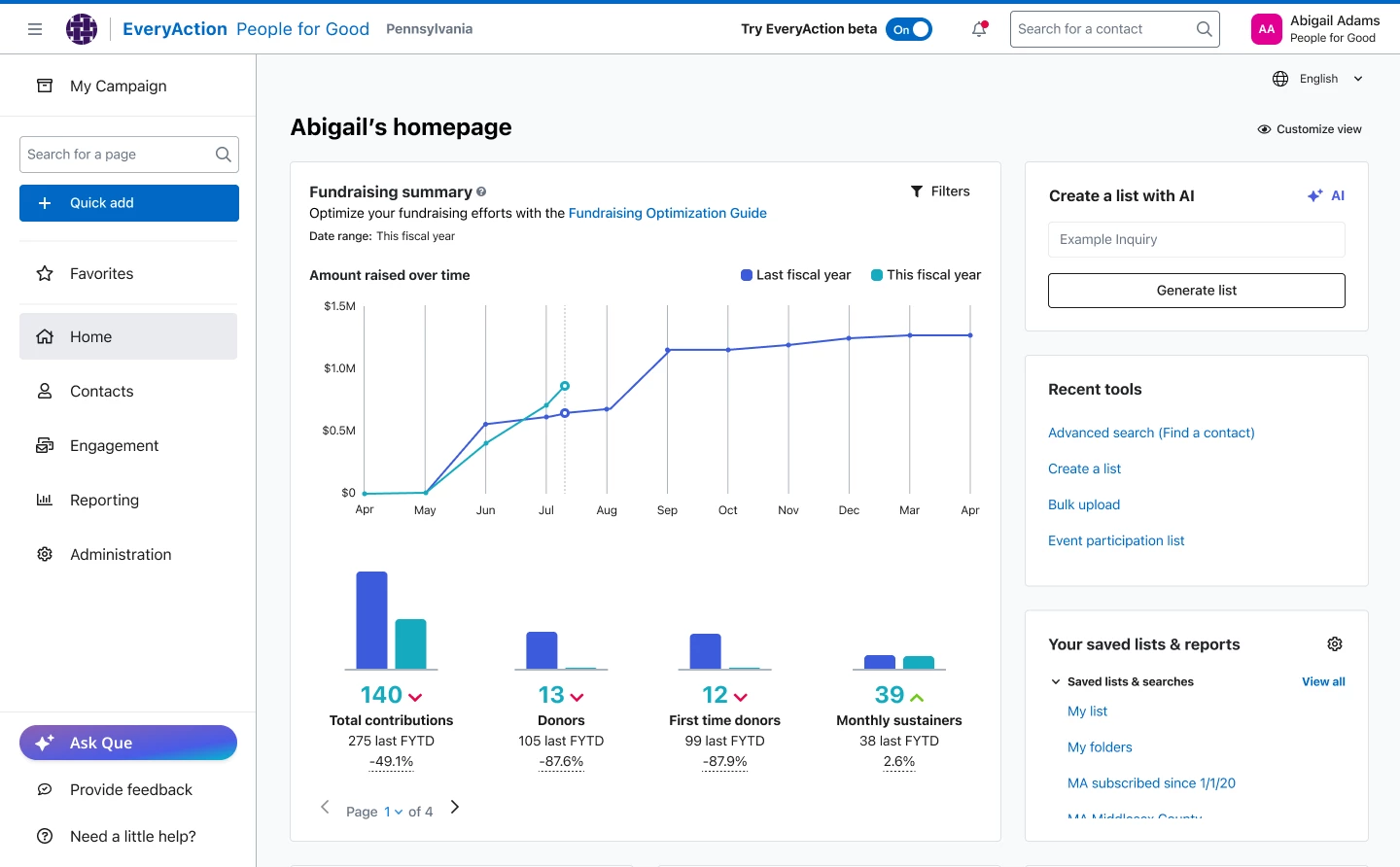
Step 1: Open Que
- Log in to EveryAction.
- Click the 'Ask Que' icon on your dashboard.
- You’ll see either suggested campaign opportunities or a prompt bar to type your question.
Example prompt: I want to launch a campaign to re-engage lapsed donors.
Step 2: Choose a campaign goal
Que will recommend one or more fundraising campaign strategies based on your organization’s historical performance and Donor Trends.
Common campaign types include:
- Reactivation (lapsed donors)
- Recurring giving drives
- Upgrade campaigns
- First-time donor follow-ups
- Match campaigns
Select one of the options or type your own campaign goal. Que will generate a campaign plan with a defined audience, recommended content, and next steps.
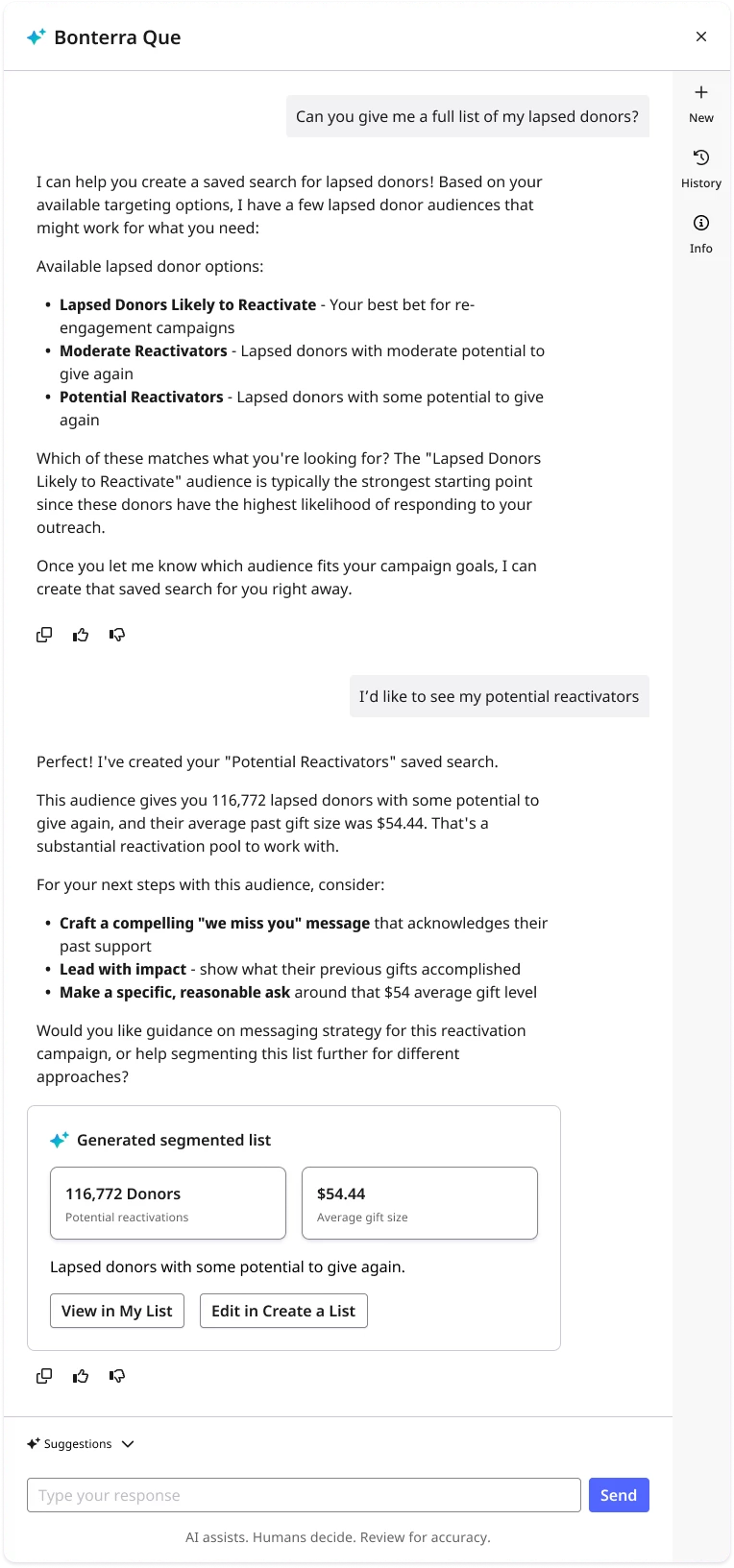
Step 3: Confirm Your Donor Segment
Que will generate a donor segment tailored to your campaign goal. You’ll see:
- Segment size
- Average gift and total value
Click "Review Donor List" to preview contact records. If needed, you can edit the criteria before moving forward.
Once confirmed, Que will save the segment as a search in My Folders for use in email, forms, and reports.
Step 4: Launch your campaign
Once your fundraising strategy and donor segment are ready:
- Continue into Targeted Email to build out and send your campaign messages
- Go into Online Actions and build custom forms to support your campaign
- Come back to Que for any suggestions and guidance you need along the way
What do you want to do next?
Interested in learning how Bonterra keeps your data safe? Read more about Bonterra's AI Responsibility and Data Security Practices here.
Curious about how you can access Que? Read more about accessing Que here.
Want to learn more about Personalized Coaching in Que? Read more about Personalized Coaching here.
-
Ready to dive into Personalized Coaching now? Access these 'How do I' articles:
Want to learn more about Donor Segmentation in Que? Read more about Donor Segmentation here.
Want to learn more about Email Creation in Que? Read more about Email Creation here.
Want to learn more about Formbuilder in Que? Read more about Formbuilder here.
Not what you are looking for? Return to Understanding Que here.