

How do I log in to the Bonterra Nonprofit Hub?
Learn how to sign up for the Bonterra Nonprofit Hub in a few simple steps!
This guide will assist new users and those previously using FrontDoor with logging in.
Step 1: Go to the Nonprofit Hub Sign Up Page
Use the following URL to navigate to our Nonprofit Hub Sign Up page: https://connect.bonterra.network
From there, click either Register for free as a new user or Log in as a returning user.
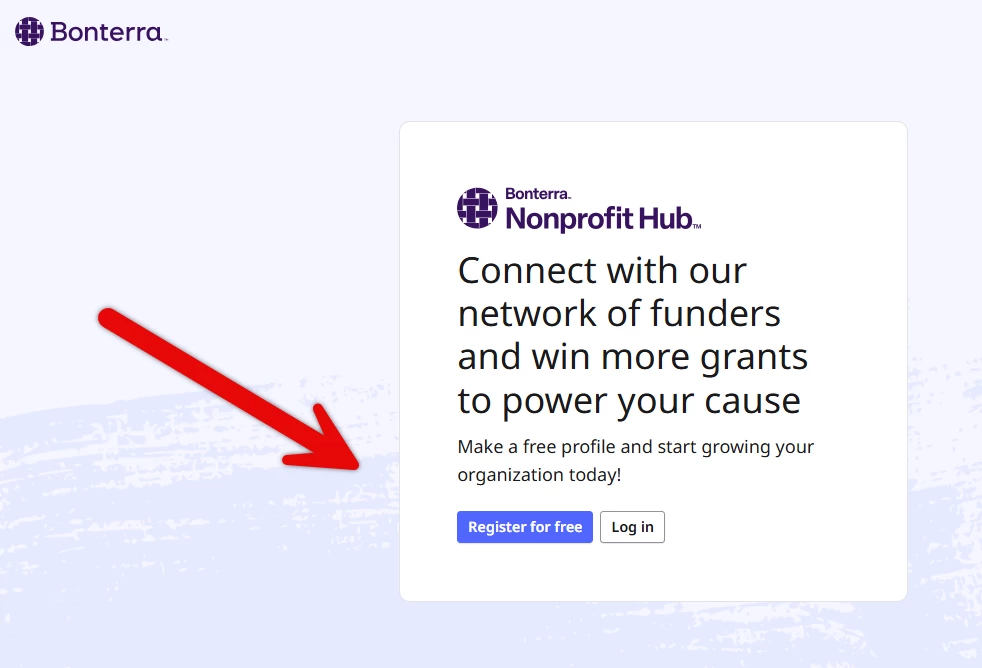
Step 2: Access the Sign Up Form
If you've already signed up, you'll be prompted to log in using your existing credentials.
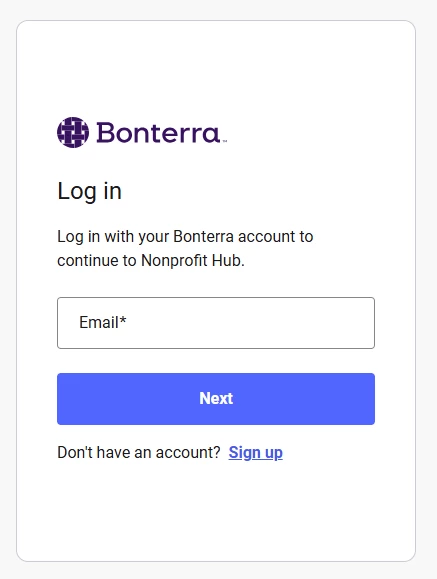
New users can proceed with creating their account after selecting Register for free.
Step 3: Enter Your Credentials
When creating a new account, you will be prompted to enter your email address and desired password.
The system requires that you submit your password credentials twice for verification; you will be given feedback if the password is not secure enough.

Step 4: Verify Your Email Address
Upon entering acceptable credentials, you'll be directed to a verification page to authenticate your account.

An email will be sent from <noreply@bonterralabs.io> containing a 6-digit verification code. Enter the code from your email into the field in the Nonprofit Hub, and click, Confirm Account.

Be sure to verify your account right away or within 24 hours, before the code expires. Upon successful confirmation, you'll be directed to the dashboard.