

How do I create a Direct Mail template?
Step 1: Navigate to 'Direct Mail'
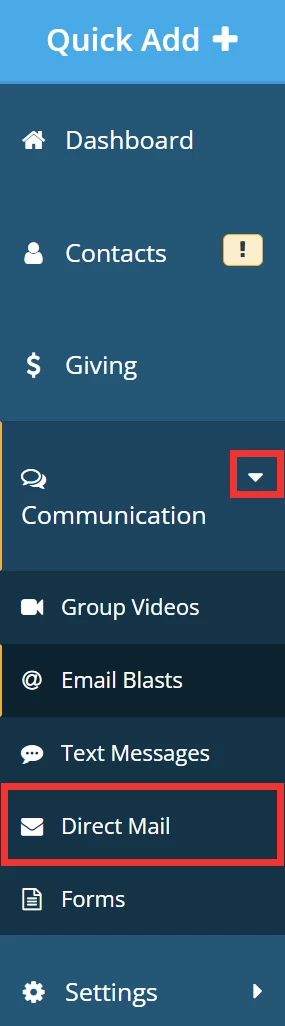
From the left navigation bar on your 'Donor Management' Dashboard, click to expand the 'Communication' tab and select 'Direct Mail'.
Step 2: Create your Direct Mail template
To get started, click the 'Templates' link in the upper right corner of the 'Direct Mail' page.

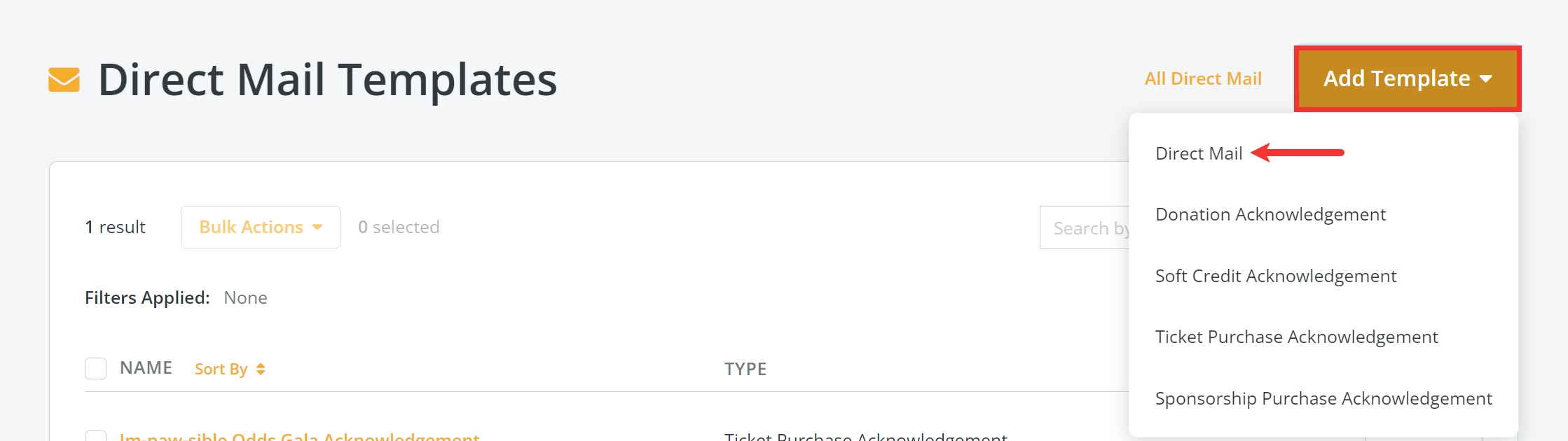
On the 'Direct Mail Templates' page, click the 'Add Template' button in the upper right corner of the page. Select 'Direct Mail' from the drop-down menu.
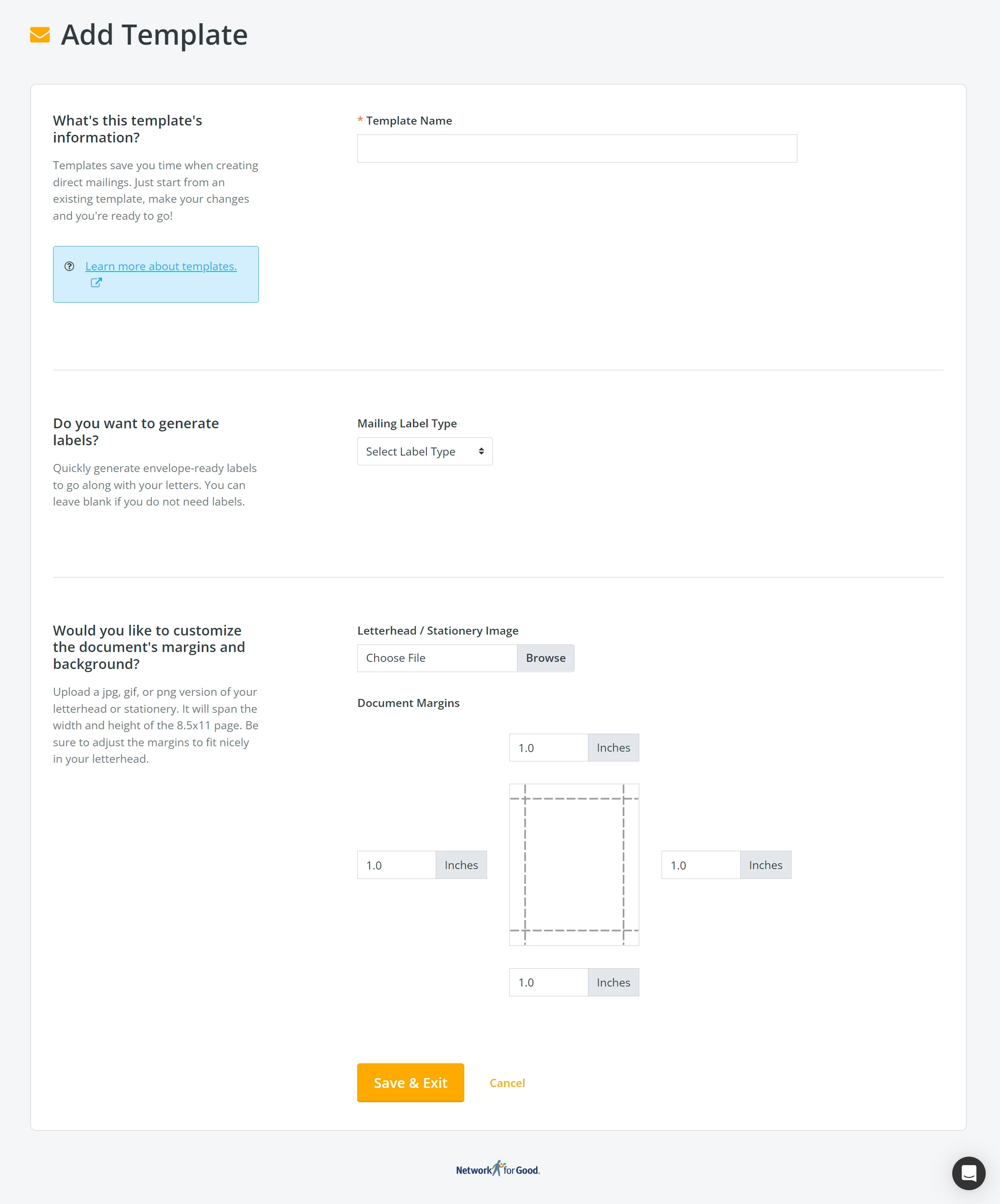
You will be directed to the 'Add Template' page, where you can name your template, generate mailing labels, and customize your letter's margins and background.
Step 3: Save your template for easy access
When you are finished setting up your template, click 'Save & Exit' at the bottom of the page.

Now, whenever you need to send acknowledgments by direct mail, you will not have to start from scratch, giving you back valuable time to focus on your fundraising!
How do I create a direct mail template in Donor Management? | Where do I find Direct Mail templates? | How do I save a letter template for acknowledgments? | Can I customize margins and mailing labels in a template? | How do I edit an existing direct mail template? | How do I reuse a direct mail template for future letters? | What is the difference between a direct mail template and an acknowledgment letter
How do I set up source codes for digital ad plans? | How does set up source codes for digital ad plans work in EveryAction? | Why can't I set up source codes for digital ad plans? | Where do I set up source codes for digital ad plans in EveryAction? | What is set up source codes for digital ad plans in EveryAction? | How to set up source codes for digital ad plans? | Can I set up source codes for digital ad plans in EveryAction?