

How do I send an acknowledgment via e-mail?
If you prefer to send acknowledgments to your donors via e-mail, follow the steps below!
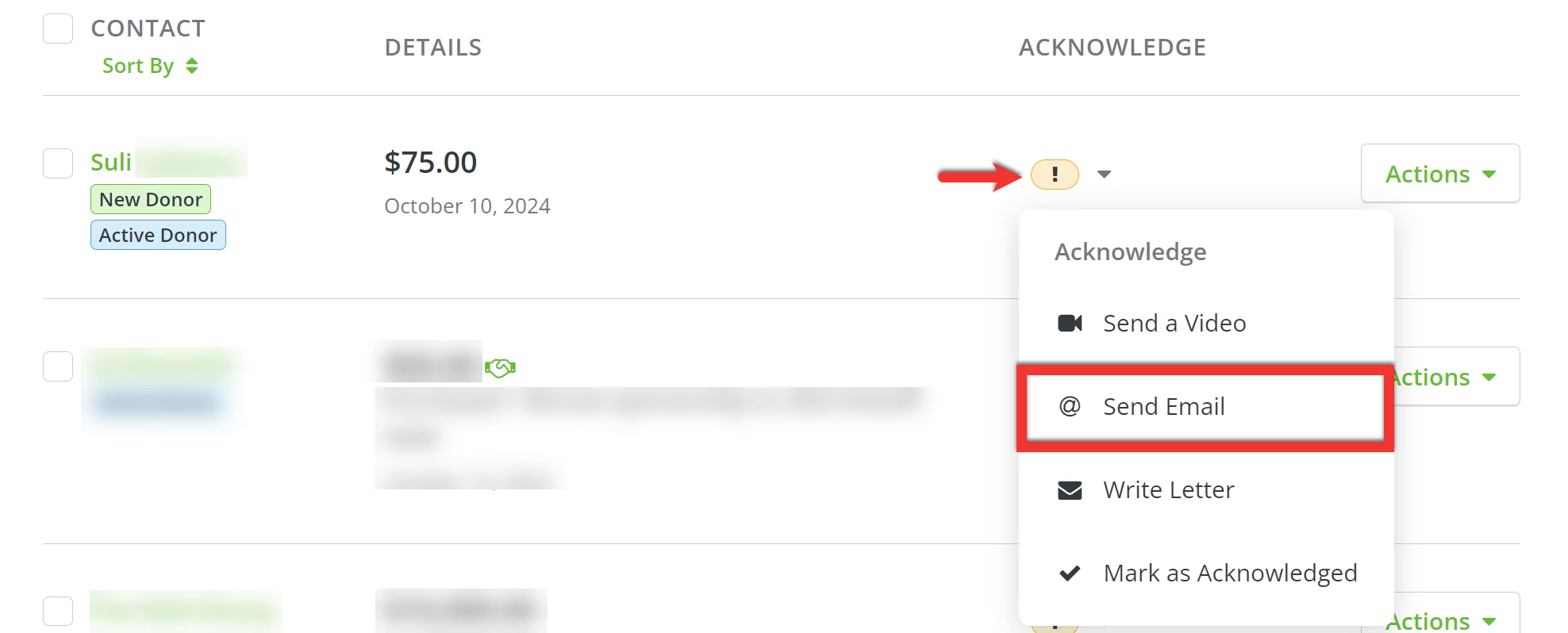
Step 1: Select 'Send Email'
If you click on the orange exclamation mark next to a donation, a drop-down menu should appear. Selecting 'Send Email' will direct you to our e-mail acknowledgment editing tool.
Step 2: Craft your e-mail
The editing tool should automatically generate a basic letter using an acknowledgment template.
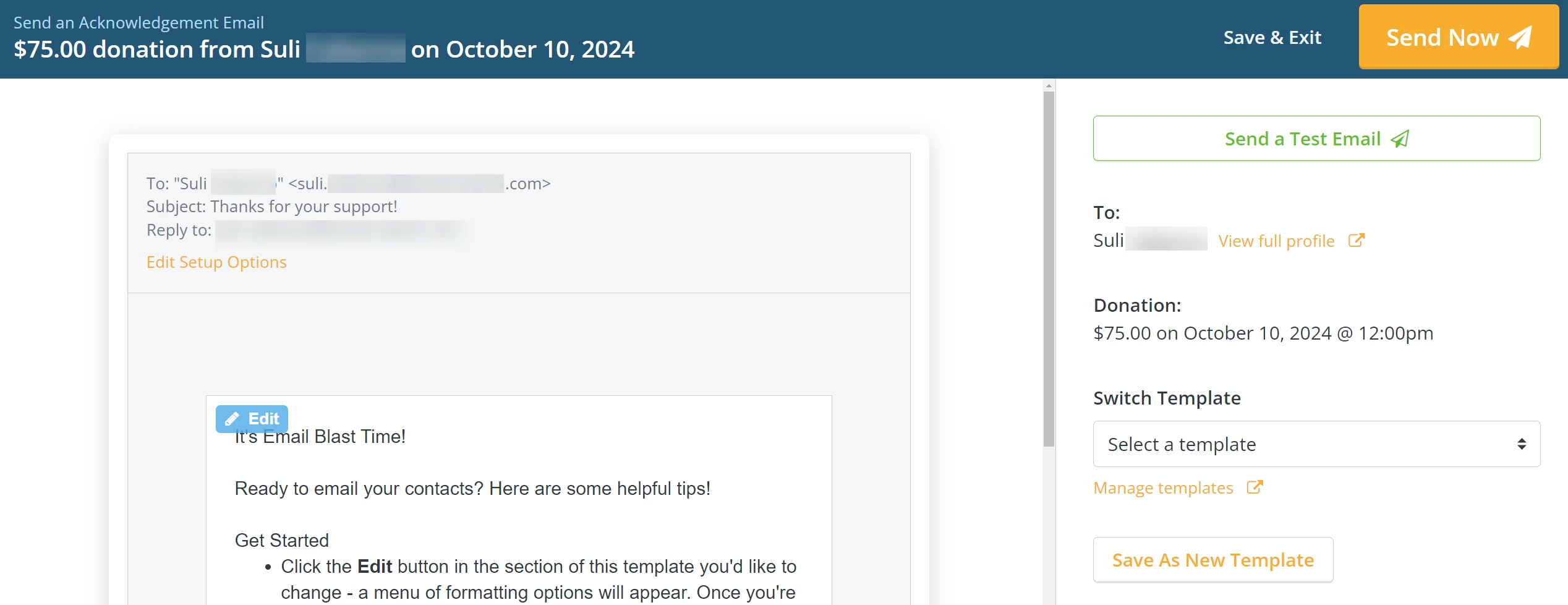
You can edit the text of your template by clicking on the 'Edit' button in the top left corner of the body of the e-mail.
This will allow you to type in the text box and make any changes you need to – as well as add photos, adjust the formatting of the message, or add merge fields.
Step 3: Customize your 'Setup Options'
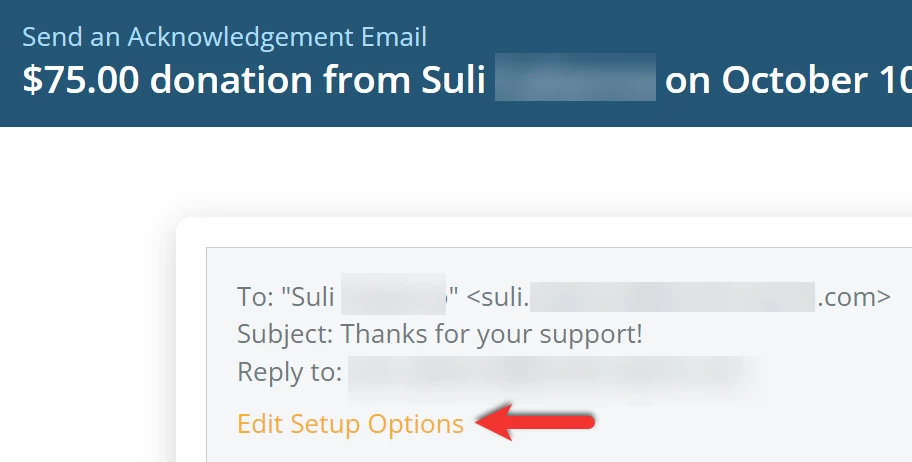
To customize your 'Setup Options', click the 'Edit Setup Options' link under the 'Reply to:'.
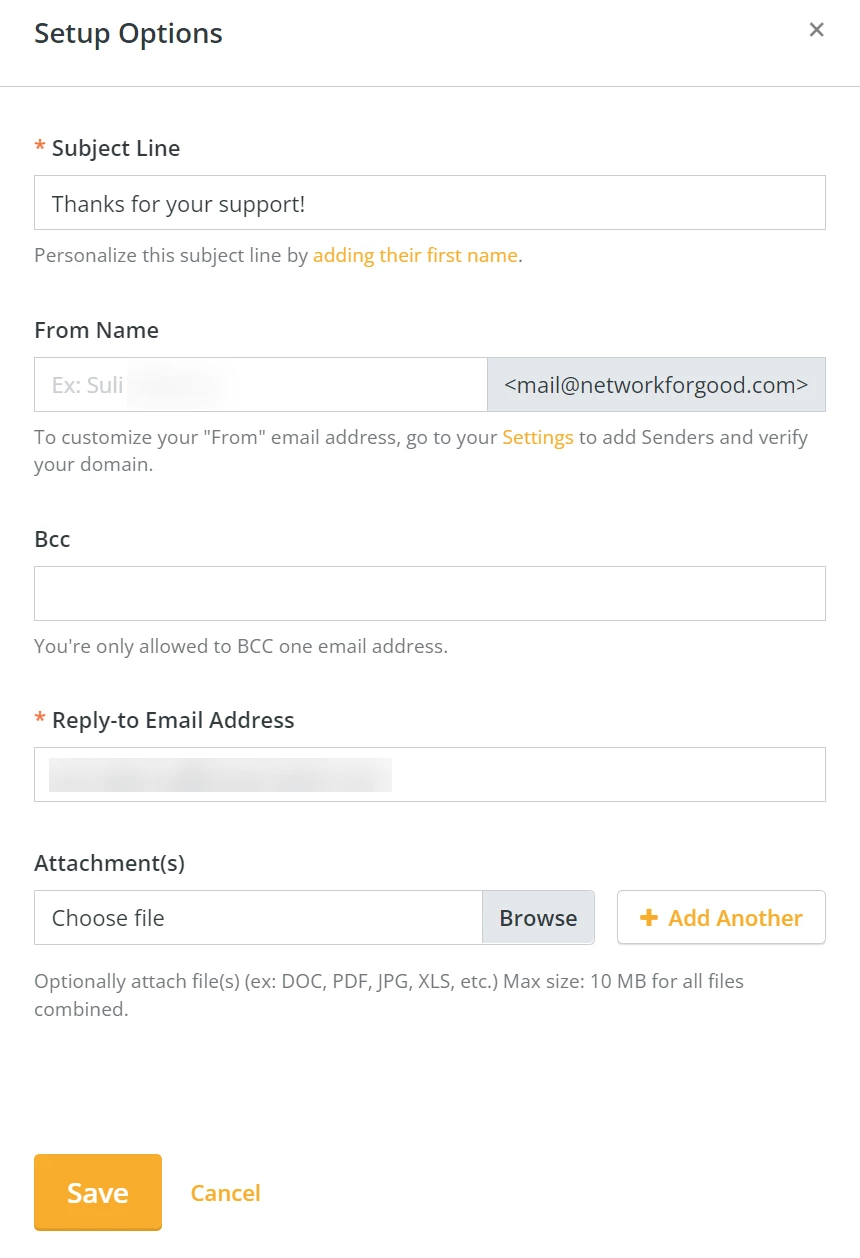
A pop-up window will open where you can edit your e-mail's '*Subject Line', Sender Name (formerly known as "From" e-mail address), and set your '*Reply-to Email Address'.
Step 4: Save your changes and send your e-mail!
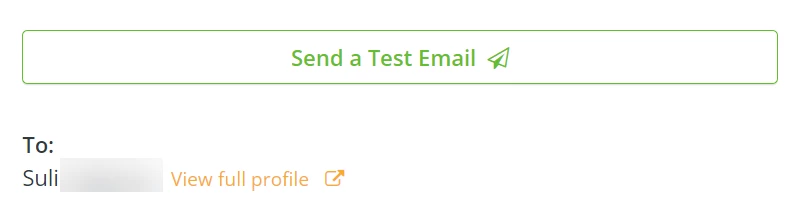
Pro Tip: Once you are happy with your edits, you can send yourself a test e-mail by clicking on the 'Send a Test Email' button.
When you are ready, click the 'Send Now' button in the top right corner of the page! Your acknowledgment will be sent to your donor and a green check mark should now appear next to the acknowledged donation.

What else do you need help with?
How do I create an E-mail Blast acknowledgment template?
How do I create an acknowledgment via Direct Mail?
How do I acknowledge a tribute gift?
Not quite what you were searching for?
Navigate back to the Feature Overview.
Looking for training?
Explore this feature at your own pace - join a live training session or watch a recorded webinar by clicking the link below.