


How do I schedule a Results report?
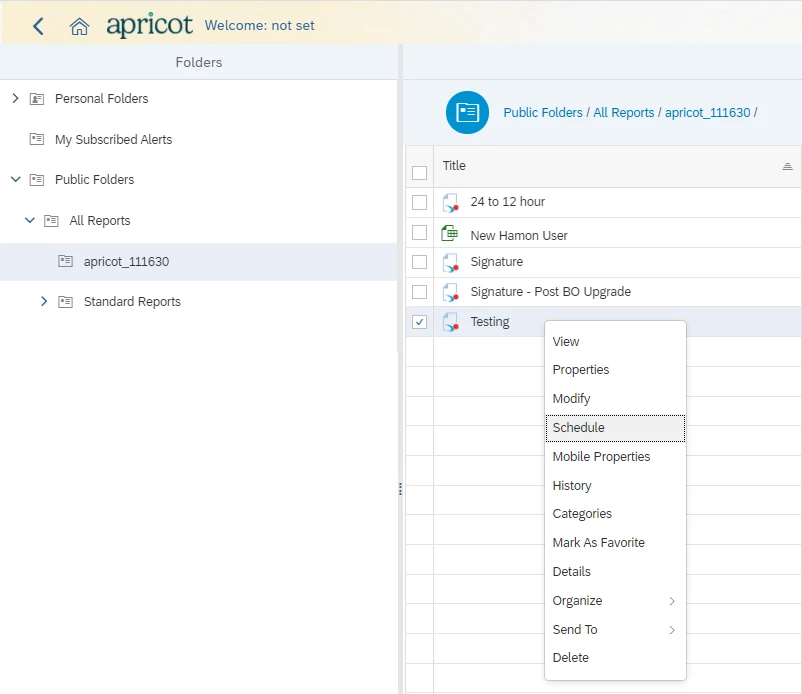
Step 1 - Find the report, right click, and hit 'Schedule'
Step 2 - When the report is set to schedule, the user will be prompted to provide an Instance Title. This is the name of the scheduled report.
-
This will be the text the user sees on the View Reports page. By default the name of the report is provided.

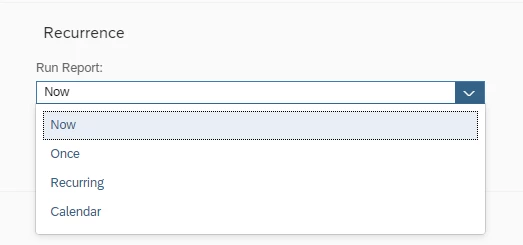
Step 3 - After the Instance Title is provided the user will set the Recurrence. This is where the user will select how frequently the report is to run.
-
If the user selects "Now" for the Recurrence, this will indicate that the report is to run with the current data set. However, the report can be scheduled to run at any time with this data set. If the report contains prompts, then they must be supplied when scheduling the report.
-
Note: Prompts will automatically populate with the last-run or saved data for the report. To change the prompt, select the “Modify” option.

Formats and Destinations
Formats:
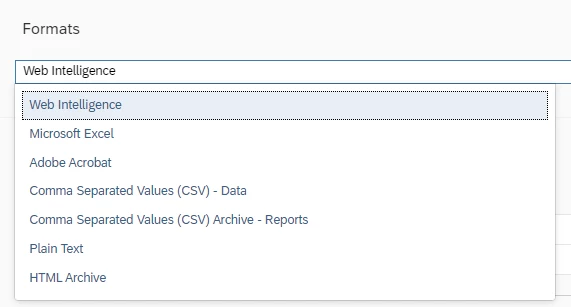
This is where the user will select how the report is delivered to other users. The first option is the Output Format. Note: Plain Test and CSV formats will be the smallest in file size.
Destinations:

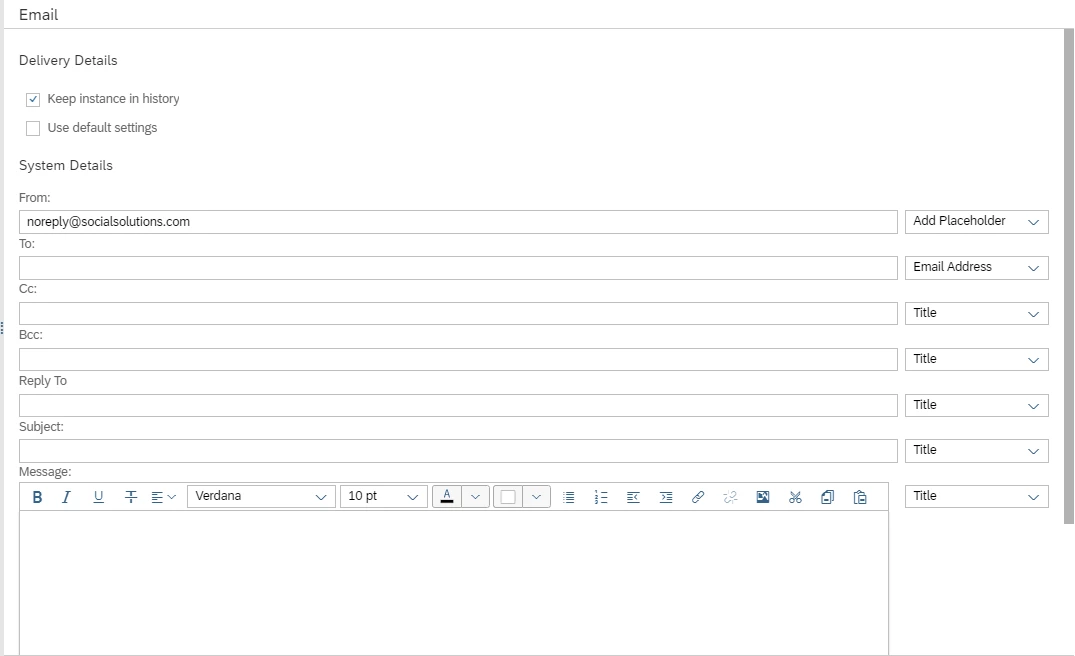
Email Recipients: Delivers specified format of report instance to specified users. The best output format is either Excel or PDF. If the user selects "Web Intelligence" the report will only open in the Web Intelligence Rich Client application, and therefor will not be accessible to non-Administrators. Also, "Add attachment" must be selected for the report to be sent to the user. If it is not selected the email will contain a message that indicates that the report is complete, but the report will not be sent with the email.
If multiple recipients are required, separate the emails with only a comma (no space after the comma). Example: noreply@socialsolutions.com,do-no-reply@socialsolutions.com
Note: The From field should be filled in as "noreply@socialsolutions.com" for the US Server, and "do-not-reply@socialsolutions.com" for the CA Server
?Note: There is a 10MB size limit on emailed scheduled reports.
Best Practices for Scheduling Reports
-
Do not schedule more than 6 reports for the same hour
-
Space report run and end times out so that none overlap
-
Make the start and end times exactly 10 minutes apart
-
Avoid using distribution group emails
How do I schedule a Results report in Apricot? | How do I set the recurrence for a scheduled report? | How do I provide prompts when scheduling a report? | Which formats can I use for a scheduled report? | How do I send a scheduled report to email recipients? | What are best practices for scheduling reports? | Why isn’t my scheduled report being delivered by email?