


How do I print or export an aggregate report? (Native Reporting)
Users can print an aggregate report or save it as a PDF when viewing the report in Run mode in order to share its information outside of the Apricot platform. Aggregate reports can also be exported into a spreadsheet from both the My Aggregate Reports page and the Run version of the report itself.
Follow the steps listed below to learn how to access these options and share your reports of your organization's impact with your collaborators.
Step 1: Select a report
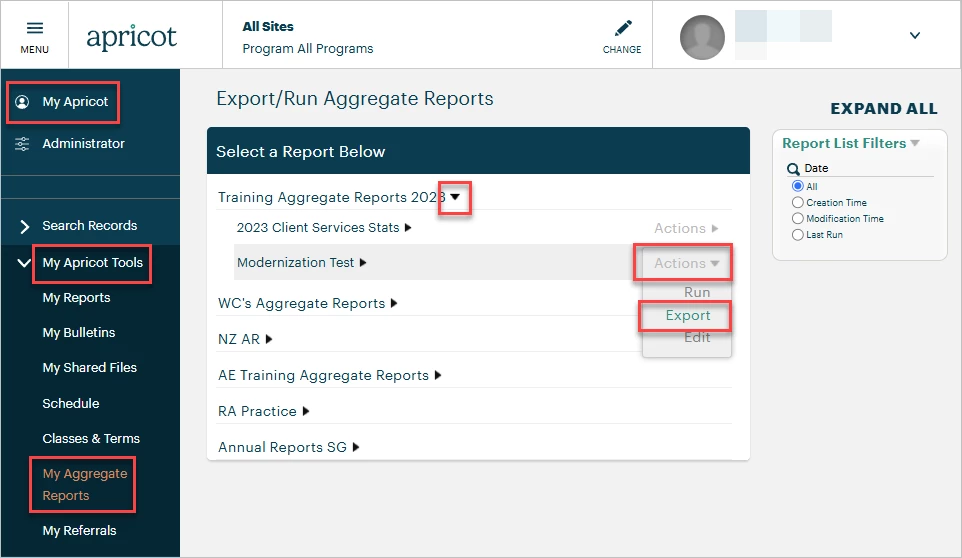
In the 'My Apricot' tab, expand 'My Apricot Tools' in the navigation bar and select 'My Aggregate Reports'. Then, expand the report category by clicking the black arrow and hover your mouse over the Actions menu to select 'Export'.
Step 2: Choose what to export
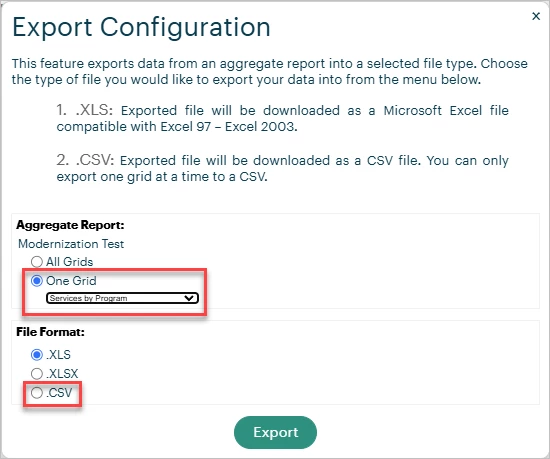
From the Export Configuration pop-up window, choose whether you want to export all grids in the aggregate report or one specific grid. Selecting 'One Grid' allows you to choose which grid to export in the dropdown field and makes 'CSV file' an available file format option.
Step 3: Choose how to export
In the next setting of the Export Configuration window, select your file format:
-
XLS will export the report as a Microsoft Excel file compatible with versions before 2007.
-
XLSX will export the report as a Microsoft Excel file compatible with versions after 2007.
-
CSV is only available when exporting one grid and will export it as a CSV file.
Click Export to close the window and download your file.
Step 4: Run the report
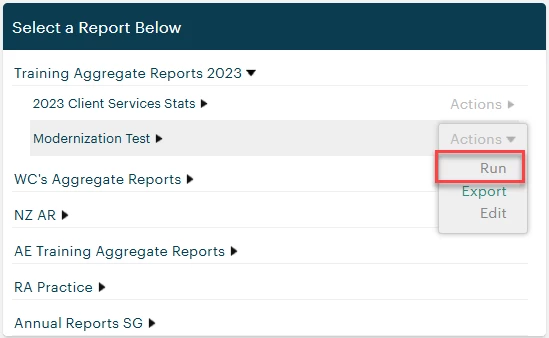
To print the report or save it as a PDF, first open the report in Run mode.
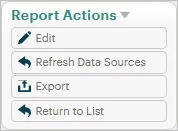
You'll also find the option to Export from the Report Actions palette.
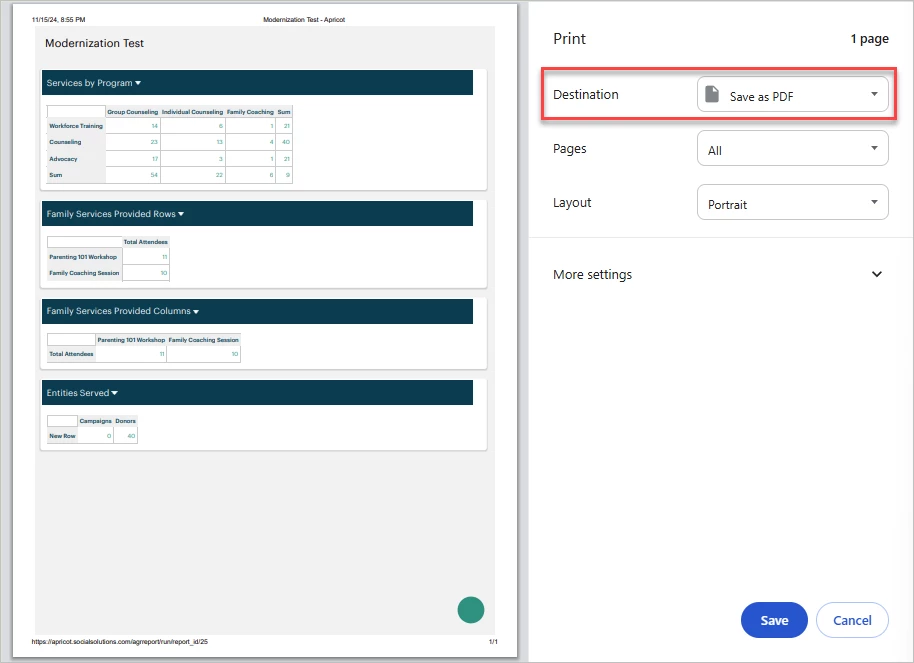
Use your internet browser controls to access the Print or Print Screen function.
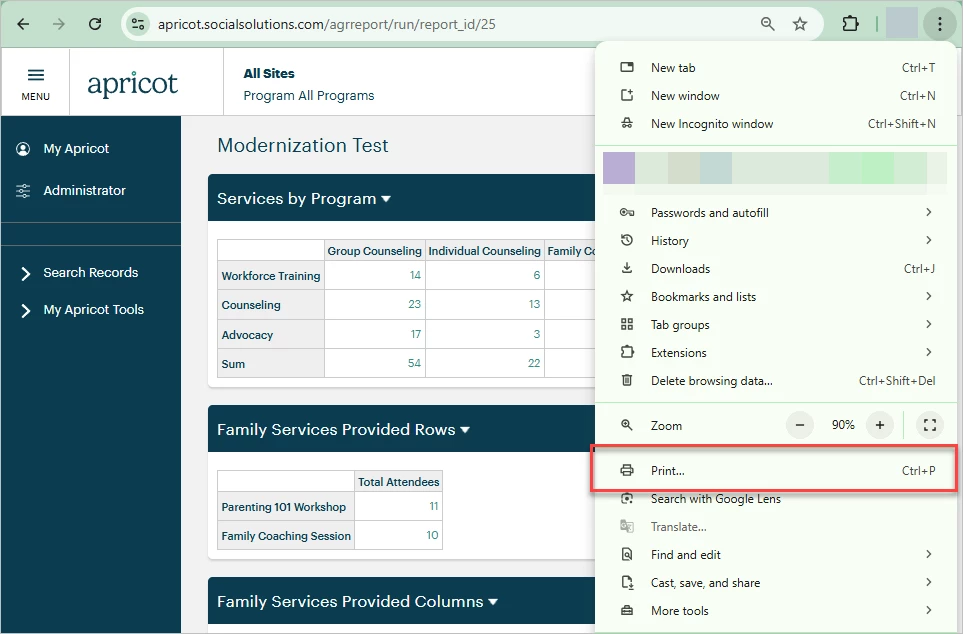
This lets you preview the report page to print or change the Destination to 'Save as PDF'.
What else do you need help with?
-
Not what you're looking for? Navigate to overview
How do I export an aggregate report to Excel in Apricot? | How do I save an aggregate report as a PDF? | Can I export one grid from an aggregate report? | Where do I find My Aggregate Reports in Apricot? | How do I download an aggregate report as a CSV file? | How do I print an aggregate report from Run mode? | What file formats are available when exporting an aggregate report?