


How to Accept Your Apricot Certified Administrator Badge
Within 48hrs of successfully passing the Apricot Administrator Certification Exam you will receive an email from Bonterra via Credly with this email address admin@credly.com.
This email will contain a link for you to accept your badge. See screen shot below.
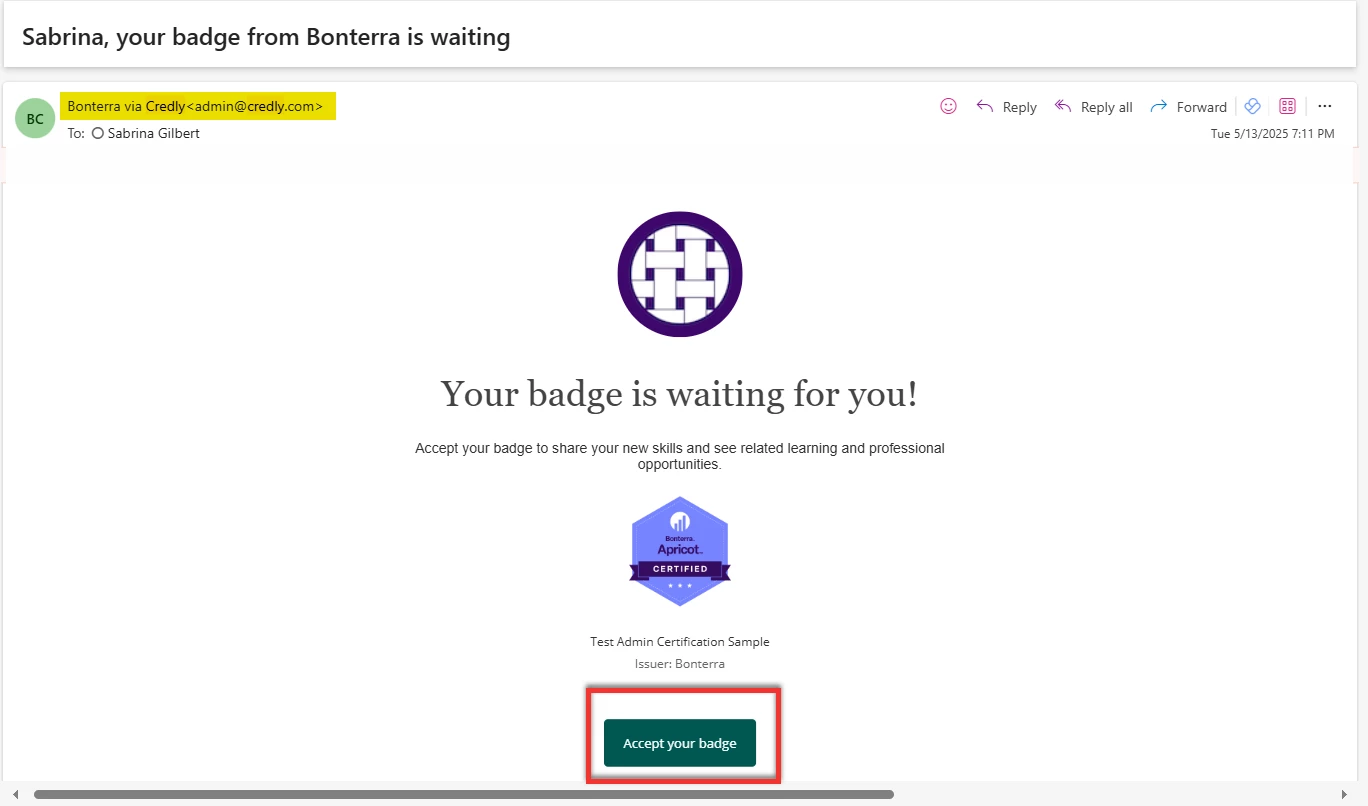
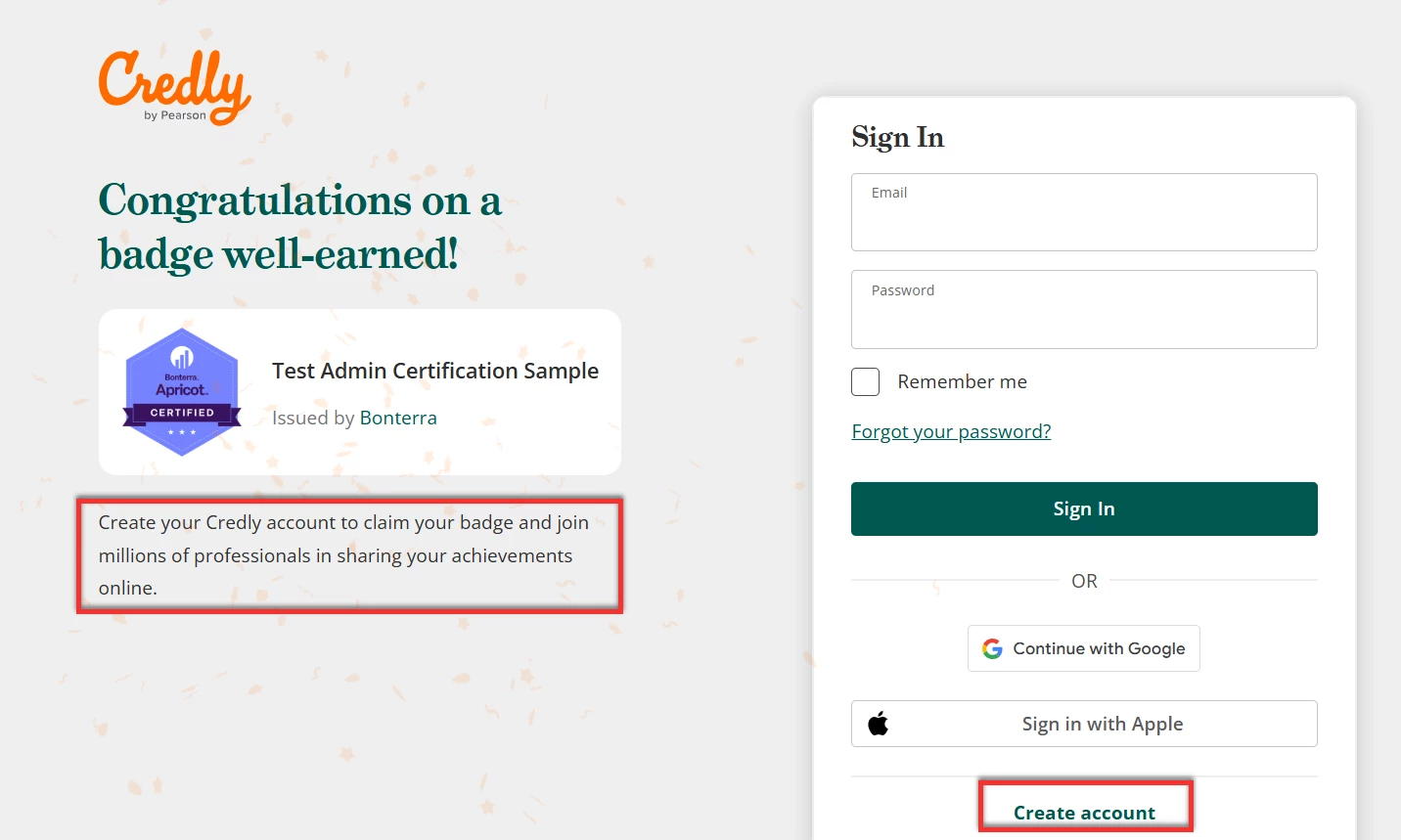
After clicking the Accept Button, you'll need to create a free credly account which allows you to both accept your badge and provides an easy way for you to share your hard earned credentials (see below).
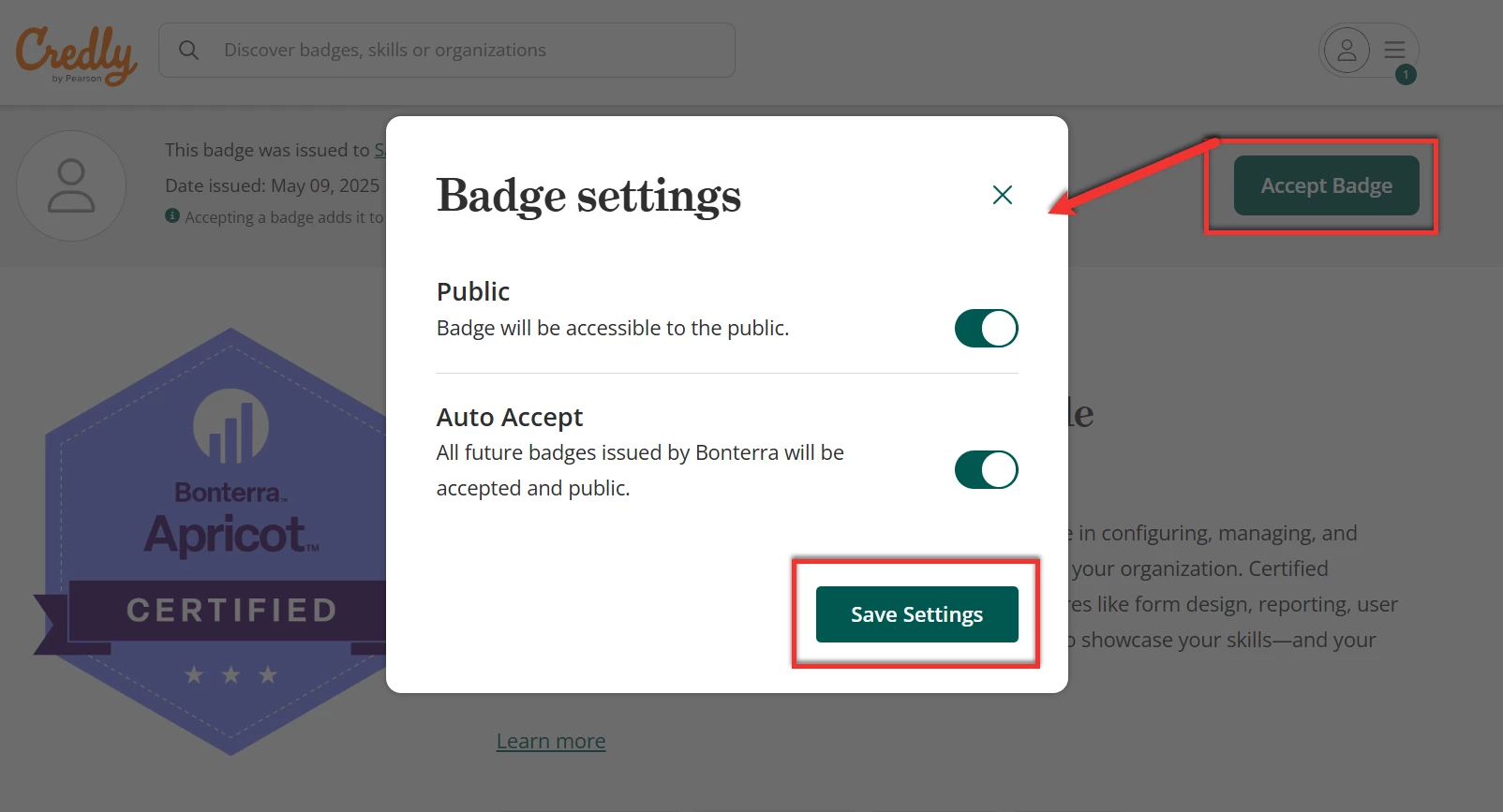
After creating your free credly account, you can click the Accept Button on the top right of the screen. This will let you make your badge public and set future badges to auto accept by clicking the toggles and selecting save to save your settings (see below).
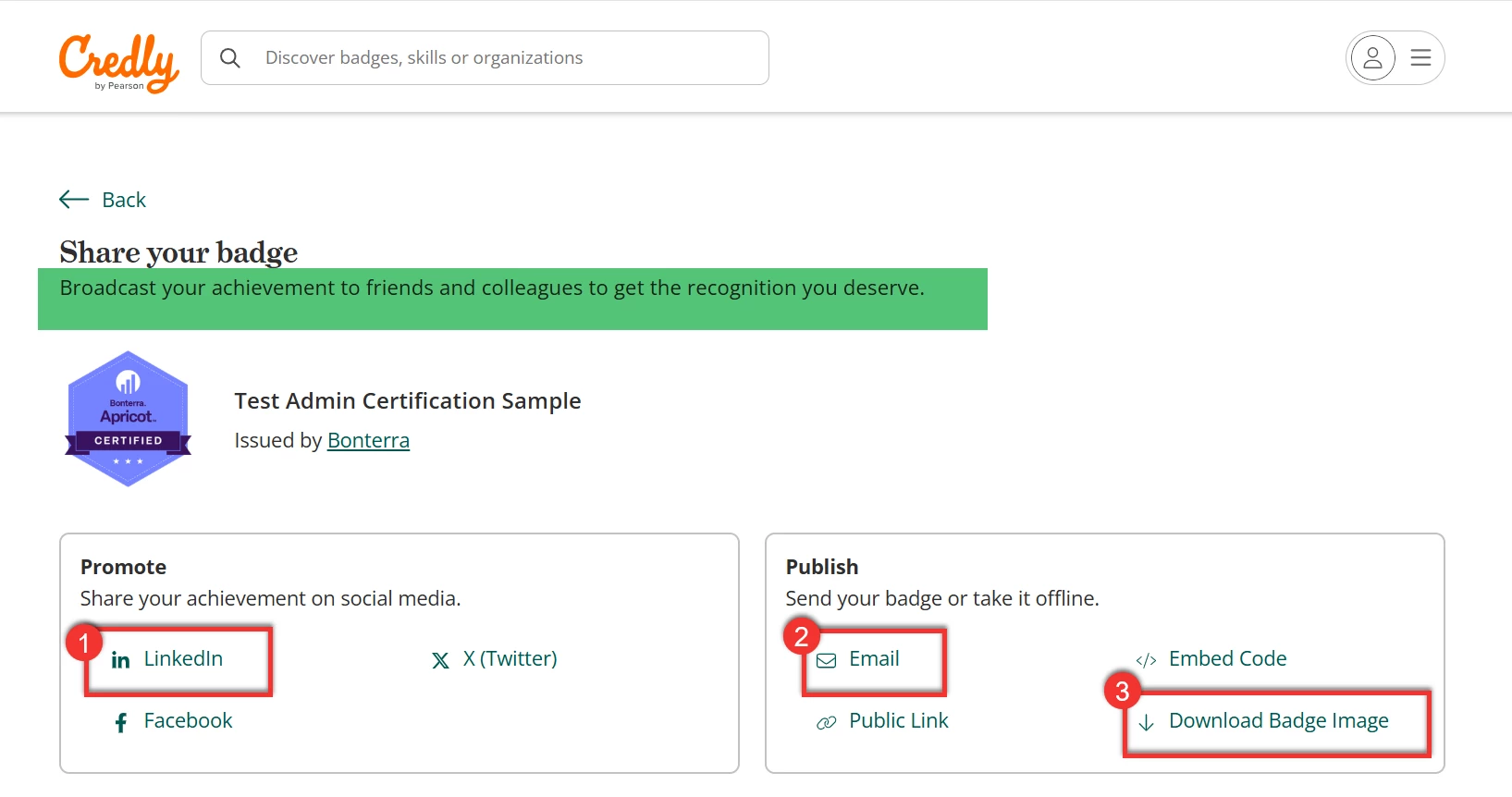
Once you've accepted your badge you can use the quick links to easily share the news and celebrate your success with your network.
-
Click the LinkedIn option to share your badge to your profile and make a post to celebrate with friends and colleagues.
-
Click the Email link to email your accomplishment to your boss.
-
Click the Download link to download your badge and add it to your email signature.
Questions about training?
For help with trainings, webinars, or Bonterra Academy, contact the Training team at clienttrainingrequests@bonterratech.com.
How do I accept my Apricot Certified Administrator badge? | Where do I find my Apricot badge after certification? | Why can’t I see my Apricot certification badge? | How do I download my Apricot Certified Administrator badge? | How do I share my Apricot certification badge with others? | What steps are needed to claim my Apricot badge? | How do I access badge details after passing the Apricot exam?