


How do I register participants in Connect?
If you need to set up Connect or create a Participant Type, please begin by following the article called Apricot Connect, then return here.
When you register a participant in Connect, you are giving them access to log in to Connect. Any individual participants you do not want to have access to Connect can remain in your Participant Type as unregistered.
Adding and Registering Participants to your Participant Type
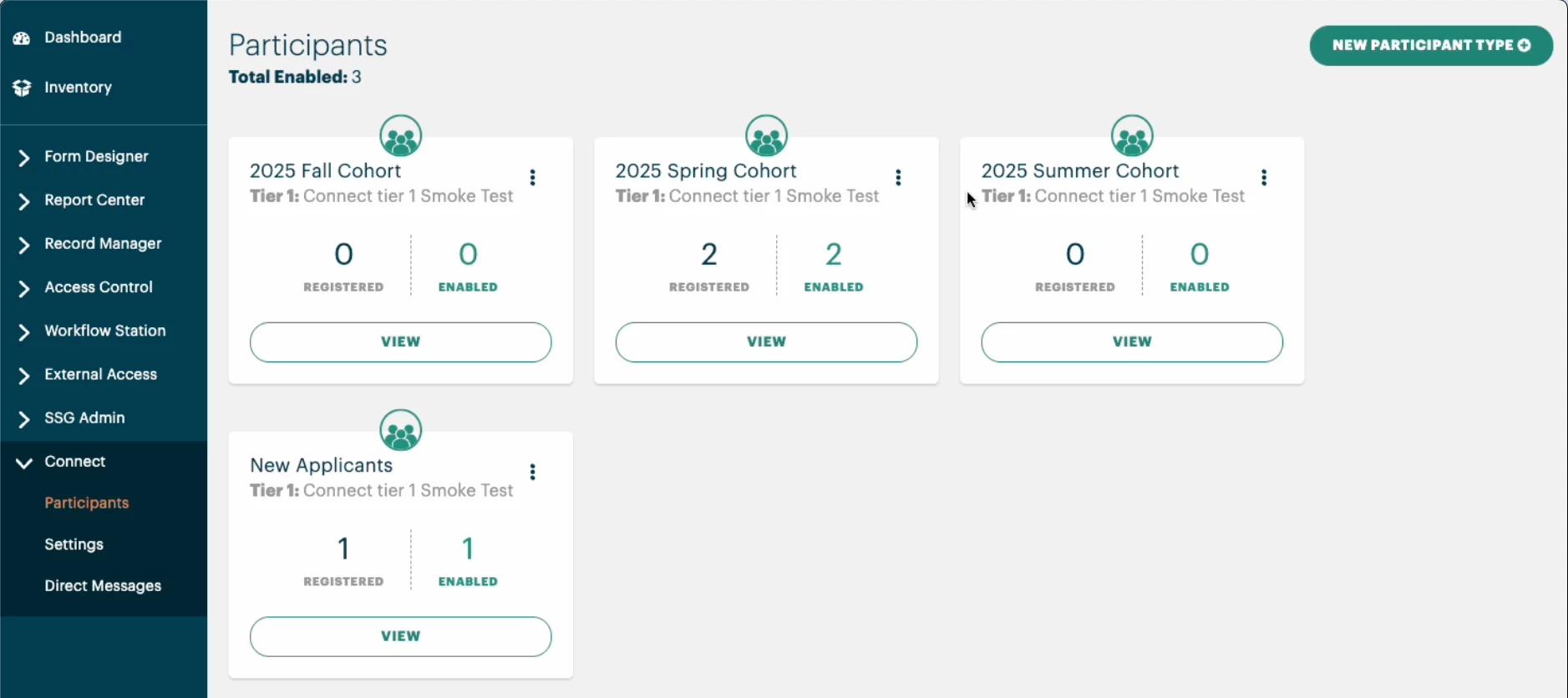
-
Click the Administrator tab
-
Under Connect in the left menu, select Participants
-
Select View to open the Participant Type
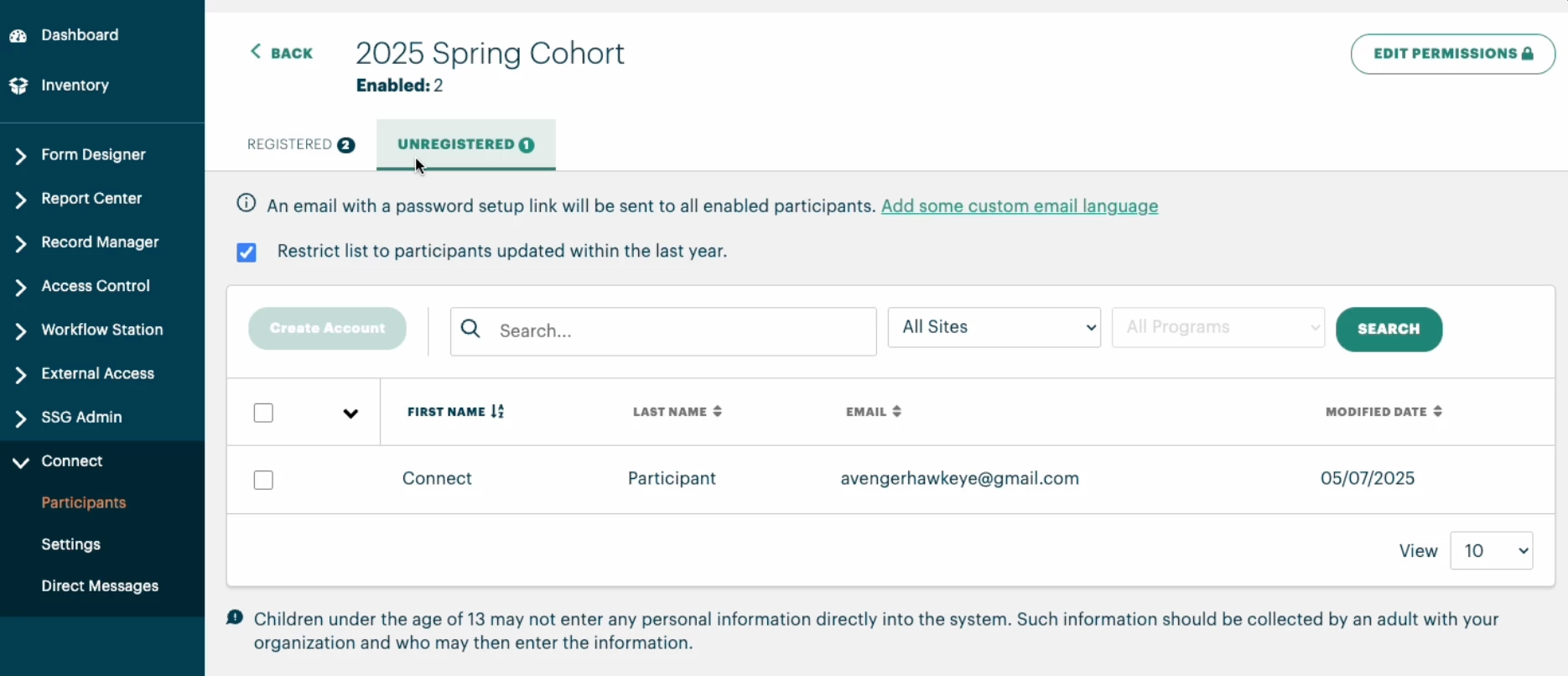
-
Click the Unregistered tab to view your unregistered participants
-
If necessary, use the search bar to filter individuals by Name, Site, or Program
-
*Select the individuals you wish to register.
-
If you would like to customize the email that will be sent to your participants with their login information, click the text to "Add some custom email language." (Optional)
-
Click Create Account
*Please note children under 13 may not enter data in Connect, so you should avoid registering them if your Participant Type include records for children under 13.
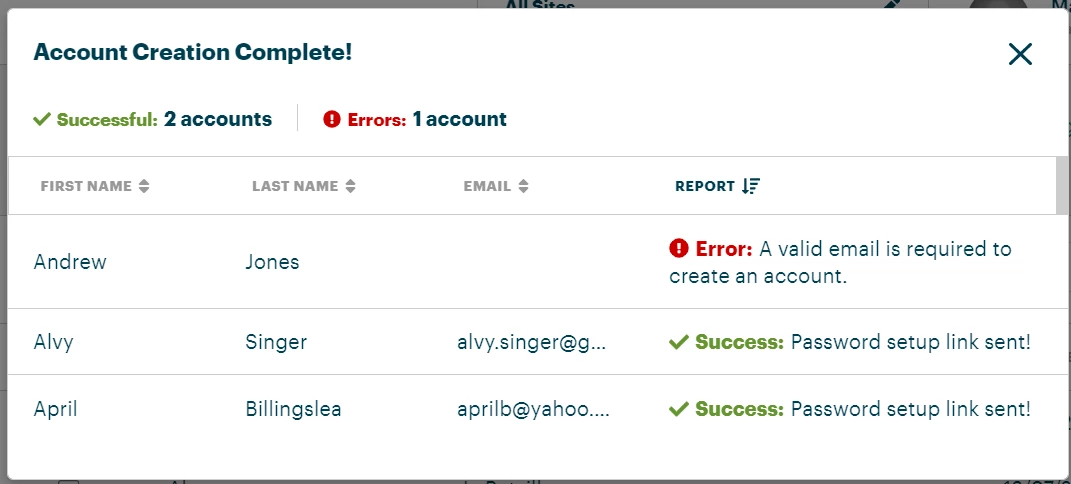
Upon registering the participants, you will receive an Account Creation notification like the one above. This will show which of the individuals should have successfully received an email with a link to set up their Connect account.
An error may be present if the email address is already registered in Connect or if the participant record does not contain an email address.
Troubleshooting Note: If you are getting an error that the email is already registered in Connect but you cannot find that user, it will most likely be due to the Tier 1 record getting archived in Apricot before being archived in Connect. You can fix this by restoring the record in Apricot, then finding the participant in Connect and archiving them. Finally, re-archiving the record in Apricot should let you register the participant with no errors.
If a Connect Participant opts out of Connect, this cannot be undone and they will need to be registered again with a new email.
Initial Connect Registration invite links expire after 30 days. If this occurs, the participant will need to be registered once again in order to gain access.
If you need to remove a participant from Connect, please see our article on Archiving a Participant in Connect.
What else do you need help with?
How do I register participants in Apricot Connect? | Where do I find the participant registration option in Connect? | Why can’t I register a participant in Apricot Connect? | How do I fill out the participant registration form in Connect? | How do I save a participant’s registration in Connect? | What information is required to register a participant in Connect? | What permissions do I need to register participants in Apricot Connect?