

How do I track shelter stays in AVS?
Access the Bed Enrollment Form
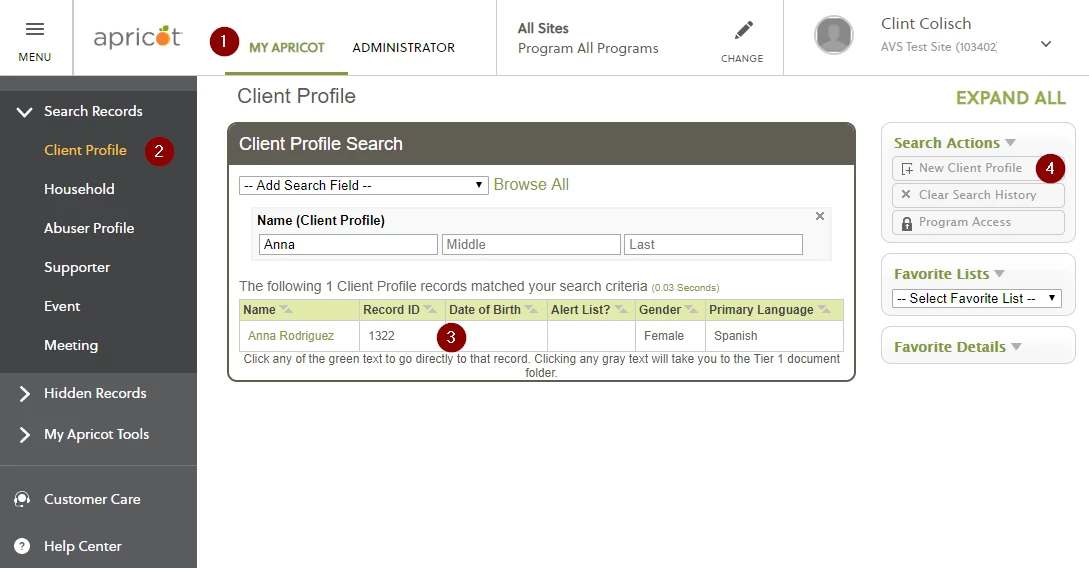
To create a Bed Enrollment record, first select the client profile record for the client who is staying in the shelter.
-
Click the My Apricot tab at the top of the page.
-
In the left hand menu, select the Client Profile form.
-
Choose an existing client from the Client Profile Search page. Selecting a column to the right of the client's name will open the document folder. Or
-
Create a new Client Profile for a new client who is coming in for services for the first time.
-
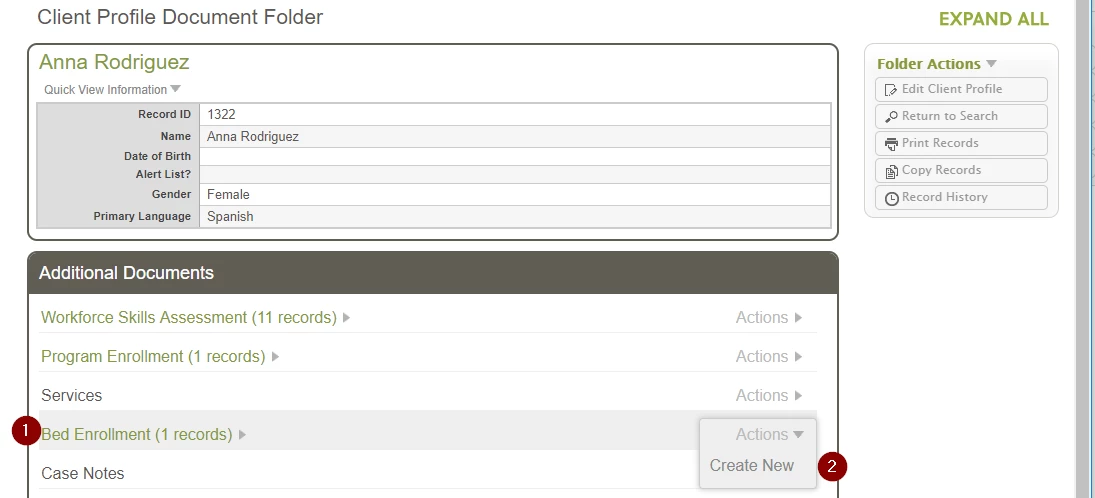
In the Client Profile Document Folder, scroll down under Additional Documents and select the Bed Enrollment form.
-
Hover your mouse over the Actions tab and select Create New.
-
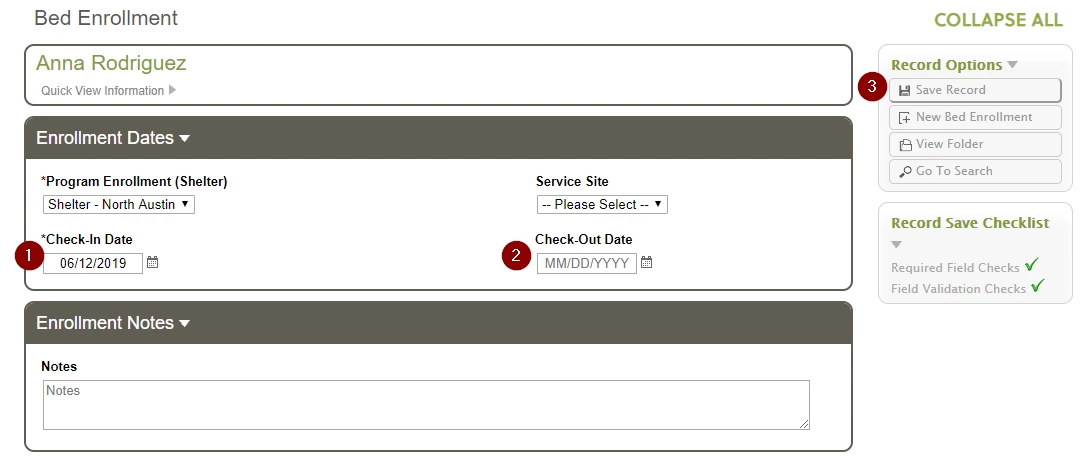
Fill out the Bed Enrollment record with the date the client is checking into the shelter.
-
Leave the check out date blank until the client has checked out of the shelter.Only one Bed Enrollment record needs to be created for each shelter stay; you do not need to create a new record every night someone stays in the shelter.
-
Save record.
When a Client Leaves the Shelter

When a client leaves the shelter or ends their stay in the shelter, you will need to edit their Bed Enrollment record to show that they have checked out of the shelter.
- Access their Client Profile document folder and scroll down to the Bed Enrollment records.
- Expand the gray arrow to see all of the Bed Enrollment records that have been created for this client.
-
Select the one that corresponds to their current stay in shelter. It should have a blank area under "Check-Out Date." Click on the orange text to open that record for editing.

-
Fill out the information in Check-Out Date to show when the client left the shelter.
-
Save record.
How do I create a Bed Enrollment record in AVS | How do I track a client’s shelter stay | How do I check a client into shelter | How do I check a client out of shelter | How do I update Bed Enrollment records | How do I record bed nights in AVS | Do I need a new record for each night in shelter