


How do I view how much data my Apricot database is using?
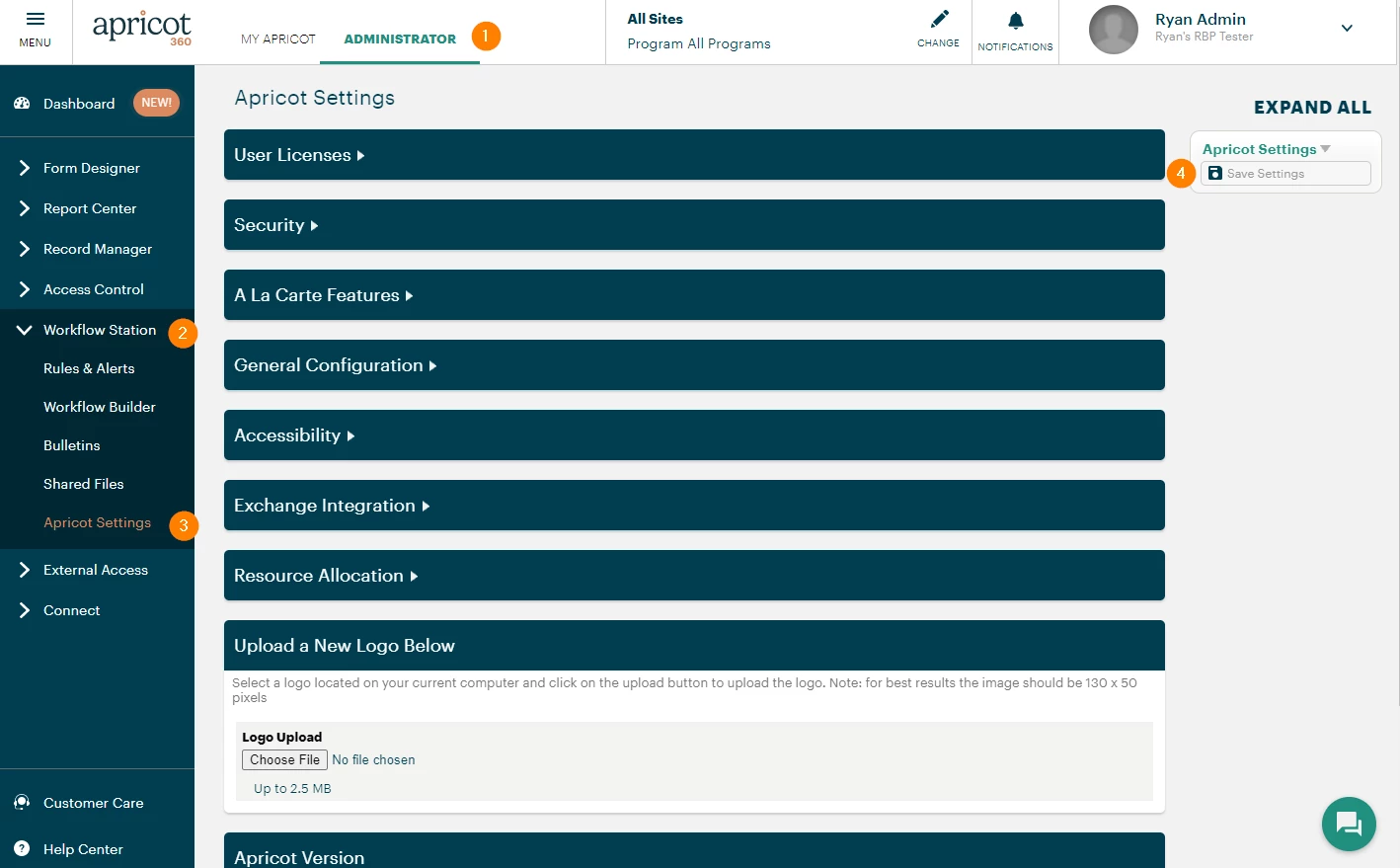
Accessing Apricot Settings
-
Select the "Administrator" tab.
-
In the left-hand menu, click Workflow Station.
-
Select "Apricot Settings."
-
If you make any changes, select "Save Settings" before leaving the page.
Resource Allocation
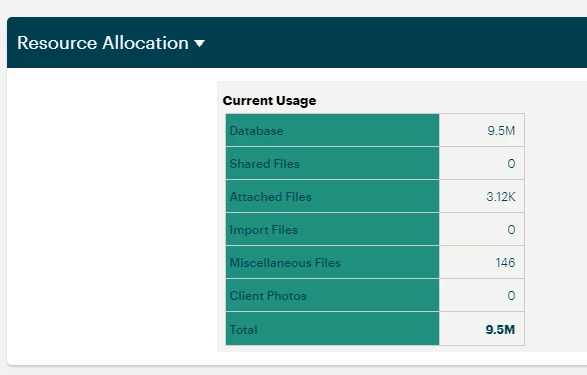
"Resource Allocation" provides details on how much data your Apricot database is using.
How Do I See How Much Data My Apricot Database Is Using? | Where Do I Check Database Storage in Apricot? | How Do I Find My Database Size in Apricot? | Why Can’t I See My Apricot Database Usage? | How Do I Know If My Apricot Database Is Getting Full? | What Does Database Usage Mean in Apricot? | How Do I Track My Apricot Data Consumption?