

How do I update my Payout Schedule for Bonterra Payments?
Step 1: Log In to EveryAction
Begin by logging into your EveryAction account using your credentials.
Step 2: Navigate to the Payment Gateways Page
- From the homepage, navigate to the left-hand menu. Click Administration > Payment Gateways.
- Or on the left sidebar, search for and select Payment Gateways. This is where you manage all aspects of your Bonterra Payments account. *Please note that access to the Payment Gateways page is limited to users with administrative access.
Step 3: Select Your Bonterra Payments Gateway
From the Payment Gateways page, find your Bonterra Payments Gateway. If you manage multiple gateways, ensure you are selecting the correct one.
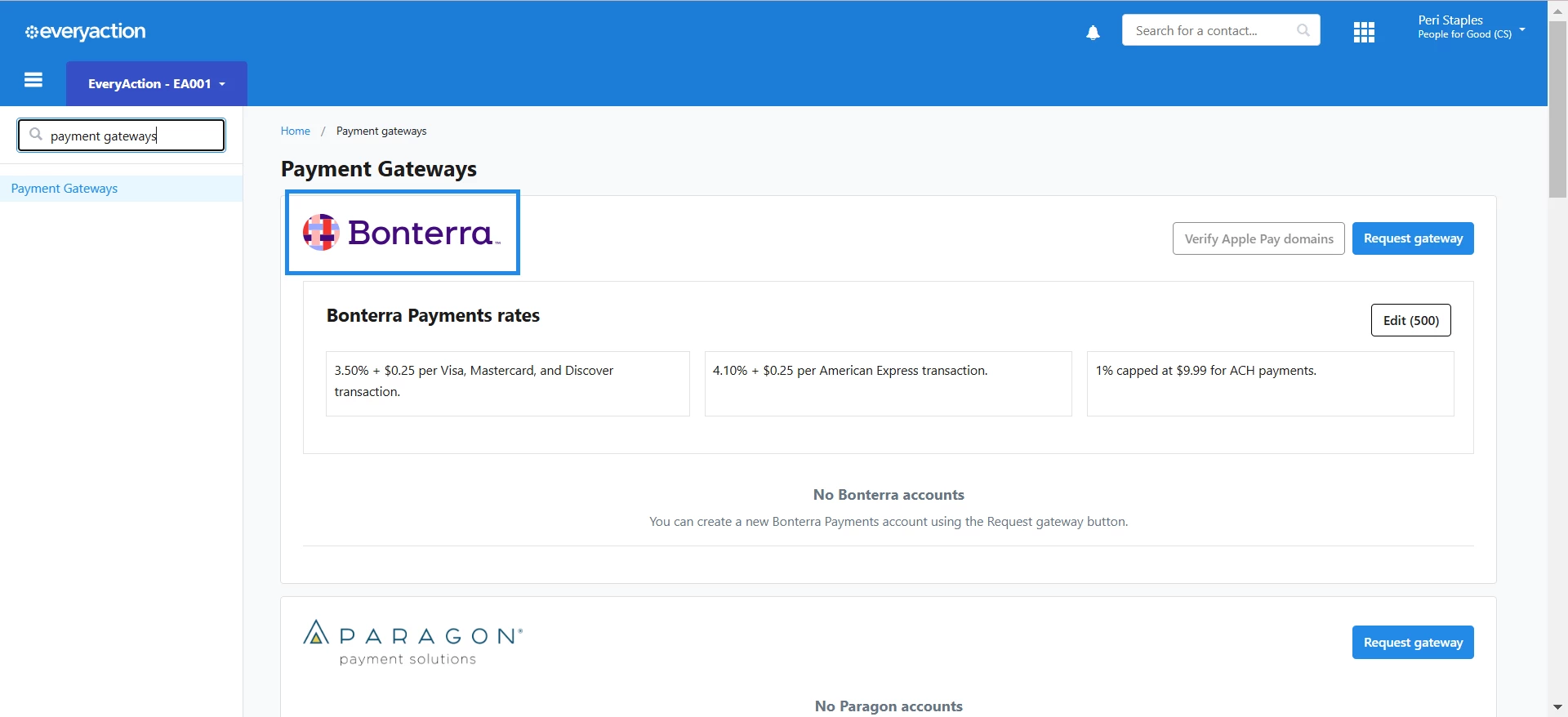
Step 4: Click the Edit Button
Once you have selected the correct gateway, look for the Edit button in the section with your gateway details. This will open the settings for your Bonterra Payments Gateway.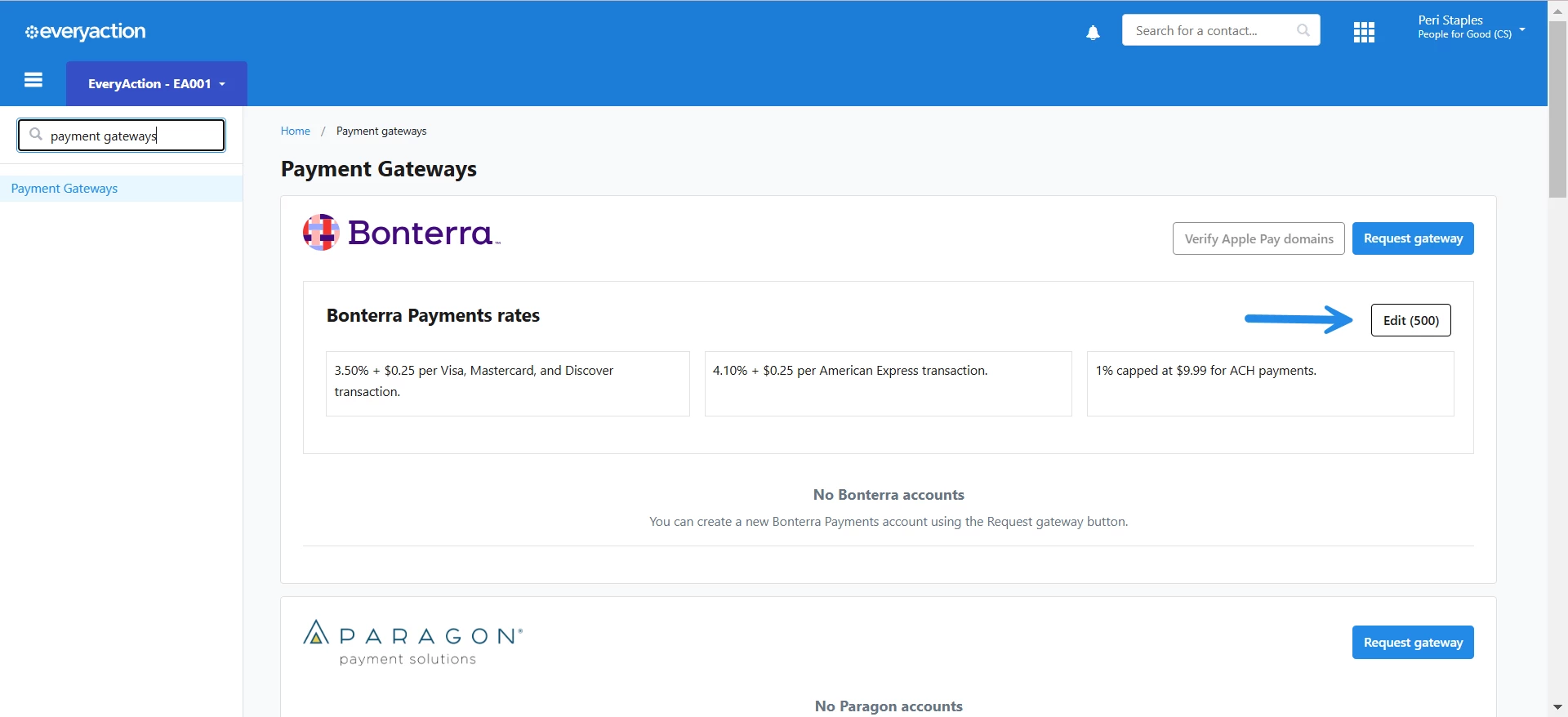
Step 5: Locate the Payout Schedule Section
Scroll down or navigate to the Payout Schedule section within the gateway settings. This is where you can make changes to your payout frequency.
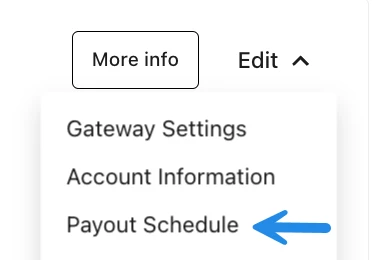
Step 6: Adjust Your Payout Schedule
In the Payout Schedule section, you can select the desired frequency for your payouts. Options may include daily, weekly, or monthly payouts, depending on your needs.
Step 7: Save Your Changes
After adjusting the schedule, click the Save button to apply your changes.
How do I update my payout schedule for bonterra payments? | How does update my payout schedule for bonterra payments work in EveryAction? | Why can't I update my payout schedule for bonterra payments? | Where do I update my payout schedule for bonterra payments in EveryAction? | What is update my payout schedule for bonterra payments in EveryAction? | How to update my payout schedule for bonterra payments? | Can I update my payout schedule for bonterra payments in EveryAction?