



Bonterra Que is your fundraising assistant, built directly into EveryAction to help you raise more with less effort. With skills like personalized coaching and donor segmentation, Que combines best practices with your fundraising data to offer fast, strategic guidance. No setup is required. It’s ready when you are.
Step 1: Navigate to Your Dashboard
Log into EveryAction and head to your Dashboard.
Step 2: Click to Activate Bonterra Que
Click the “Ask Que” button to launch your assistant.
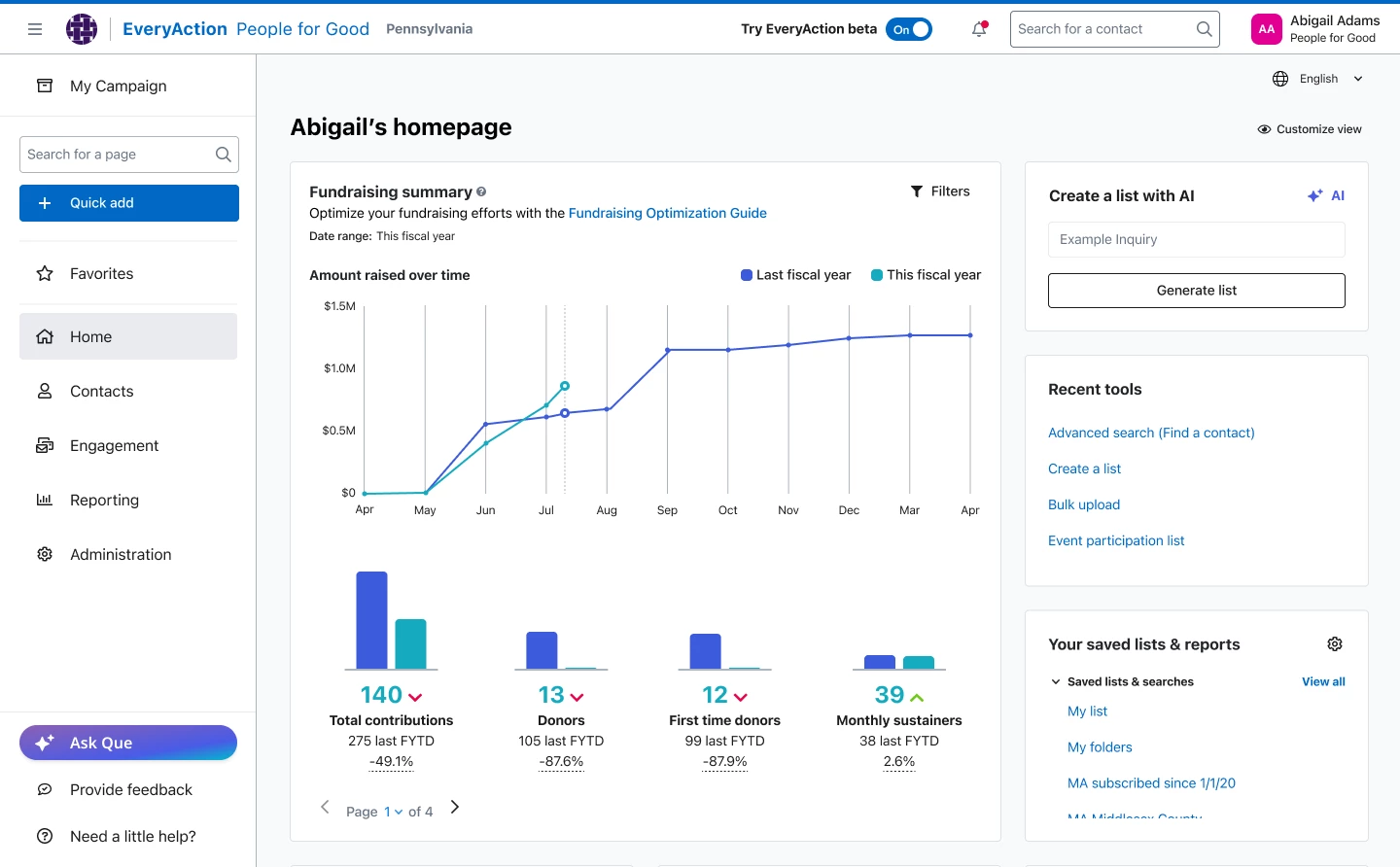
Step 3: Start Chatting with Que
Use a suggested prompt or ask your own question. Que will use your organization's fundraising data, previous campaigns, and Bonterra best practices to provide tailored, actionable guidance in real time.
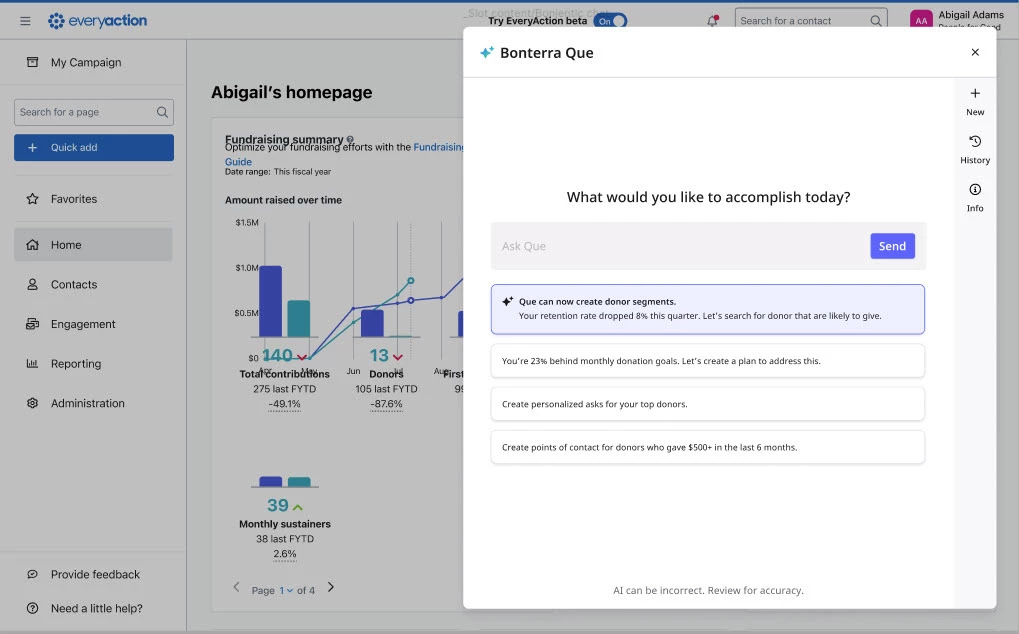
Try asking:
- Which donors are most likely to upgrade this year?
- How did my last year-end appeal perform?
- Create a segment of lapsed donors most likely to return.
Step 4: Additional Actions Within Que
When Que is open, you can also:
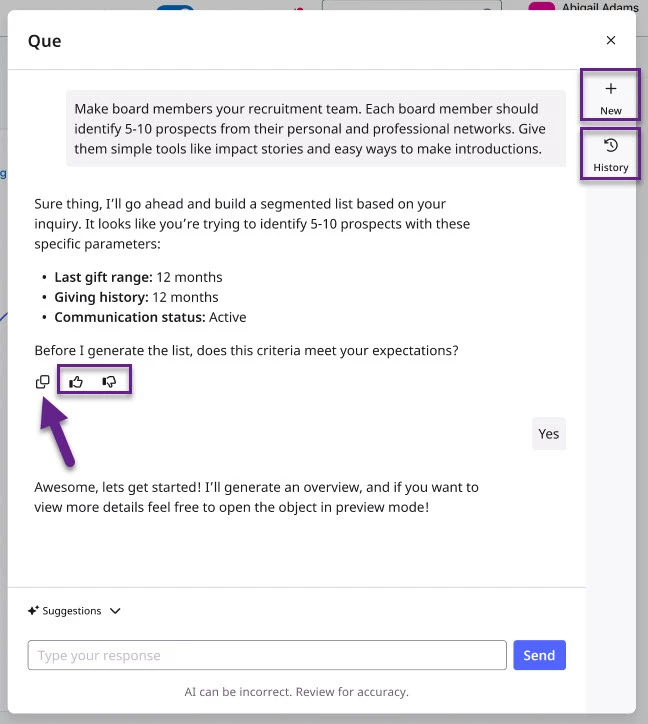
- Start a new conversation by clicking the plus (+) icon.
- Review past chats using the clock icon to revisit earlier recommendations.
- Copy and share responses with the duplicate or paper airplane icons.
- Give feedback with thumbs up/down to improve suggestions.
- Close Que with the X. You can always reopen it from your dashboard.
What do you want to do next?
Interested in learning how Bonterra keeps your data safe? Read more about Bonterra's AI Responsibility and Data Security Practices here.
Curious about how you can access Bonterra Que? Read more about accessing Bonterra Que here.
Want to learn more about Personalized Coaching in Bonterra Que? Read more about Personalized Coaching here.
-
Ready to dive into Personalized Coaching now? Access these 'How do I' articles:
Want to learn more about Donor Segmentation in Bonterra Que? Read more about Donor Segmentation here.
Want to learn more about Email Creation in Bonterra Que? Read more about Email Creation here.
Want to learn more about Formbuilder in Bonterra Que? Read more about Formbuilder here.
Not what you’re looking for? Navigate to Understanding Bonterra Que.
How do I access Bonterra Que in EveryAction? | How do I start using Bonterra Que? | Where is Ask Que in EveryAction? | How do I open the fundraising assistant in EveryAction? | How do I chat with Bonterra Que? | What questions can I ask Bonterra Que? | How do I review past conversations in Bonterra Que?