


How do I generate a list of users to select in a form?
What is a User List?
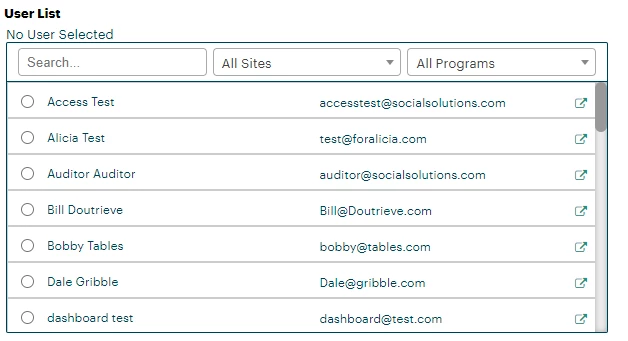
User List is a type of field that pulls in all active users in your organization and updates in real time with changes you make to your users. You can adjust this field to show only standard users, only admin users, or all users. For example, if you have a form that only Admins can fill out, and you want it to be indicated which Admin filled out the form, this field would be a great tool to use.
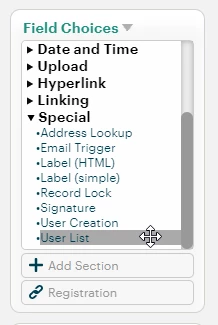
It can be found in the 'Special' dropdown within 'Field Choice' when building or editing a Tier 1 or Tier 2 form. You can click and drag it into any section.
How it Works
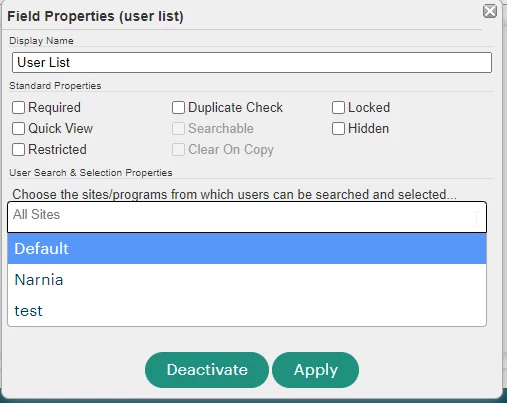
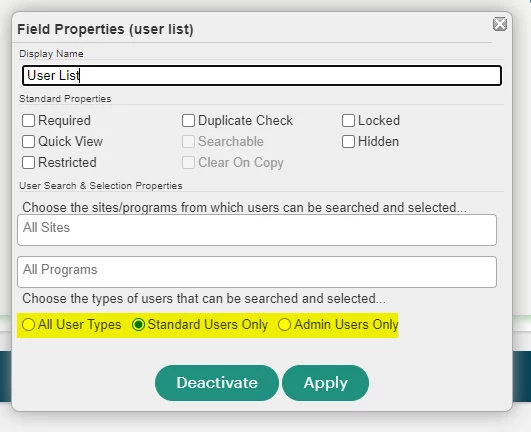
There are many ways you can customize who can use this field, what users can be selected, and from which programs. If there are users in a specific site you'd like to select from, you can select from the first dropdown:
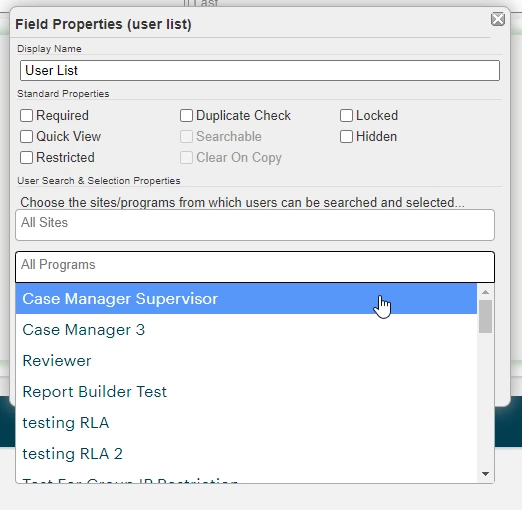
And the second dropdown will allow you to choose Users associated with a Specific Program:
Finally, you can even specify what type of User you'd like to select from:
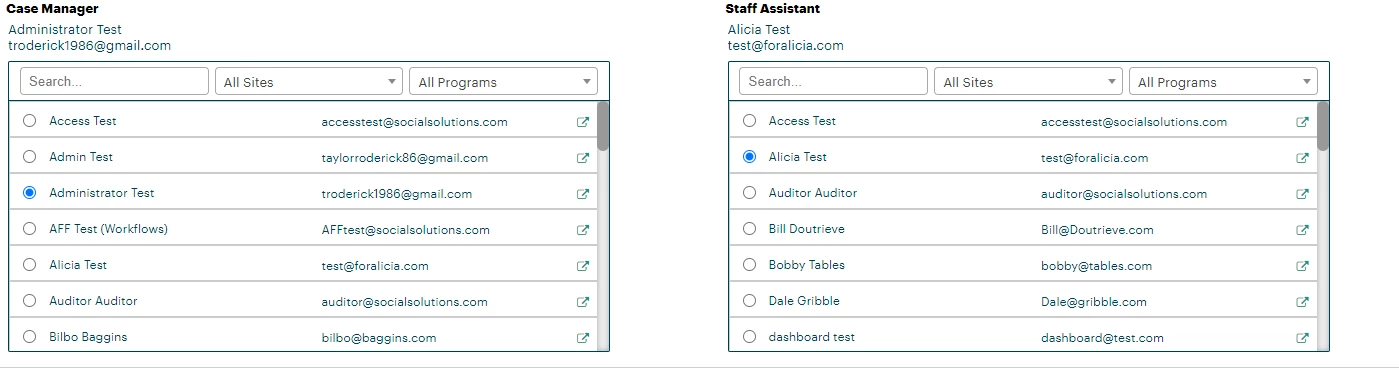
When completing a record with a User List field, you can only select one User per User List, but you can add multiple User Lists if needed.
Reporting With User Lists
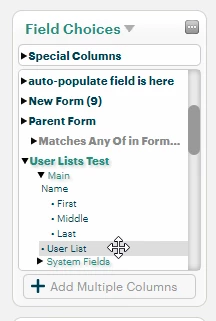
User Lists can be reported on in Native Apricot Reporting as well. They'll appear as an option in your right-hand Field Choices menu under whichever form the User List is hosted on, same as any other field.
For those with ARR, or our Results Reporting, it is currently not possible to report on User Lists.
How Do I Generate a List of Users to Select in a Form in Apricot? | How Do I Create a User Dropdown in Apricot Forms? | How Do I Populate a User Selection List in Apricot? | What Field Type Shows Apricot Users in a Form? | How Do I Filter Which Users Appear in a Form List? | Why Isn’t My User List Showing in an Apricot Form? | How Do I Update User Lists in Apricot Forms? This article details what a User List field is, how to use it, and other best practices