

What date and time fields are available in a form?
Form fields govern how data is collected and reported on in Apricot. A diverse selection of fields is available in the Form Designer to tailor your forms to your organization's data entry needs.
In the Field Choices palette, fields are organized by category or in alphabetical order within the "All" section. Once you've found the field you want to add to your form, you can drag and drop the name of the field into the main body of the form section.
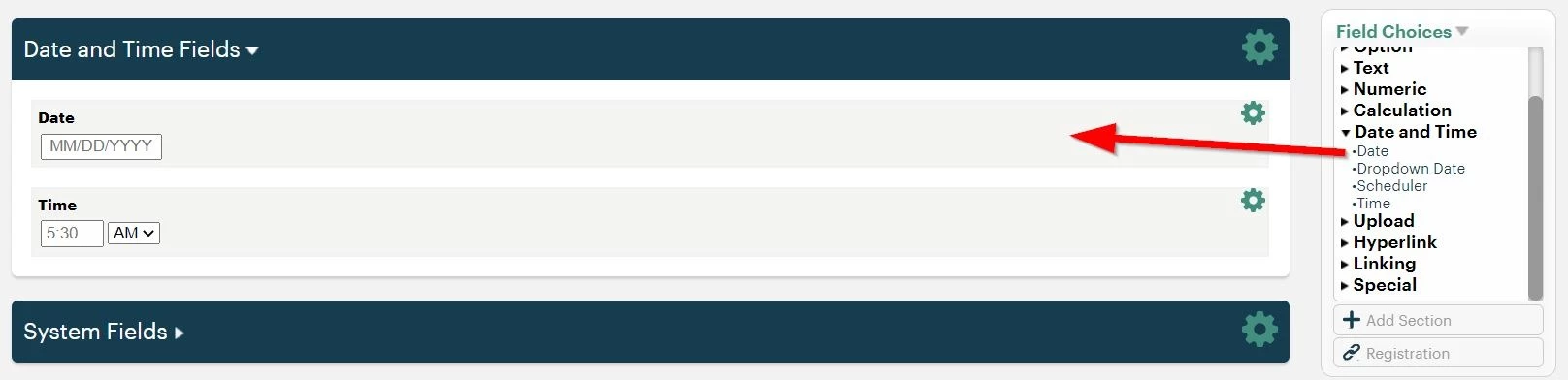
Continue reading below to learn how to utilize the fields available in the Date and Time category.
Date
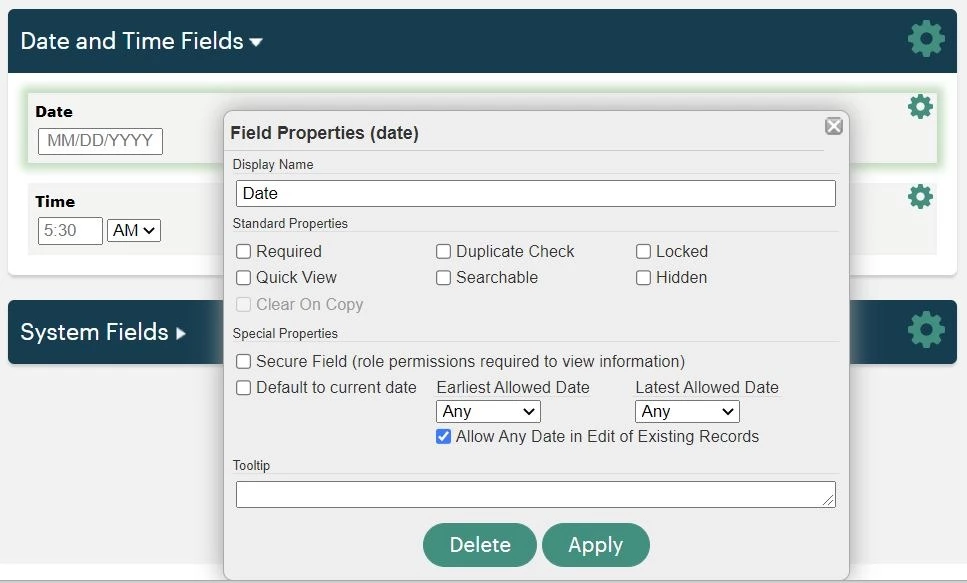
Date tracks any date value in MM/DD/YYYY format.
Properties
Special Properties include:
-
Default to current date: Automatically sets the value of this field to the date the record is being filled out.
-
Earliest Allowed and Latest Allowed Date: The record will not be saved until the date entered in this field meets the criteria.
- Allow any date in edit of existing records: Controls whether the date value can be changed when editing a saved record.
- When this checkbox is unchecked, the date locks at the time the record is saved — including when progress is saved on a draft.
- When this checkbox is checked, it will allow the date to be changed on existing records.
Notes:
- If “Allow any date” is unchecked and the locked date no longer meets the earliest or latest allowed date criteria (for example, if the date was set to today and the record is reopened on a later date), the record cannot be saved until the date is updated. You’ll need to check the “Allow any date” box so the date can be changed on the existing record.
- If you use “Default to current date” or “Earliest allowed date: today” alongside the Allow Drafts (Save Progress) feature, uncheck the “Allow any date” box only if staff will always complete the form in the same session. If staff may return to a form on a later date, leave the box checked to prevent a locked date from preventing the final save.
Dropdown Date
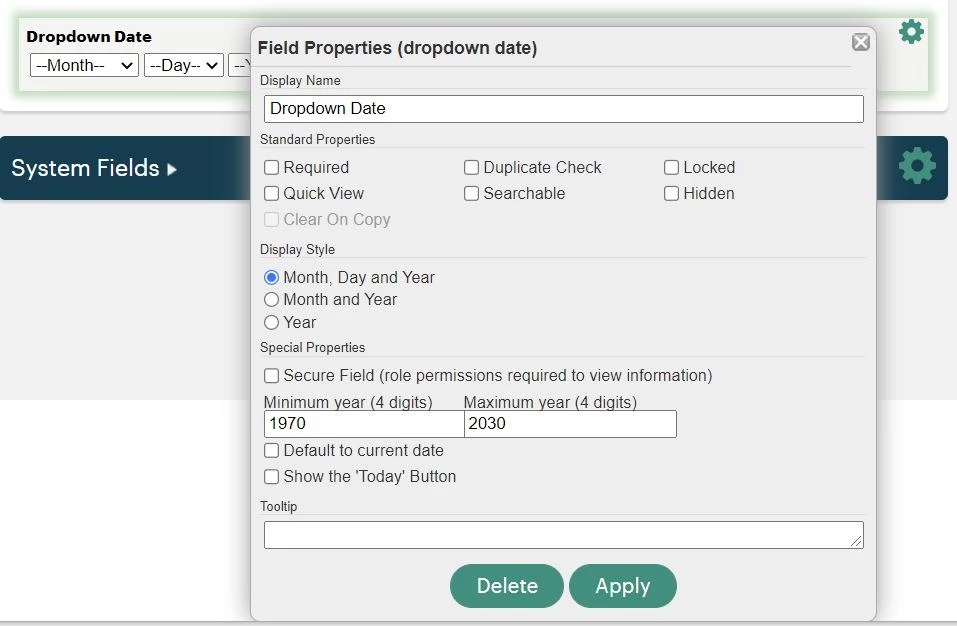
Dropdown Date displays three separate dropdown menus for users to select the month, day, and year.
Properties
Display Style allows you to select which dropdown menus to show.
You can set the Minimum and Maximum year values so the record cannot be saved unless the date entered meets the criteria. You can also set the default value as the date the record is being filled out or add a "Today" button for users to click and enter the current date in the field.
Time
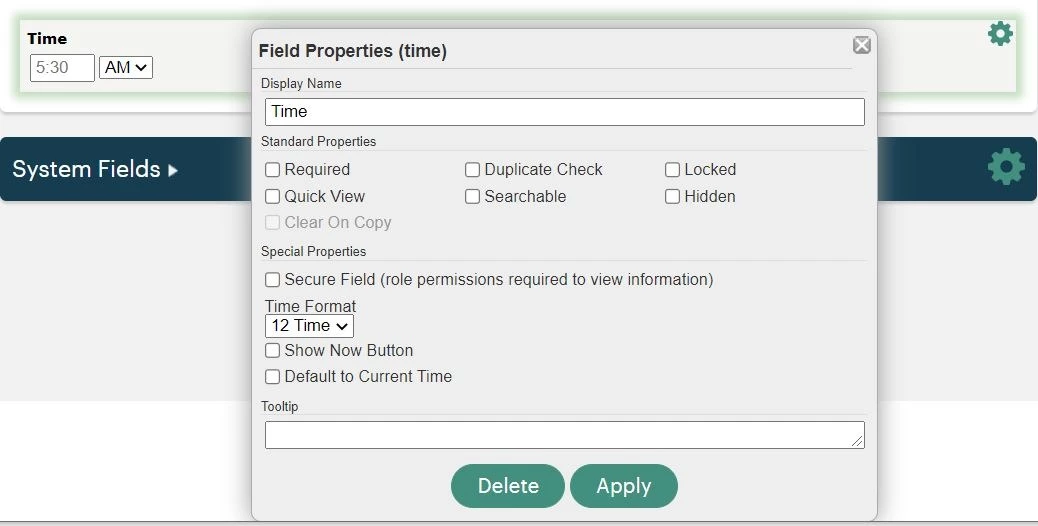
Time displays a specific time of day using the 12-hour or 24-hour format.
The "Show Now Button" property allows users to select the current time according to their browser's time zone, while the "Default to Current Time" property automatically enters the time the new record was opened.
Scheduler
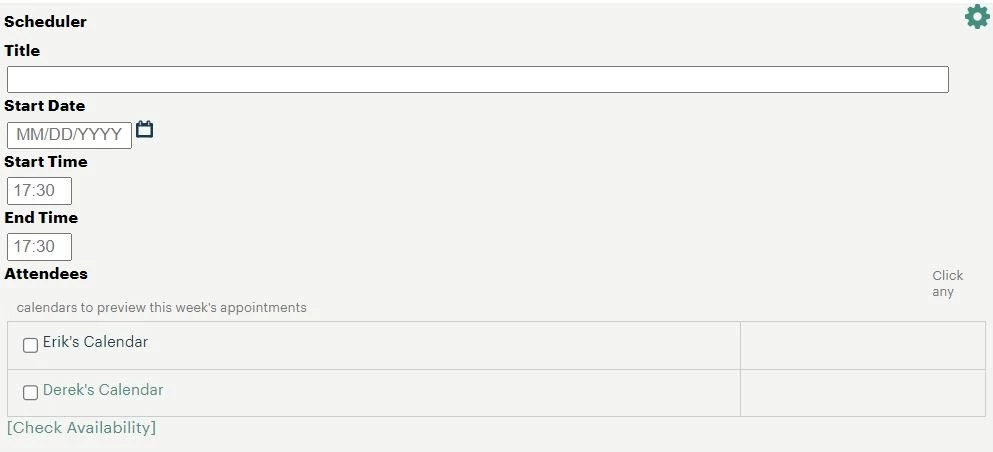
Scheduler allows users to create calendar or meeting requests that can be sent to other Apricot users or anyone whose calendar has been added to Apricot Calendars.
To learn more about Apricot Calendars, click here.
What else do you need help with?
What Date and Time Fields Are Available in an Apricot Form? | How Do I Add a Date Field in Apricot? | How Do I Add a Time Field in Apricot? | What Is the Difference Between Date and Date/Time Fields in Apricot? | How Do I Use Date/Time Fields in Apricot Forms? | How Do I Format Date Fields in Apricot? | Can I Require a Time Entry in an Apricot Form?