


How do I filter a report by an option field? (Native Reporting)
The types of option fields that can be added to an Apricot form include:
-
Checkbox
-
Dropdown
-
Milestones/Goals
-
Multi-Select Dropdown, and
-
Radio Button
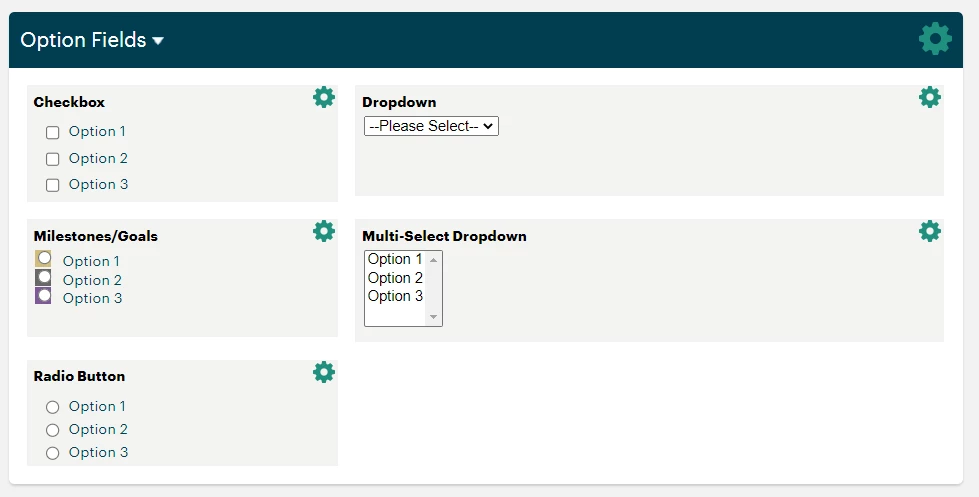
When one of these fields is added as a column of data in a report, the Report Builder provides several ways for you to filter the data. Continue reading below to learn more about the available option filter conditions.
"Allow Other" Field Property
The option filter condition you select in a report filter's properties first depends on the option field's properties within a form. The Field Properties window is where you customize the list of field choices that a user can select when recording a response to the form.
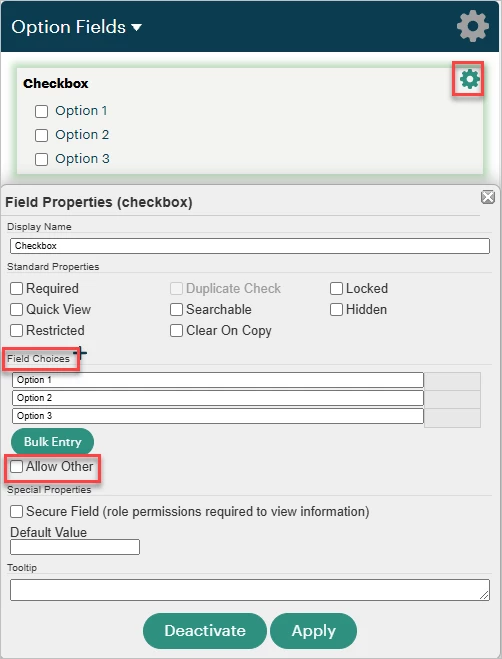
In addition to entering your desired field choices here, you can also check the "Allow Other" box. This gives users who are filling out records the ability to type in their own option to submit if the preset options do not apply.
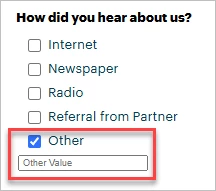
Whether you want to include the custom 'Other' responses users have submitted for the option field in your report will determine which filter condition you select. This setting is configured in the Filter Properties window within the Report Builder. To learn more about adding a filter, click here. Read more about each condition below.
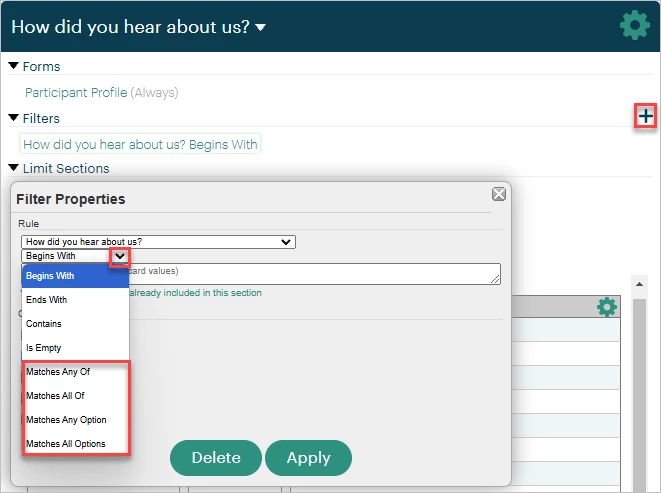
"Matches Any Of" Condition
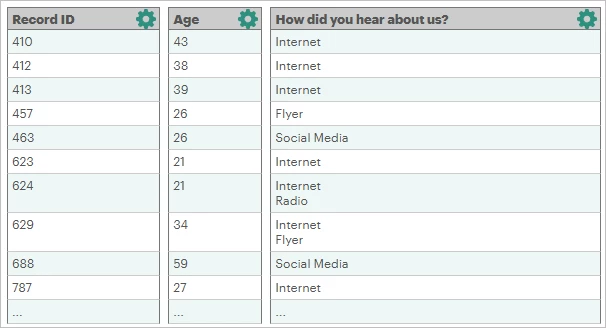
Selecting this condition will show any records containing any of the answers you select in the 'Lookup Values to Match' section of the Filter Properties.
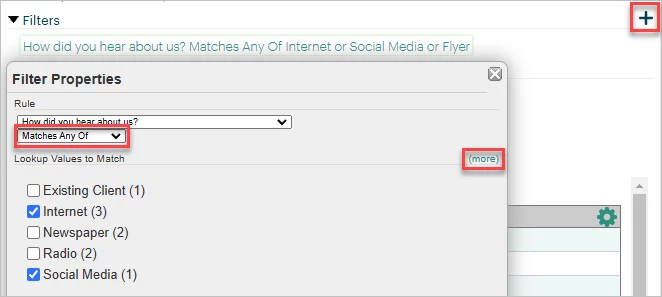
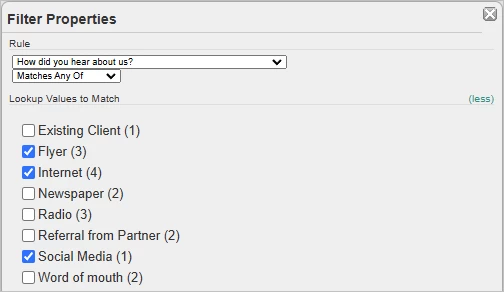
You can include any responses that were entered after selecting "Other" within a record by clicking the green '(more)' text. You'll also see how many times each option was selected across all records.
"Matches Any Option" Condition
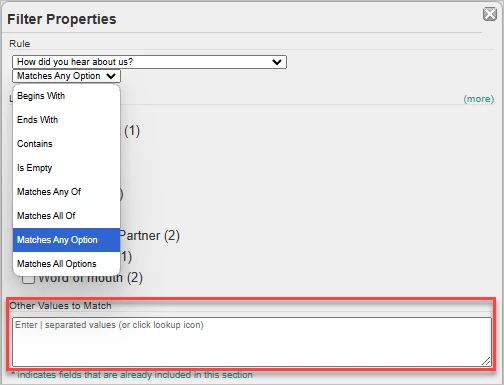
This condition is similar to "Matches Any Of" except user-submitted options entered when selecting "Other" in the field are not included in the option selection.
Note: Filters on dynamic fields may not populate correctly with this condition due to the size of the query involved. Using the "Other Values to Match" section in the Filter Properties with each option text separated by pipes ( | ) will allow the filter to run properly.
"Matches All Of" Condition
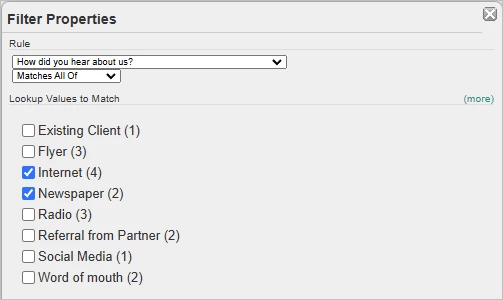
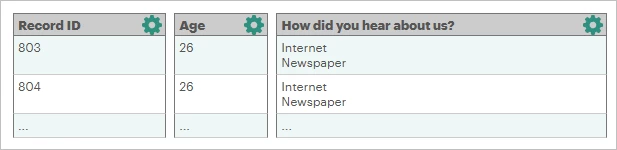
With this filter condition, every option selected in the Filter Properties must be present in a record in order for it to display in the report. You can also include "Other" responses when using this condition.
"Matches All Options" Condition
This condition is similar to "Matches All Of" except user-submitted options entered when selecting "Other" in the field are not included in the option selection.
What else do you need help with?
-
Not what you're looking for? Navigate to overview
How do I filter a report by a checkbox field in Apricot? | How do I filter a report by a dropdown field? | How do I include user-submitted “Other” responses in an option field filter? | What is the difference between “Matches Any Of” and “Matches Any Option”? | How do I use “Matches All Of” to filter option fields? | How do I use “Matches All Options” for a report filter? | How do I filter a multi-select dropdown or radio button field in a report?