


How do I use a wildcard value in a report filter? (Native Reporting)
When filtering a report for a text value, using the 'Equals' filter condition requires that you type the exact full text in your search criteria in order to return the correct results.
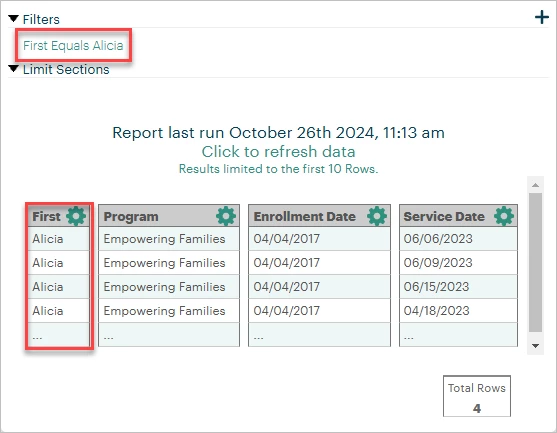
However, if you're not entirely sure what text to search, using a different filter condition may add "wildcard values" to your filter criteria to return a wider range of results. This allows you to just use partial text in your search (instead of a full name, for example) so Apricot can return results with any combination of letters surrounding your criteria.
These conditions can be found within the Filter Properties. To learn how to add a filter to your report and access these properties, click here. Continue reading below to learn more about wildcard values in report filters.
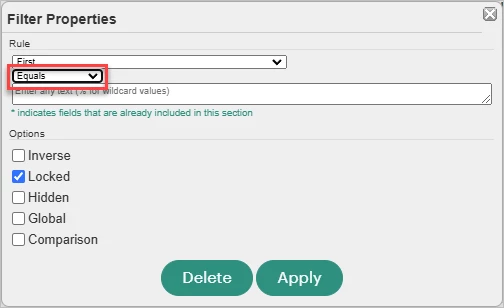
Conditions with Wildcard Values
Apricot automatically places wildcard values in report filters when certain conditions are selected to return any results that meet the partial criteria of what you're typing. Below are the three conditions that allow you to define your filter criteria with wildcard values:
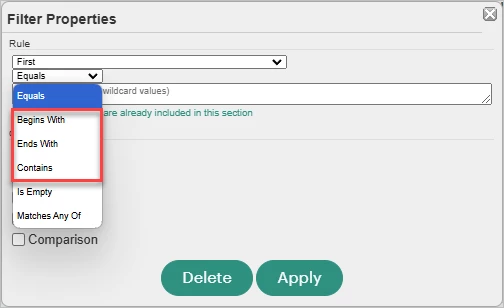
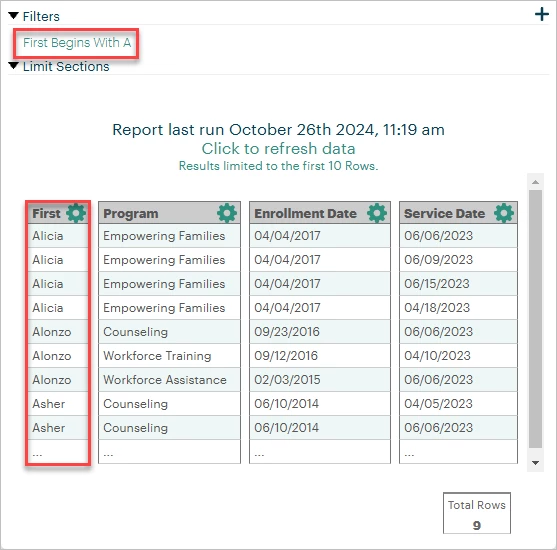
Begins With
This condition adds a wildcard value after the characters you type in the filter.
-
ex. "Participant Name Begins With A" returns participants whose names start with 'A' regardless of what comes after the 'A'.
Ends With
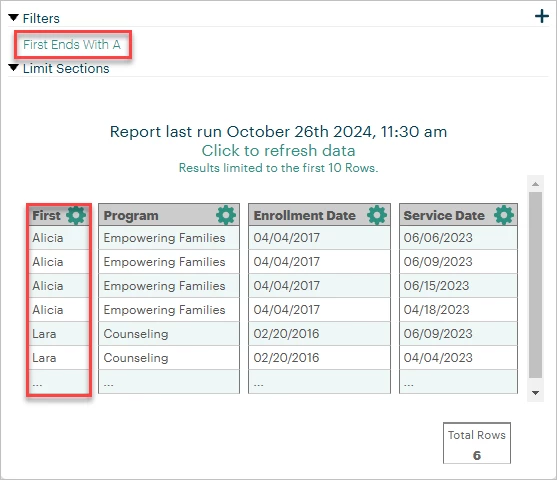
This condition adds a wildcard value before the characters you type in the filter.
-
ex. "Participant Name Ends With A" returns participants whose names end with 'A' regardless of what comes before the 'A'.
Contains
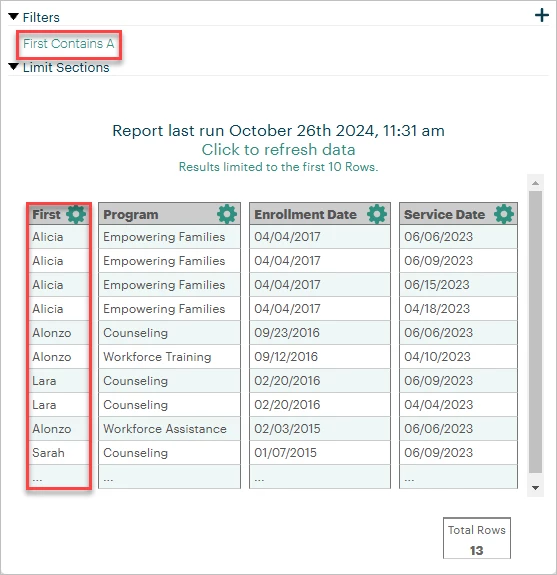
This condition adds wildcard values both before and after the characters you type in the filter.
-
ex. "Participant Name Contains A" returns participants whose names have an 'A' in any part of their name regardless of what comes before or after the 'A'.
What else do you need help with?
-
Not what you're looking for? Navigate to overview
What are wildcard filters in Apricot reports? | How do I filter a report using partial text? | What is the difference between Equals and Contains in a report filter? | How do I use Begins With or Ends With in Native Reporting? | Why isn’t my text filter returning results? | How do I search for part of a name in a report? | How do wildcard values work in report filters?