

How do I apply data using Bulk Apply?
Step 1: Create a List of Contacts
Create a List of contacts in Create A List to which you’d like to apply the same updates.
Step 2: Access Bulk Apply
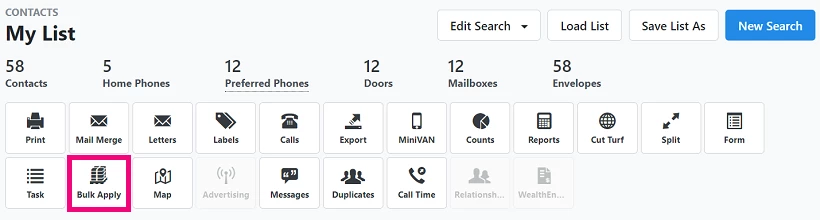
From your list, select the Bulk Apply tool.
Step 3: Select Fields to Update
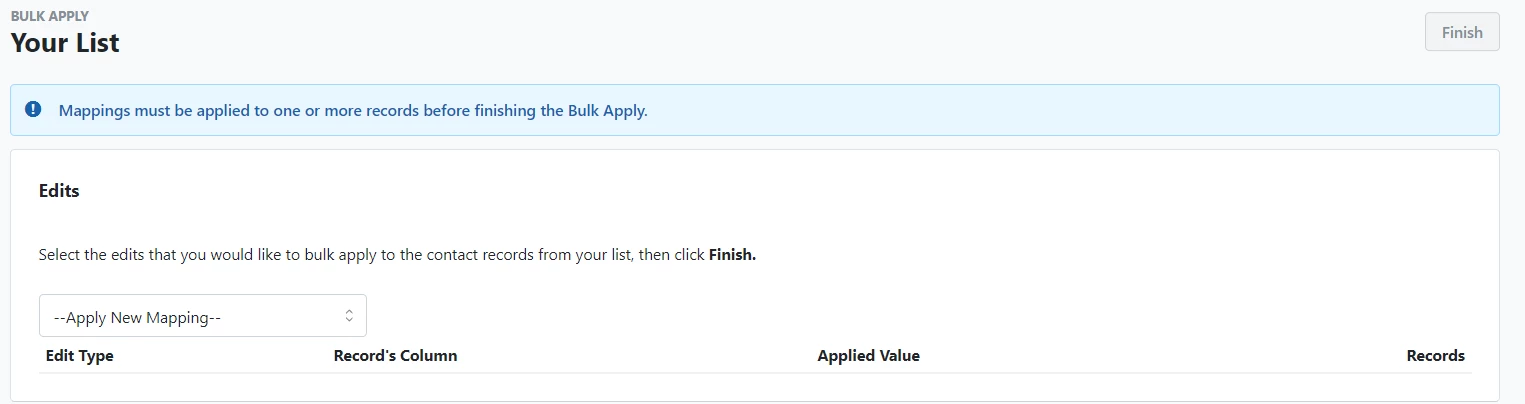
Use the mapping tool to choose which fields you want to change and specify the new values to apply to all contacts in your list.
Not quite what you were searching for?
- Navigate back to the Feature Overview.
How do I apply data using bulk apply? | How does apply data using bulk apply work in EveryAction? | Why can't I apply data using bulk apply? | Where do I apply data using bulk apply in EveryAction? | What is apply data using bulk apply in EveryAction? | How to apply data using bulk apply? | Can I apply data using bulk apply in EveryAction?