

How do I turn on duplicate detection for my forms in Apricot?
Overview
Want Que to look for duplicate records so you don’t have to? Enroll your forms in Data Integrity, and Que scans them every night. Follow these steps to get started.
Step 1: Open Data Integrity
In the Apricot Administrator tab, open Record Manager from the left navigation menu, then select Data Integrity.
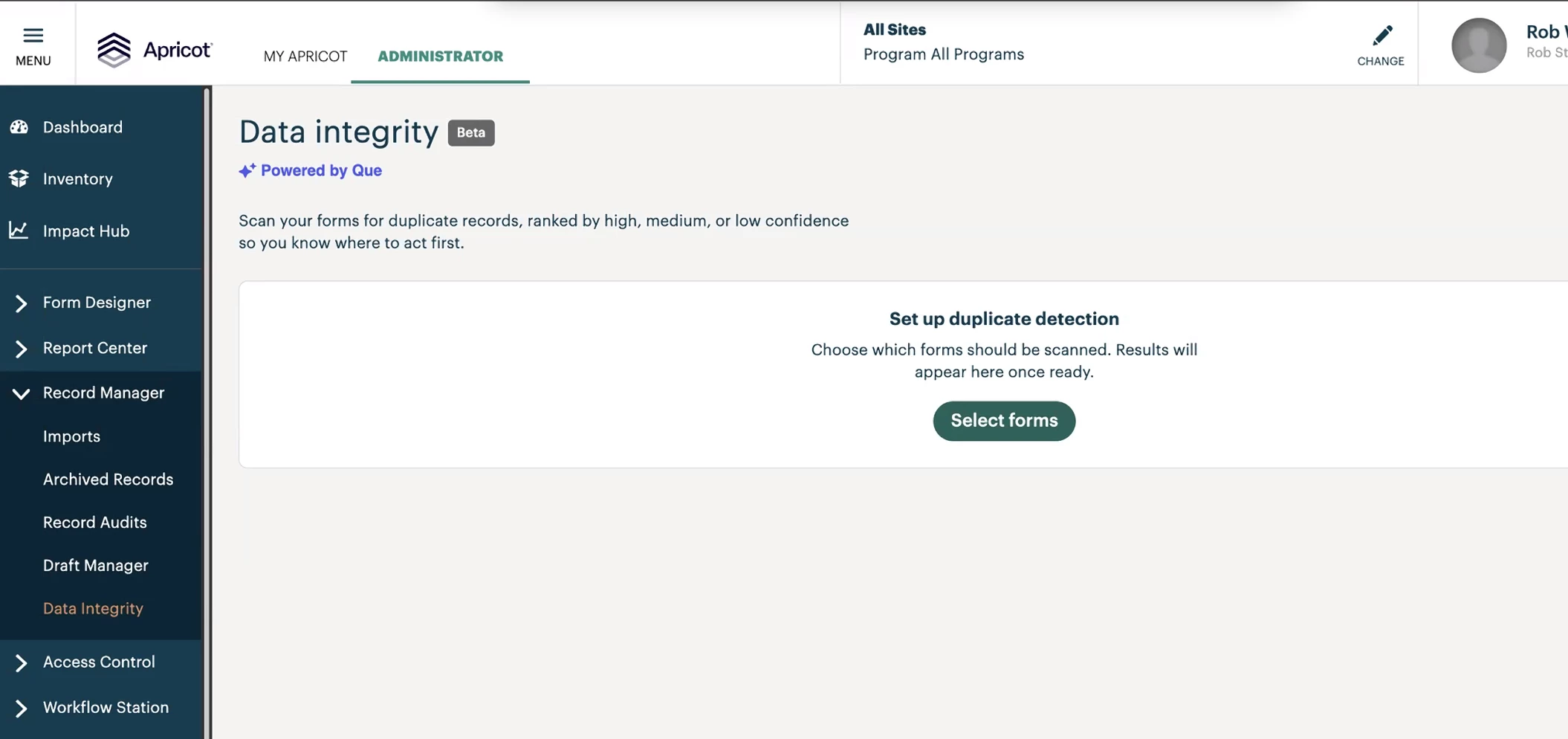
Step 2: Select forms for scanning
In the Duplicate Detection table, click Select forms and toggle detection on for each form you want scanned. Only forms with at least one Duplicate Check-enabled field appear as eligible.
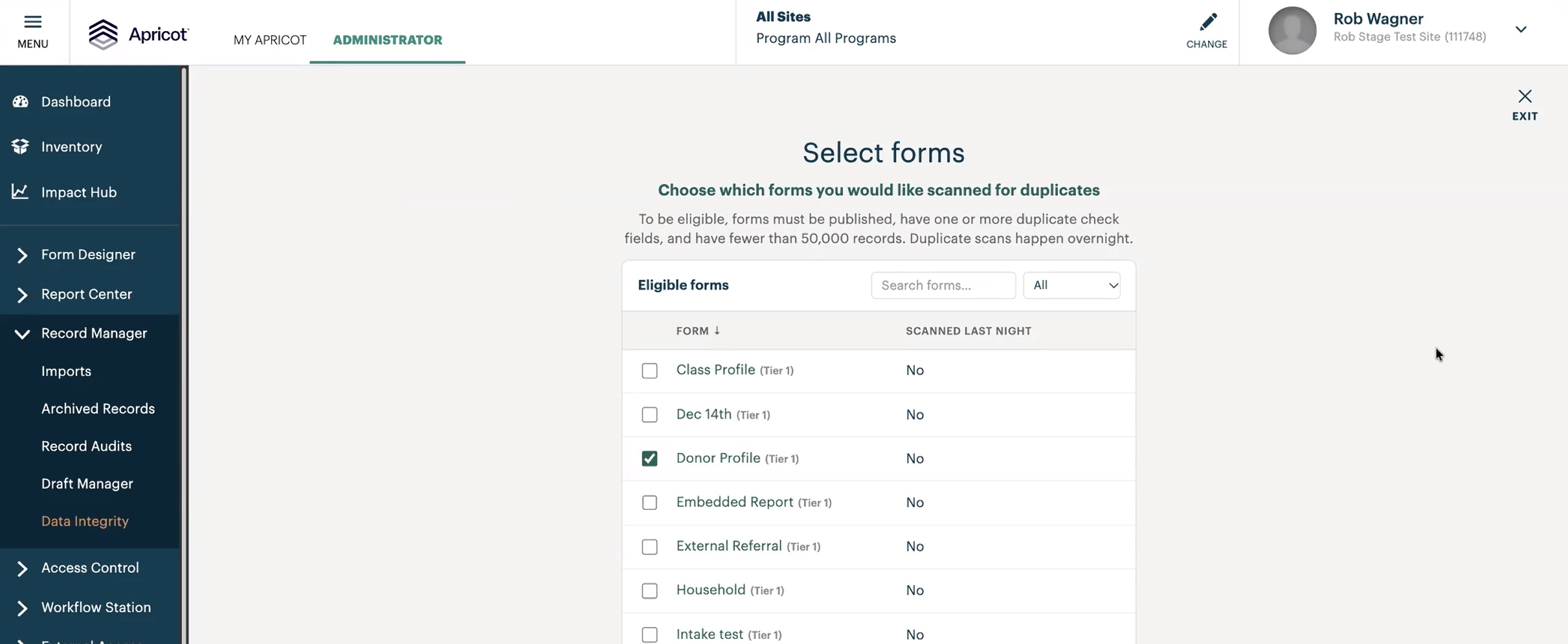
Step 3: Wait for the overnight scan
Enrolling a form doesn’t produce immediate results. The first scan runs overnight and builds embeddings for every active record. Plan to enable forms the evening before you want to see results. Forms with up to 50,000 active records are eligible.
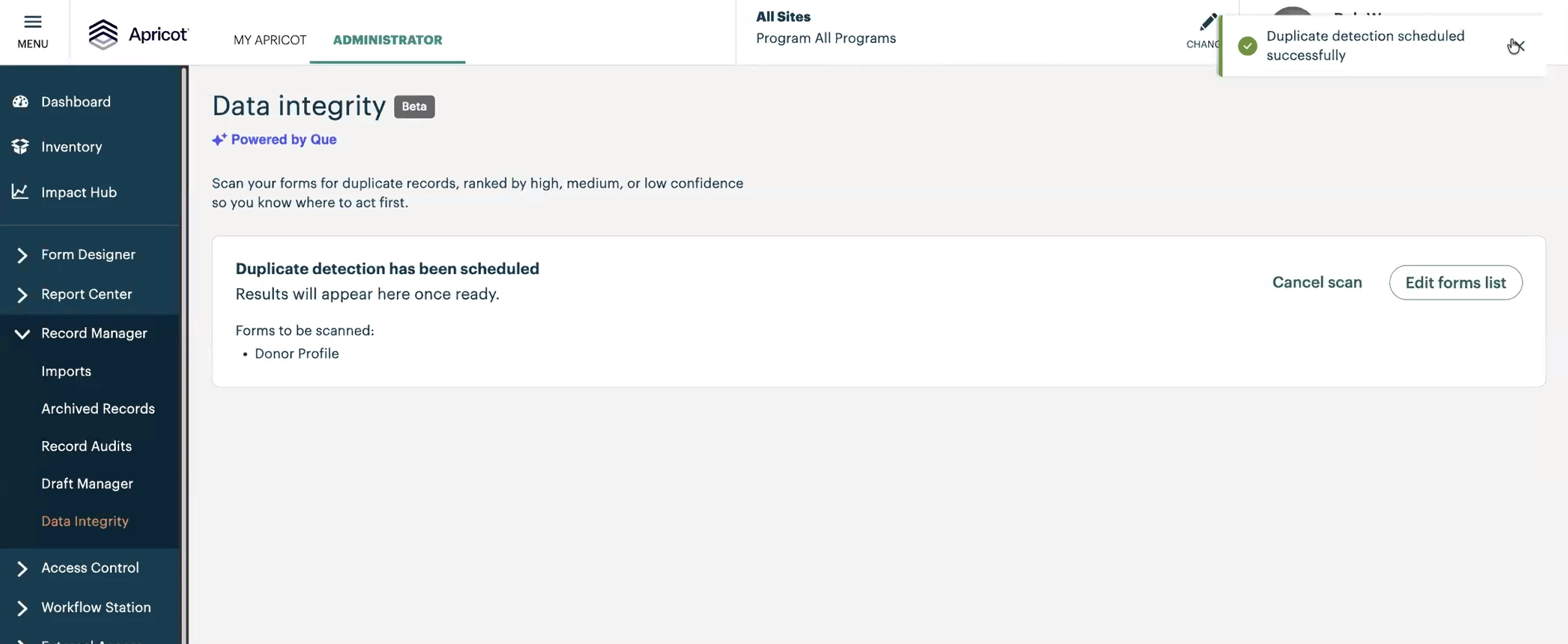
Step 4: Review results the next day
Return to Data Integrity in the left navigation menu. Results are grouped by form and show flagged duplicate pairs ranked by confidence level.
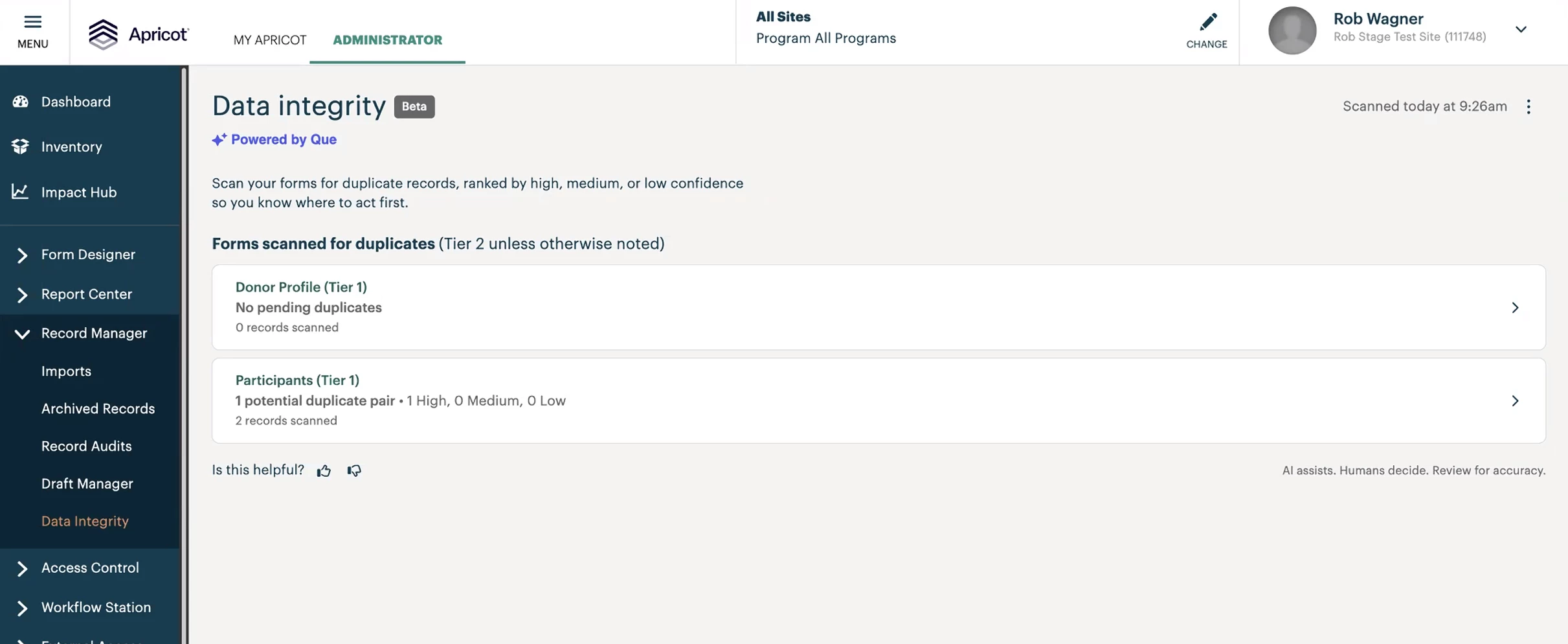
Step 5: Know that results update nightly
From then on, the tool runs automatically each night across all enrolled forms. Fresh results are available every morning, with no manual re-triggering.
Good to know
To stop scanning a form, return to the Duplicate Detection table and toggle detection off. It’s excluded from all future nightly runs.
Enrolling a form doesn’t modify records or expose results to standard users.
What else do you need help with?
Not what you’re looking for? Navigate to back to the Data Integrity Index.
How do I turn on duplicate detection in Apricot? | When will I see duplicate detection results in Apricot? | Why are there no results after I enrolled a form? | How do I stop scanning a form for duplicates? | Can I scan forms with more than 50,000 records?