



Internal referrals help facilitate the transfer of clients and records between different programs in your organization. Once an internal referral has been created, a user within the receiving program must accept or reject the pending referral. Knowing how to properly address these referrals is crucial for maintaining effective case management and service delivery.
Follow the steps listed below to learn how to view pending referrals and accept, reject, or edit internal referrals.
Step 1: View pending referrals
In the "My Apricot" tab, expand the "My Apricot Tools" category of the navigation bar and select "My Referrals".
You'll find pending referrals in the "Results" section of this page. You can also use the filters at the top to locate the exact referral you want to take action on.
Note: The "Created By" filter refers to the creator of the referral, not the creator of the record itself. This filter can be used to find who created the referral if the "Owner" within the referral is another user.
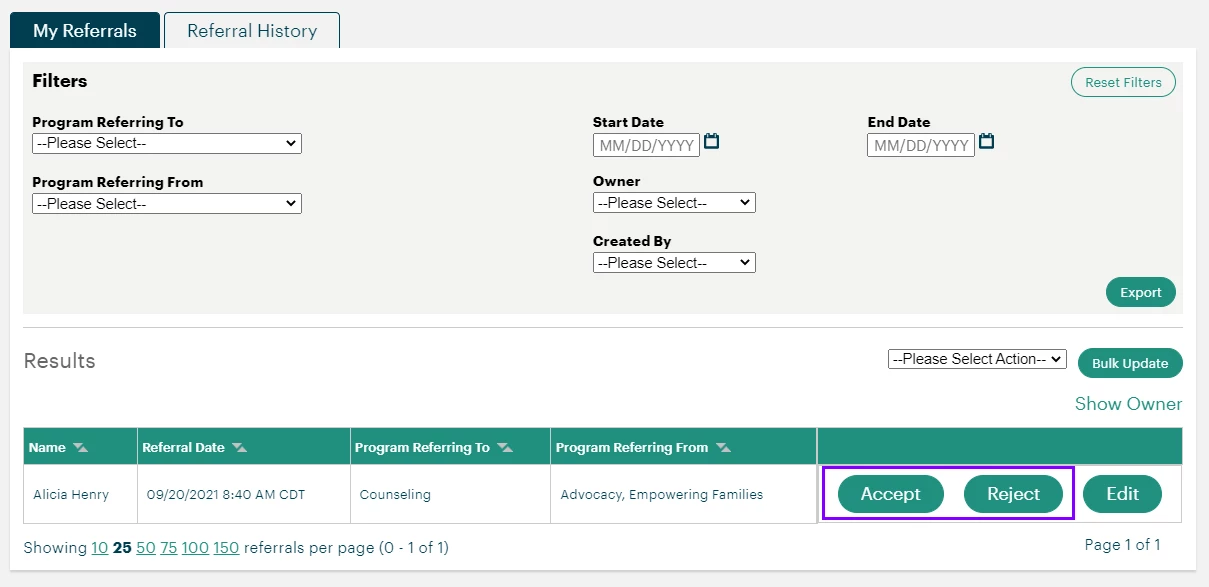
You can choose to accept or reject a pending referral as is from here. An email is sent to the user who created the referral once it is accepted or rejected.
Step 2 (optional): Edit a referral
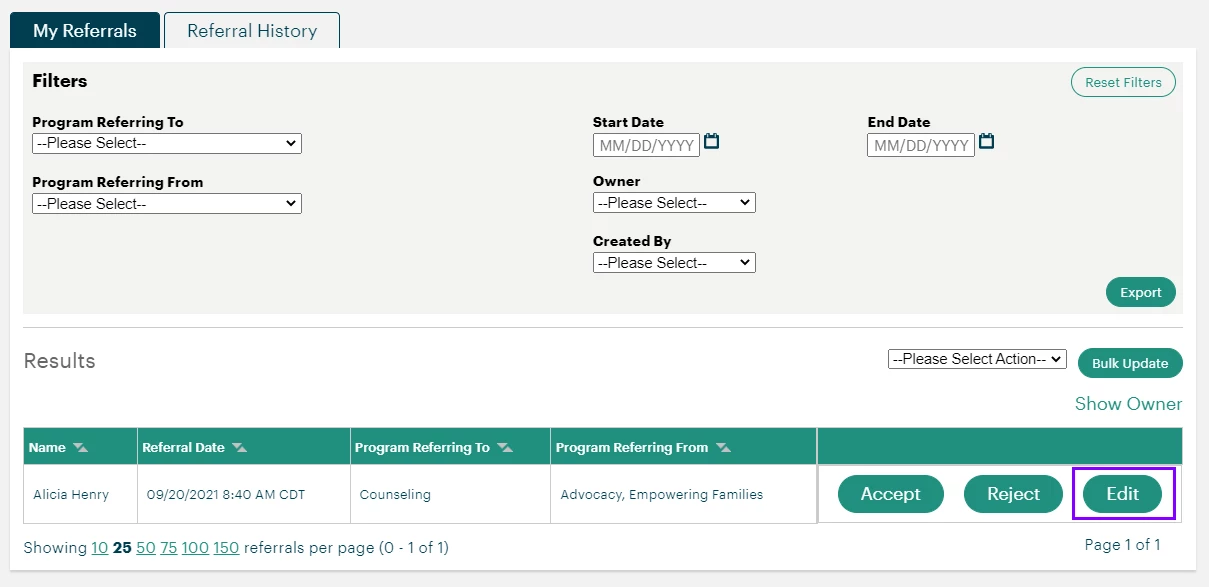
If necessary, certain fields within the referral can be edited before accepting or rejecting it. Select "Edit" next to a pending referral to view its details.
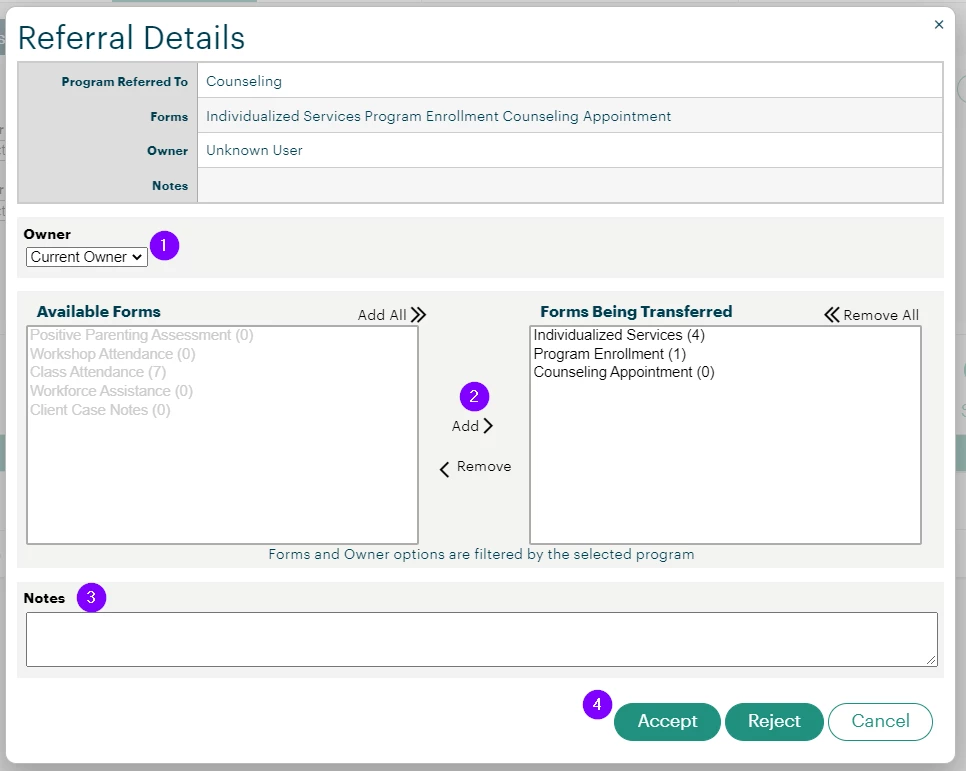
The following fields can be changed from this view:
-
Owner
-
Forms Being Transferred
-
Notes
Once you're satisfied with the referral details, you can accept or reject the referral at the bottom of the window. You can also cancel your changes to go back to the list of pending referrals.
Step 3: Bulk accept or reject referrals
To accept, reject, or cancel multiple pending referrals, use the filters on the "My Referrals" page until the only results displayed are the ones you want to complete at once.
Then, select an action from the dropdown to the right of the "Results" header. Double-check that every record displayed should be included, then click "Bulk Update" to confirm the action.
Not quite what you were searching for?
- Navigate back to the Data Sharing Resource Index.
How Do I Accept or Reject an Internal Referral in Apricot? | Where Do I Respond to an Internal Referral in Apricot? | Why Can’t I Accept or Reject an Internal Referral in Apricot? | How Do I See Who Sent an Internal Referral in Apricot? | What Happens After I Accept an Internal Referral in Apricot? | How Do I Manage Incoming Internal Referrals in Apricot? | How Do I Reject an Internal Referral and Record a Reason in Apricot?
How do I view a contact in another committee? | How does view a contact in another committee work in EveryAction? | Why can't I view a contact in another committee? | Where do I view a contact in another committee in EveryAction? | What is view a contact in another committee in EveryAction? | How to view a contact in another committee? | Can I view a contact in another committee in EveryAction?