

How do I mark a donation as 'Refunded'?
Once the Support Team processes the financial portion of a refund, you can mark a donation as 'Refunded' in 'Fundraising Pages' for recordkeeping purposes.
Note: Marking a donation as 'Refunded' does not process a financial refund - it only indicates that the refund has been requested. So, we do not recommend marking a donation as 'Refunded' until the Support team has confirmed the donation has been fully processed.
Step 1: Navigate to 'Fundraising Pages'
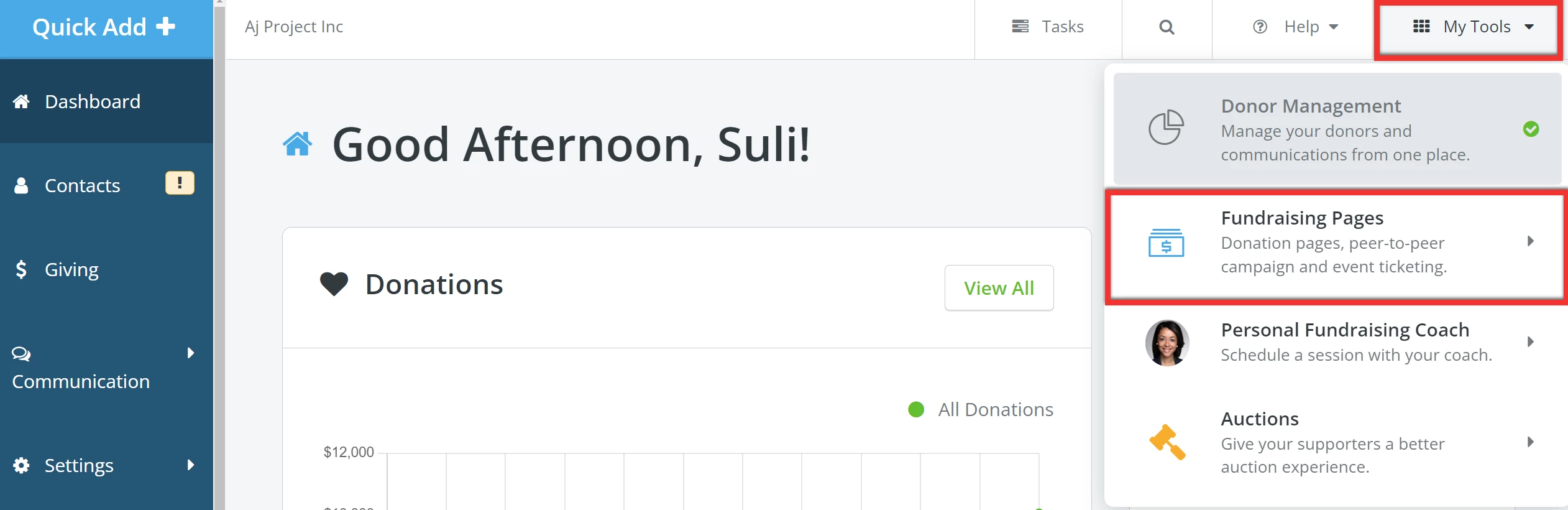
From your 'Donor Management' Dashboard, click 'My Tools' in the upper right corner of the page and select 'Fundraising Pages' from the drop-down list.
Step 2: Search for the donor
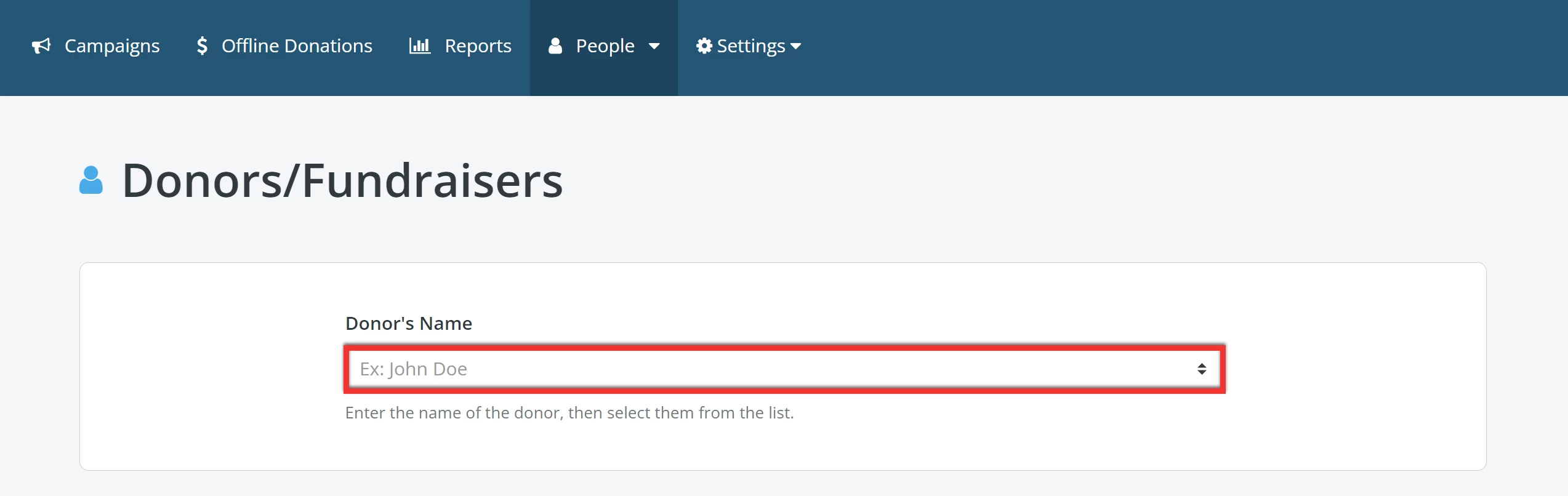
Navigate to the 'People' tab and select 'Donors/Fundraisers' from the drop-down menu.

You should then begin typing the donor's name in the search field on this screen once it loads, and select the correct donor from a list of suggestions that appear.
Tip: Can't find the donor in question? Try searching for their e-mail address or their last name.
Step 3: Search for the donation
Once you have selected the donor, you should be able to view a list of all their prior donations and transactions on their donor profile.
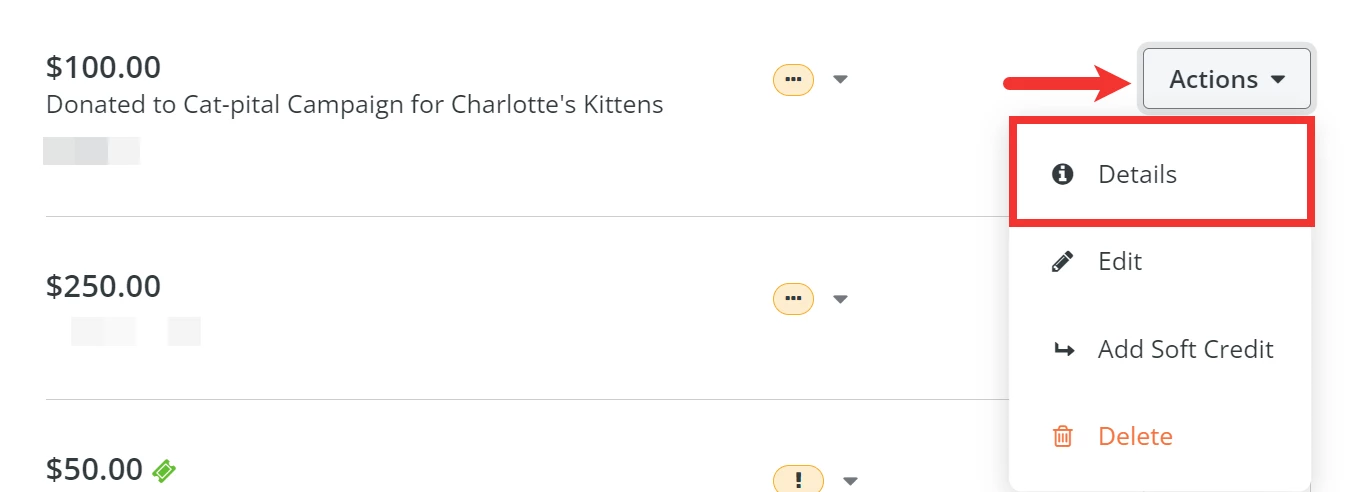
When you have located the specific donation you are trying to refund, click the 'Actions' button next to it, and select 'Details' from the drop-down menu.
Step 4: Mark the donation as 'Refunded'
Next, click the 'Actions' button in the top-right corner of the 'Donation Overview' page and select 'Mark as Refunded' from the drop-down menu.
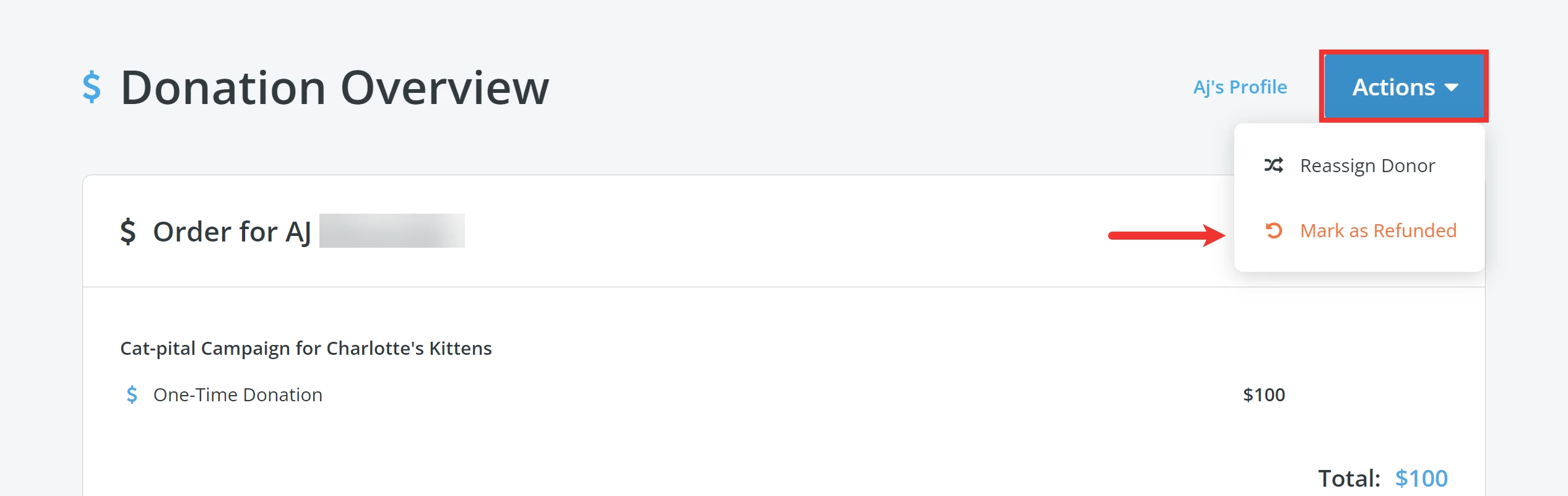
Doing this should mark the donation as 'Refunded' in both 'Fundraising Pages' and 'Donor Management'.
How do I mark a donation as refunded in Network for Good? | Does marking a donation as refunded process the refund? | Where is the Mark as Refunded option? | Why does a refunded donation still show in reports? | How do I update a donation’s status after a refund? | What happens when I mark a donation as refunded? | How do I reflect a processed refund in Donor Management?
How do I when do recurring gift email confirmations need to be sent? | How does when do recurring gift email confirmations need to be sent work in EveryAction? | Why can't I when do recurring gift email confirmations need to be sent? | Where do I when do recurring gift email confirmations need to be sent in EveryAction? | What is when do recurring gift email confirmations need to be sent in EveryAction? | How to when do recurring gift email confirmations need to be sent? | Can I when do recurring gift email confirmations need to be sent in EveryAction?