

How do I update a donor's e-mail address?
If your donor made a typo or cannot access the e-mail attached to their contact record, you can update that e-mail address on their behalf!
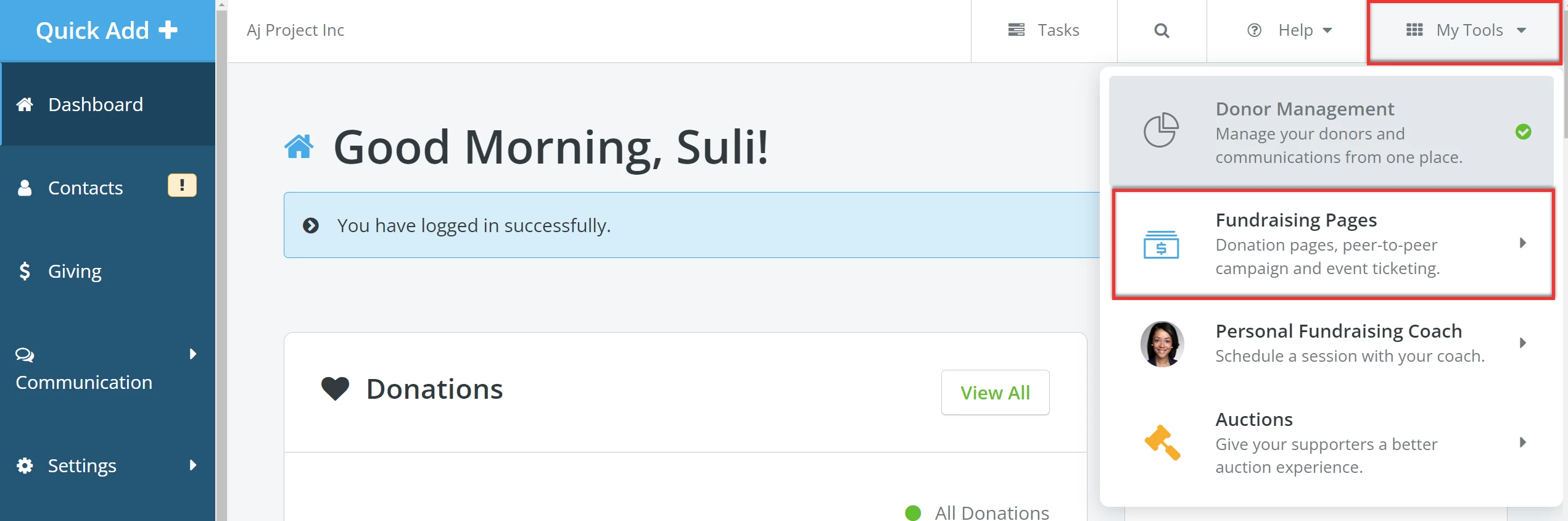
Step 1: Navigate to 'Fundraising Pages'
From your 'Donor Management' Dashboard, click 'My Tools' in the upper right corner of the page and select 'Fundraising Pages' from the drop-down menu.
Step 2: Search for the donor
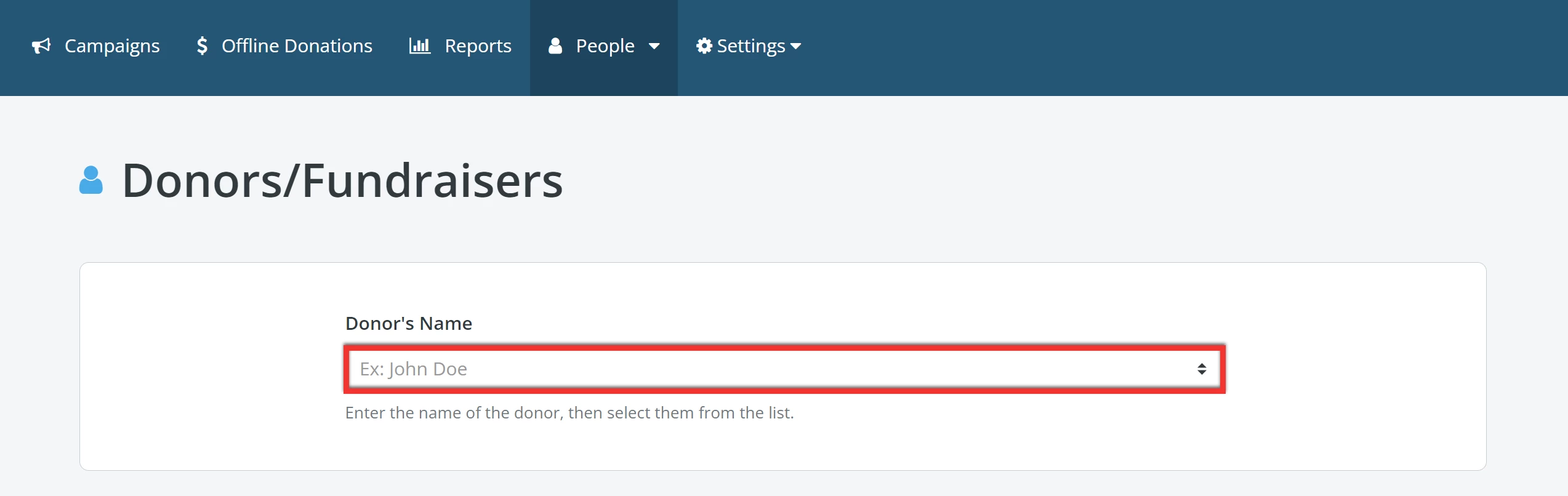
On your 'My Campaigns' page, click the 'People' tab and select 'Donors/Fundraisers' from the drop-down list.

You will be prompted to search for the donor using their name or e-mail address, and then you can select the correct record from the suggestions that appear while you type.
Tip: If you know your donor accidentally misspelled their e-mail address, we recommend you search for them using their name instead.
Step 3: Edit the donor's information
Once you are taken to your donor's profile, click the 'Edit' button in the upper right corner of the page.

This will direct you to a page where you can edit basic information about the donor. Once you are finished making your updates, click 'Save & Exit' at the top of your screen.
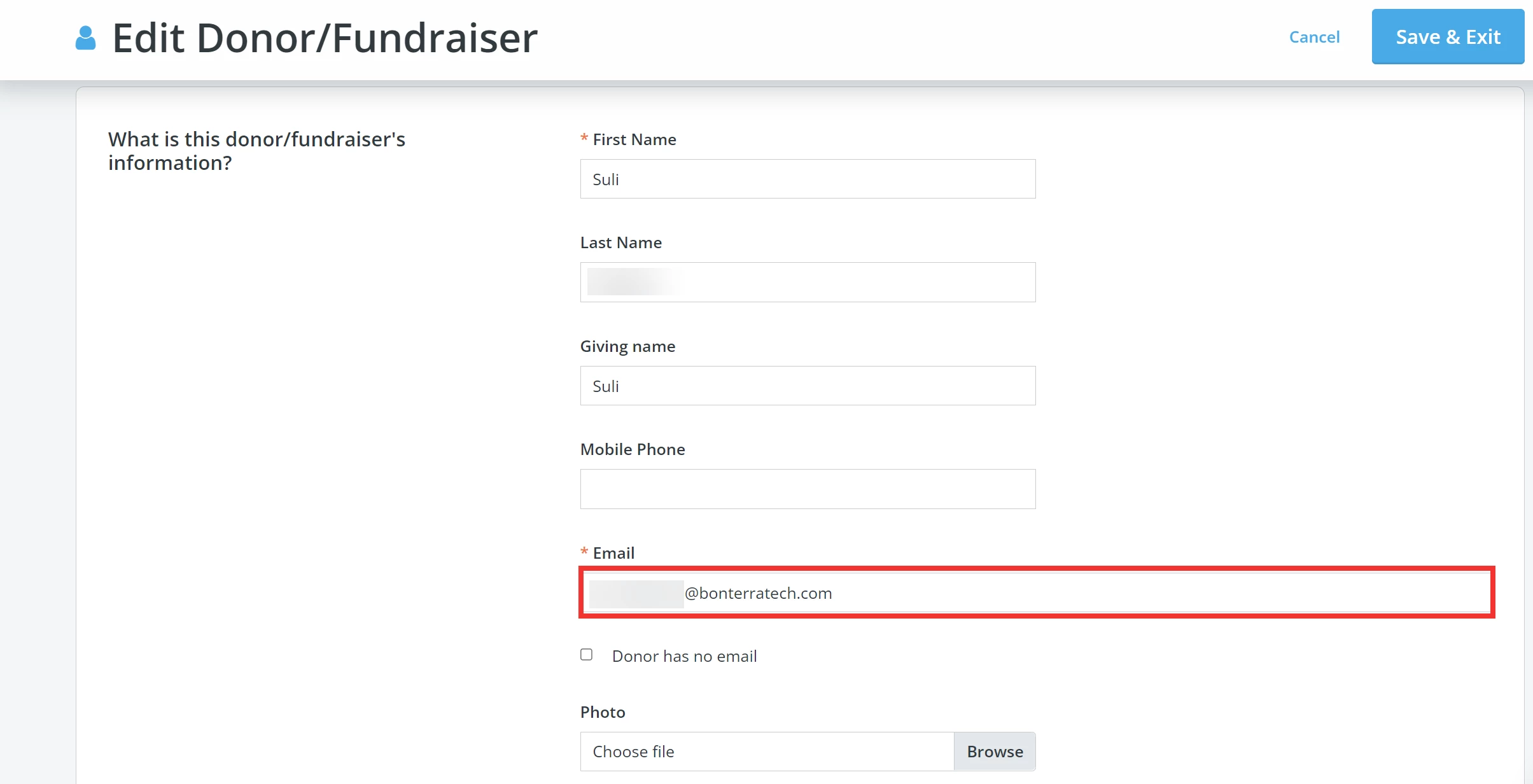
Voila! Their e-mail should now be updated!
How do I change a donor’s email in Network for Good? | How do I fix a donor’s incorrect email address? | Why didn’t my donor receive their receipt? | Where do I edit a donor’s contact information? | How do I update a donor profile in Fundraising Pages? | Can I update a donor’s email after a donation? | How do I search for a donor with a misspelled email?