

How do I create an e-mail blast?
'Email Blasts' allow you to send customized bulk e-mail communications to specific groups or individuals in your contacts.
You can use this feature to send out newsletters, deliver targeted appeals based on giving history, notify volunteers of upcoming opportunities, or even send year-end donation summaries for tax purposes.
Step 1: Navigate to 'Email Blasts'
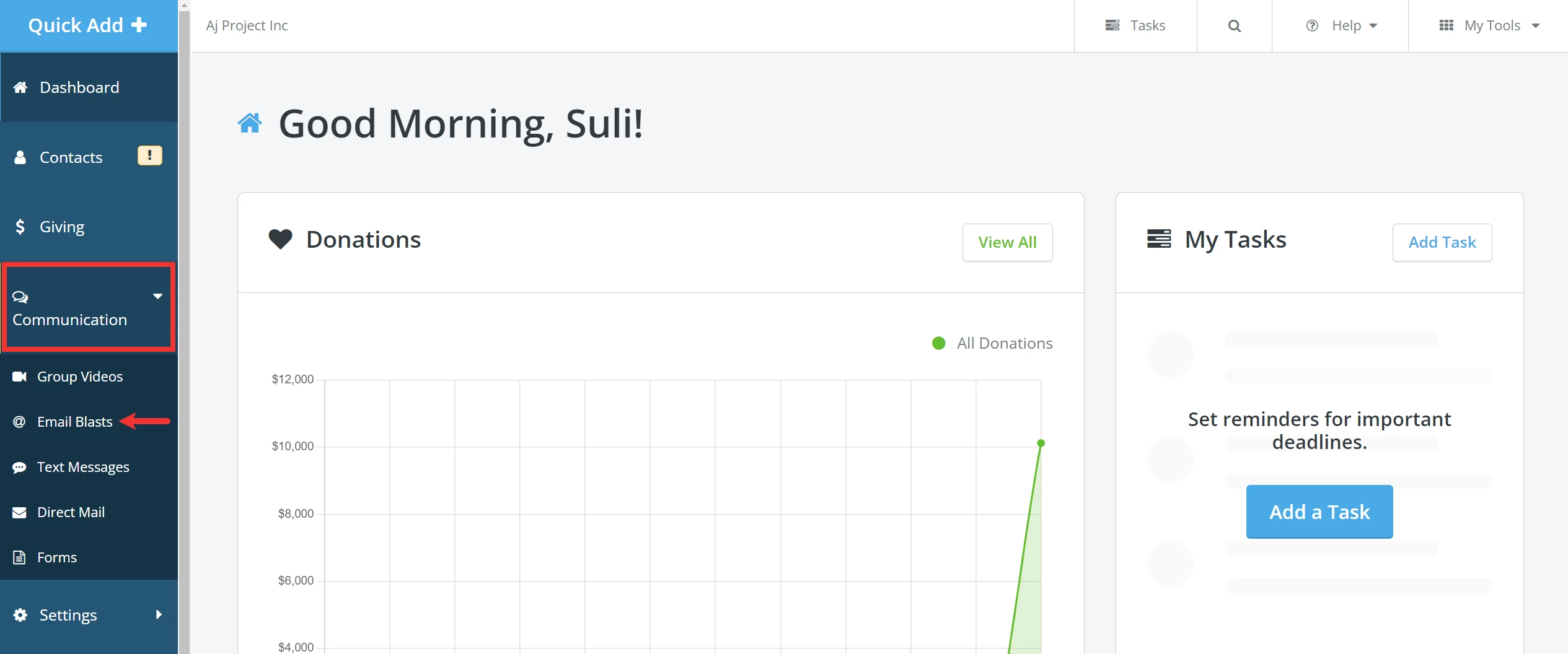
From your 'Donor Management' Dashboard, click the 'Communication' tab on the left navigation menu and select 'Email Blasts' from the newly expanded list.
Step 2: Add an e-mail blast
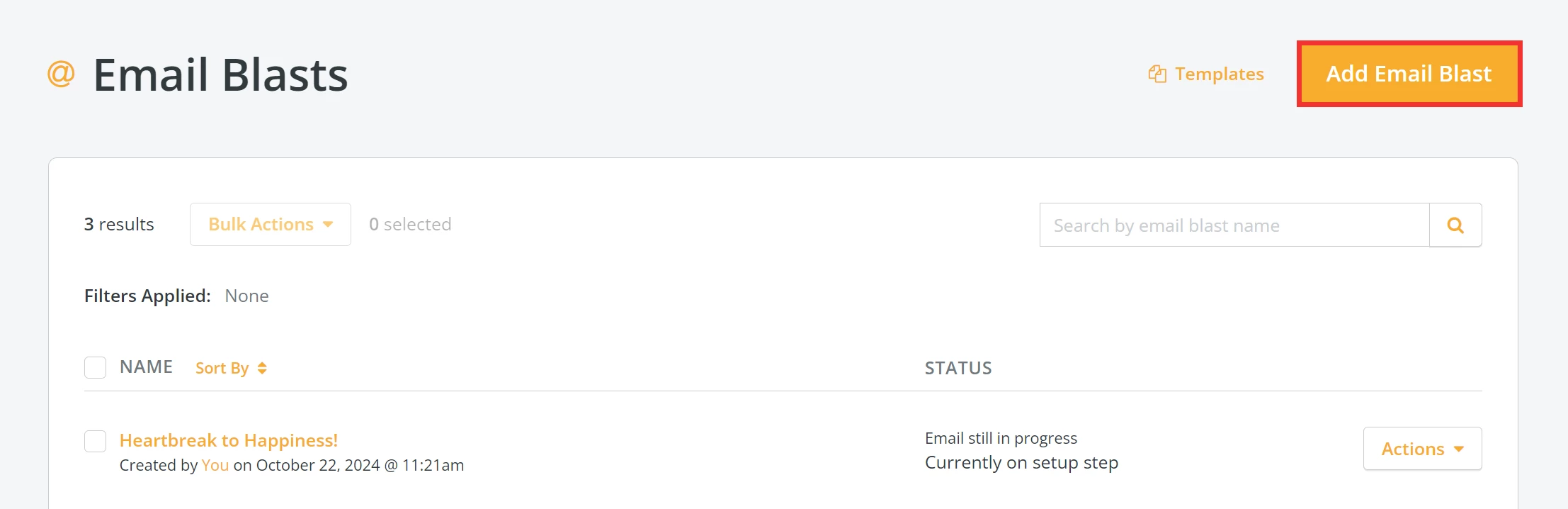
You will be taken to your 'Email Blasts' page where you can click the 'Add Email Blast' button in the upper right corner.
Step 3: Build your e-mail blast
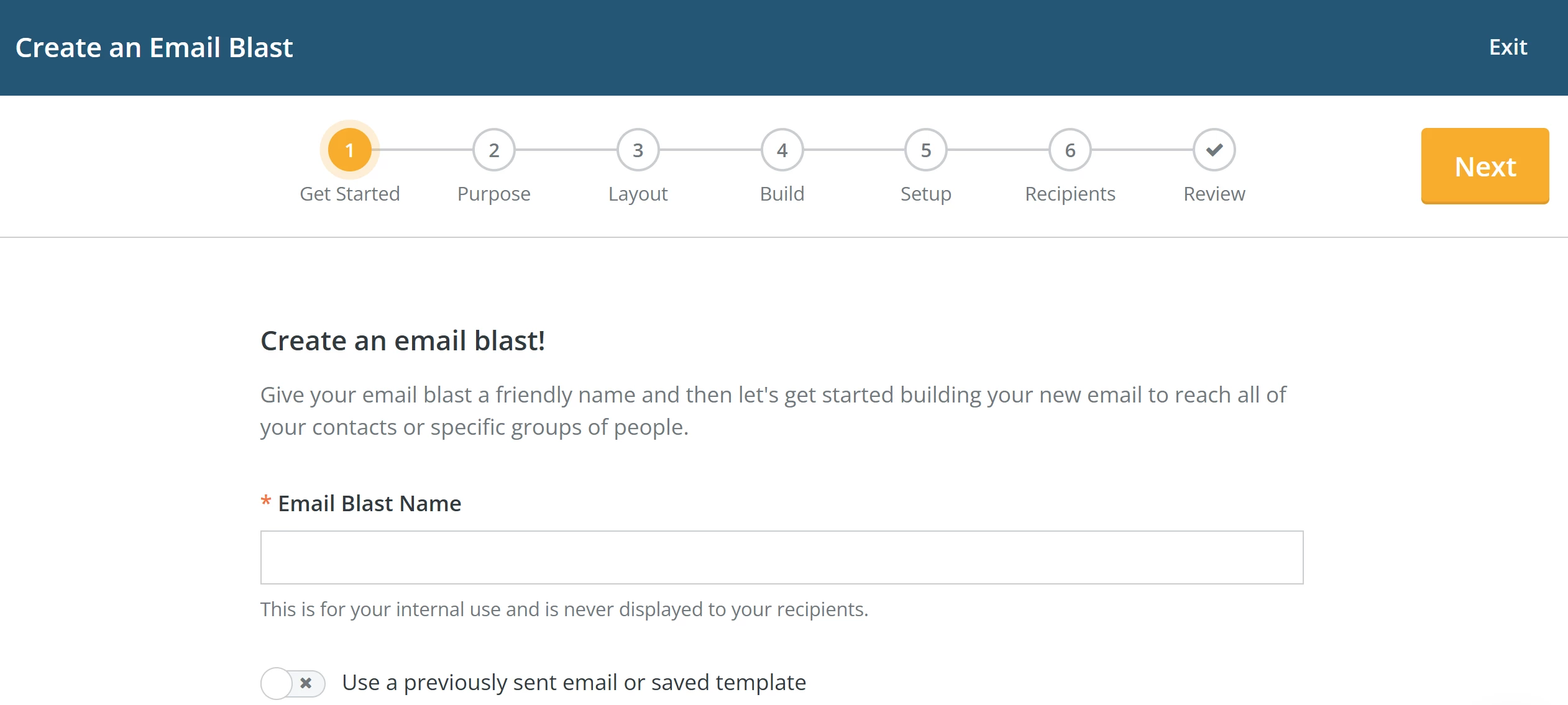
From here, follow each step of the onboarder to build and customize your e-mail blast!
How do I send a bulk email in Donor Management? | Where is the Add Email Blast button? | How do I build and customize an email blast? | Can I target emails based on giving history? | How do I send a newsletter through Network for Good? | How do I create a year-end tax summary email? | Why can’t I see the Email Blasts option?
How do I use themes with social sharing? | How does use themes with social sharing work in EveryAction? | Why can't I use themes with social sharing? | Where do I use themes with social sharing in EveryAction? | What is use themes with social sharing in EveryAction? | How to use themes with social sharing? | Can I use themes with social sharing in EveryAction?