How do I schedule or send off an e-mail blast?
Once you are ready to schedule or send your e-mail blast, follow the steps below!
From 'Email Blasts'
1) Schedule Delivery
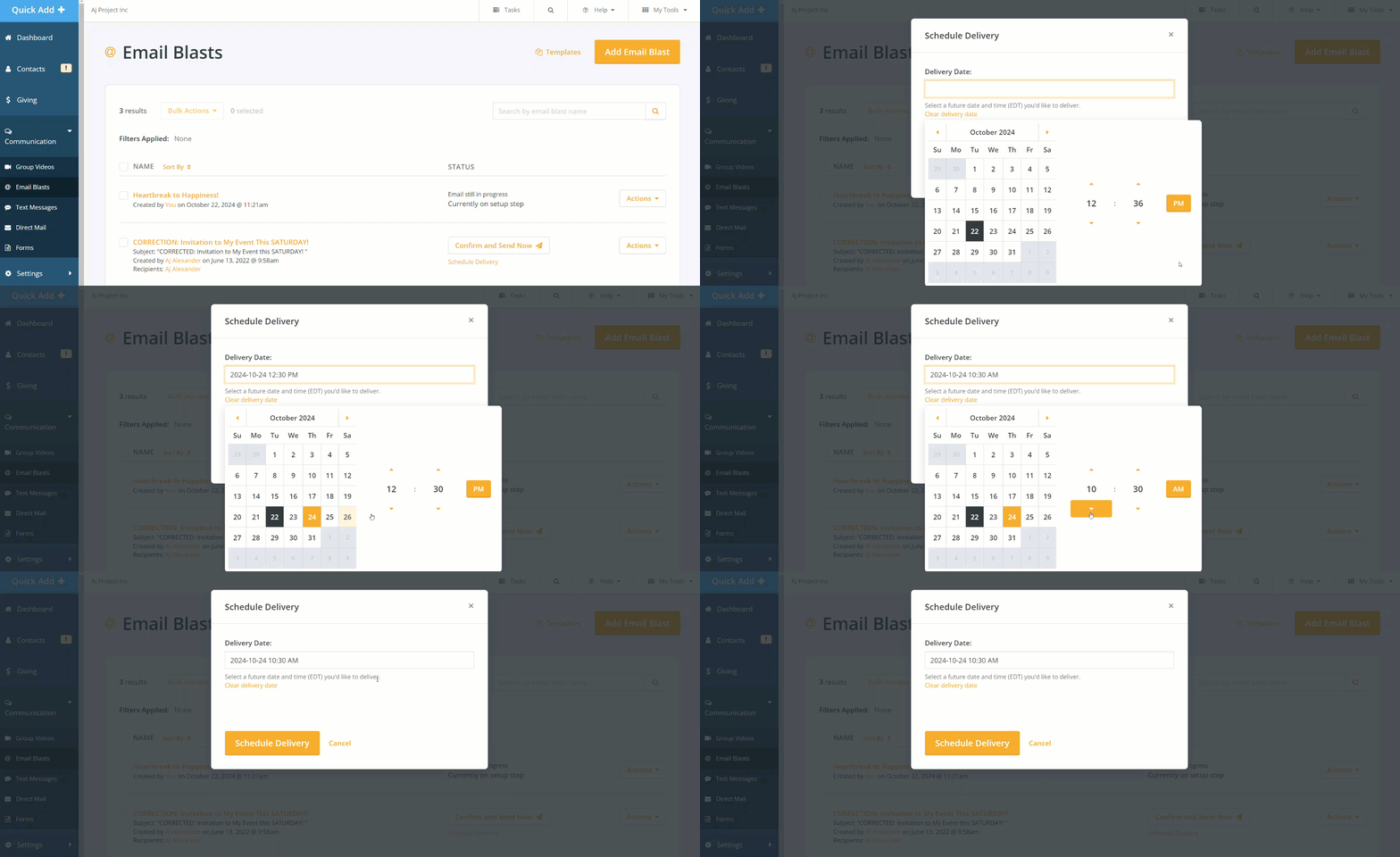
From the 'Email Blasts' page, scroll to the e-mail blast you want - click the 'Schedule Delivery' link to set up a time and date for your e-mail blast to be sent out.
2) Confirm and Send Now
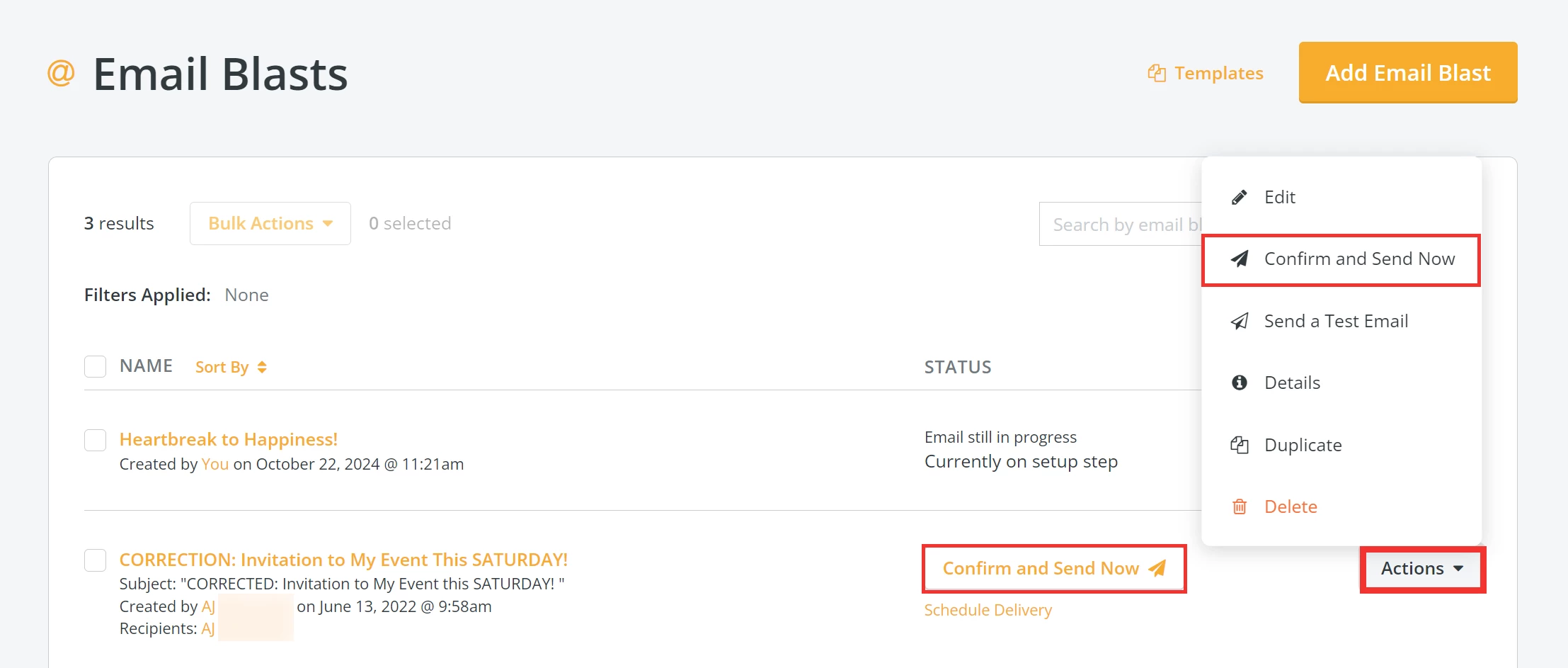
From the 'Email Blasts' page, scroll to the e-mail blast you want - click the 'Confirm and Send Now' button to send it off.
Note: If you are ready to send your e-mail blast out now, there is also the option to click the 'Actions' button and select 'Confirm and Send Now' from the expanded list.
From the Onboarder
1) Schedule Delivery
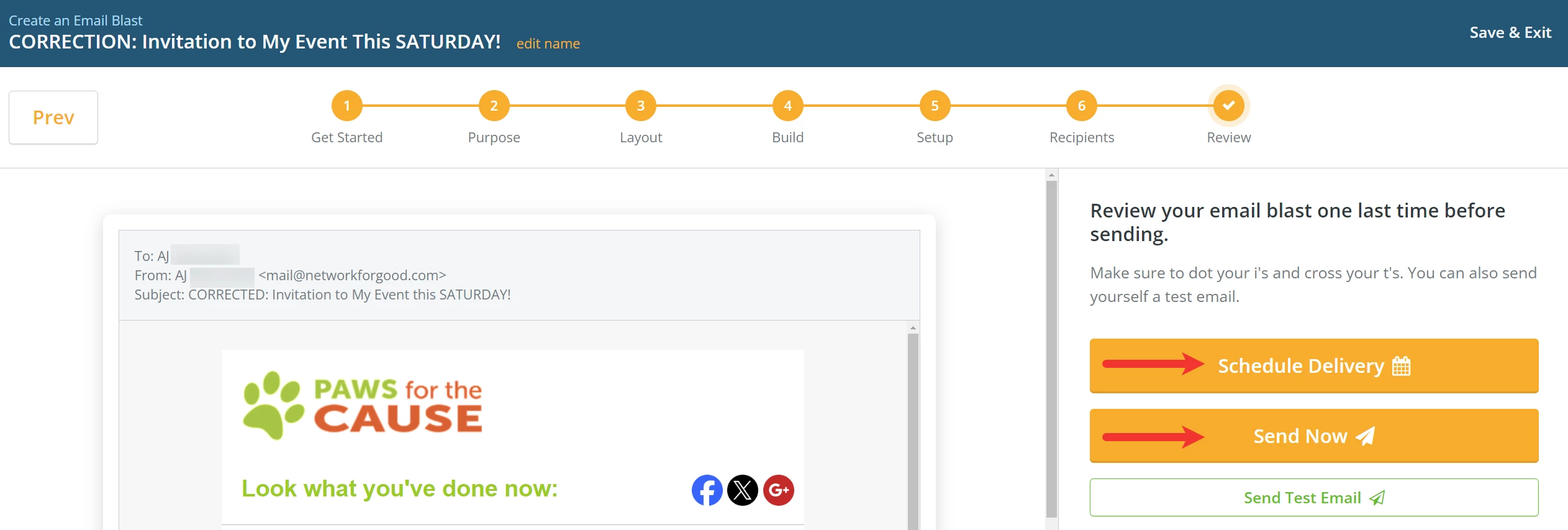
In the final step ('Review') of the onboarder, click the 'Schedule Delivery' button to set up a future time and date for your e-mail blast to be sent out.
2) Send Now
In the final step ('Review') of the onboarder, click the 'Send Now' button to send it off!