

How do I share an e-mail blast with external recipients?
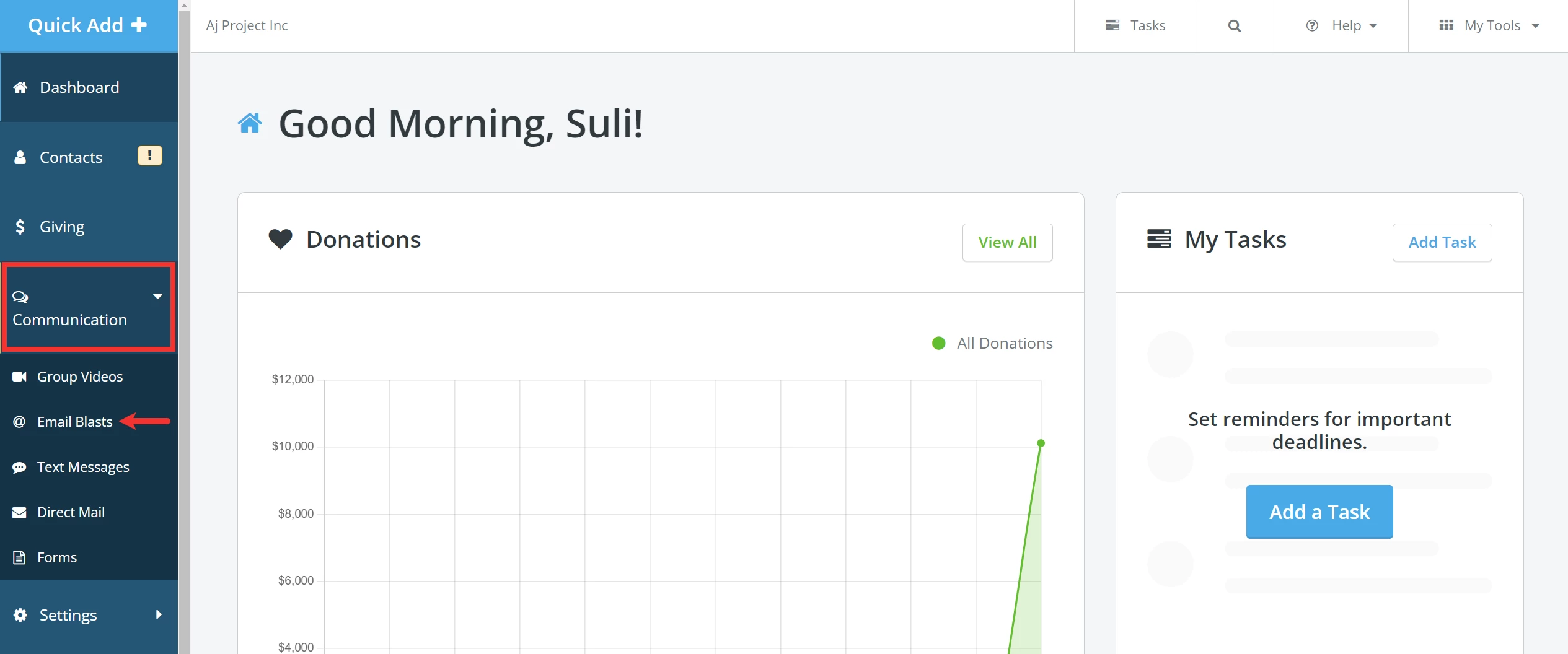
Step 1: Navigate to 'Email Blasts'
From your 'Donor Management' Dashboard, click to expand the 'Communications' tab on the left navigation bar and select 'Email Blasts' from the newly expanded list.
Step 2: Copy the link to your e-mail blast
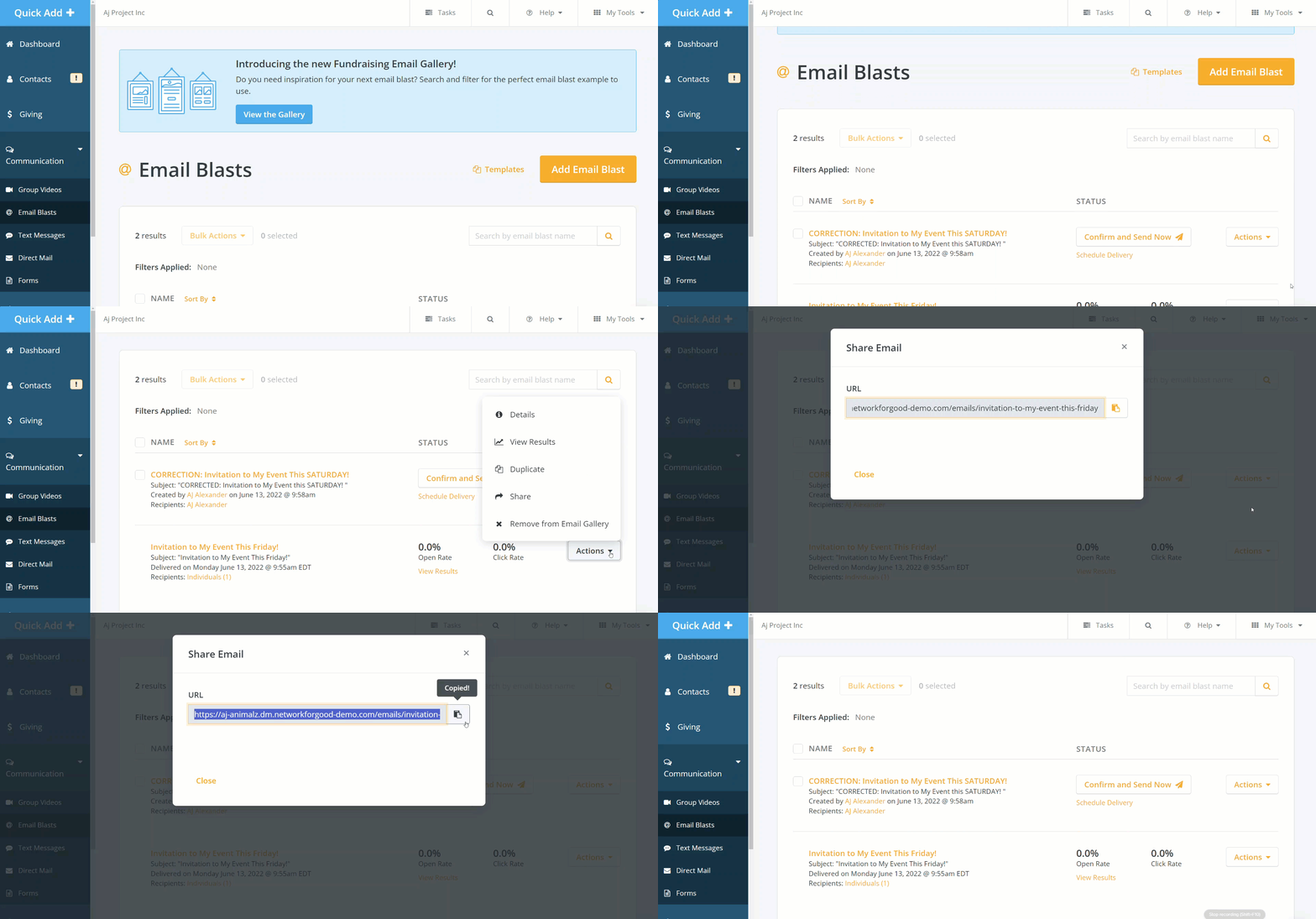
Click the 'Actions' button once you have sent your e-mail blast. When you select 'Share', a pop-up window should appear where you can click the clipboard icon to copy the URL.
Step 3: Share your e-mail blast!
You should now be able to paste that link into your organization’s socials – or link to it on your website – so anyone who clicks on it can view it!
How do I share an email blast link in Network for Good? | Can I send my email blast to people outside my contact list? | How do I get a public link to my email blast? | How do I post my email newsletter on social media? | Can I share a sent email blast on my website? | Where do I find the share link for an email blast? | How do I copy the URL of a sent email in Network for Good?