


How do I edit Results report query properties?
You can edit the Query Properties by following these steps:
-
Open the Report in Design Mode
-
Click Edit under the Data header
-
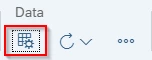
Click the Query Properties icon

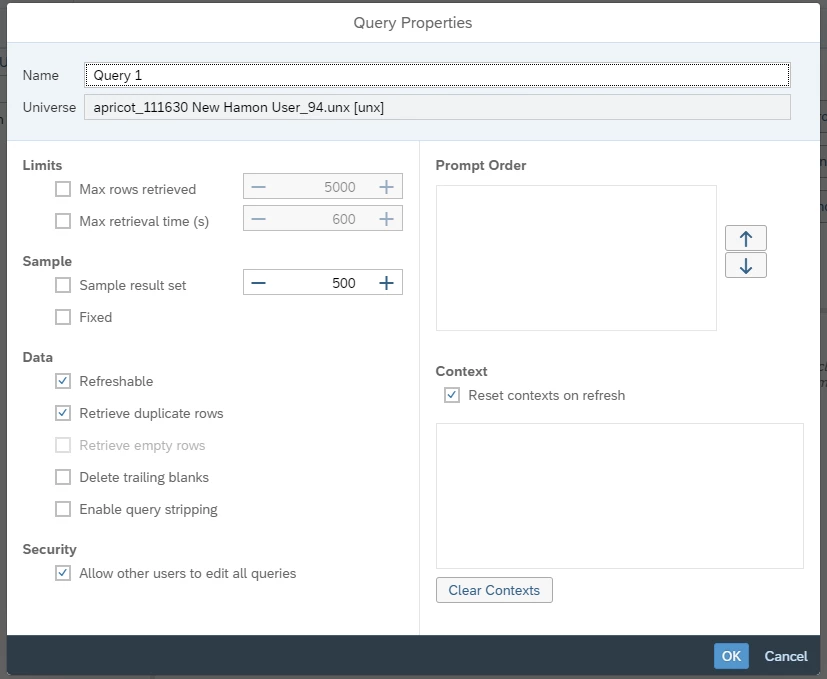
Query Properties options:
-
Query Name: The name of the Query. The name can also be changed here
-
Universe: The universe that the query is built on
-
Restrict Amount of Data Returned
- Max Rows Retrieved: To select the maximum number of rows for retrieval
- Retrieve Duplicate Rows: To include duplicate rows. In a database, the same data may be repeated over many rows. You can choose to have these repeated rows returned or or to only have unique rows returned
- Sample Result Set: To use fixed sampling, call Fixed.
- Retrieving Empty Rows: To include empty rows in the results -
Max Retrieval Time: Select the maximum retrieval time(s) and enter the amount of time in seconds
-
Prompt Order: Able to change the order that the prompts appear when refreshing the report by clicking the prompt option and navigating using the up/down arrows
-
Context: If Reset Contexts on Refresh is checked, you need to choose a context each time the query is run. You will also need to choose contexts if you select the Clear Contexts option
- After selecting Clear Contexts, the next prompt on contexts will still show the last selected context and if you want to select another context, you must first remove the existing selection
- Before you schedule a document that contains multiple contexts, you must first select a context -
Security: Turning off Allow other users to edit all queries will prevent anyone but the owner of the report from being able to edit the queries of the report
How do I change the query name in a Results report | How do I edit the universe for a report query | How do I limit rows returned in a report query | How do I include or remove duplicate rows in a query | How do I set maximum retrieval time for a report | How do I reorder prompts in a Results report query | How do I manage query context and security settings