


How do I format numbers and dates in Results reports?
All numbers and dates can be formatted to override the default formatting that is returned by Apricot Results
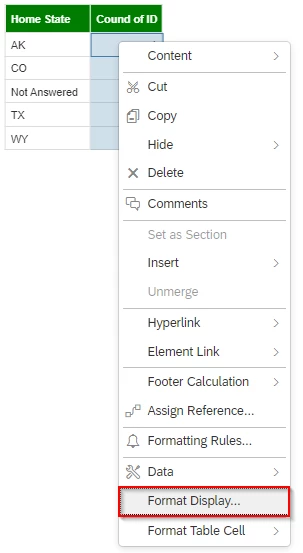
To format numbers and dates, simply right click on the row or column of data you want to change and select Format Display
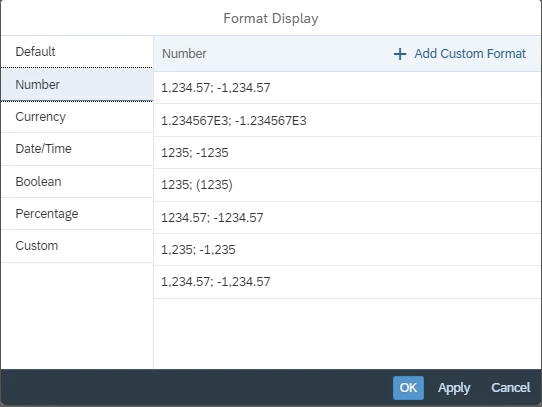
Select the format type desired and click “Ok”
How do I change number formatting in Results reports | How do I format dates in Results reports | How do I override default number and date formats | How do I apply custom number or date formats | Why aren’t my numbers or dates formatted correctly | How do I format currency or percentages in reports | How do I update Results report display settings