

Dashboard Bulletins
Dashboard Bulletins
The main landing page you see after you login to Apricot displays a "dashboard" where you can access different parts of your database. Dashboard Bulletins are bulletins that are displayed within the dashboard.
Bulletins
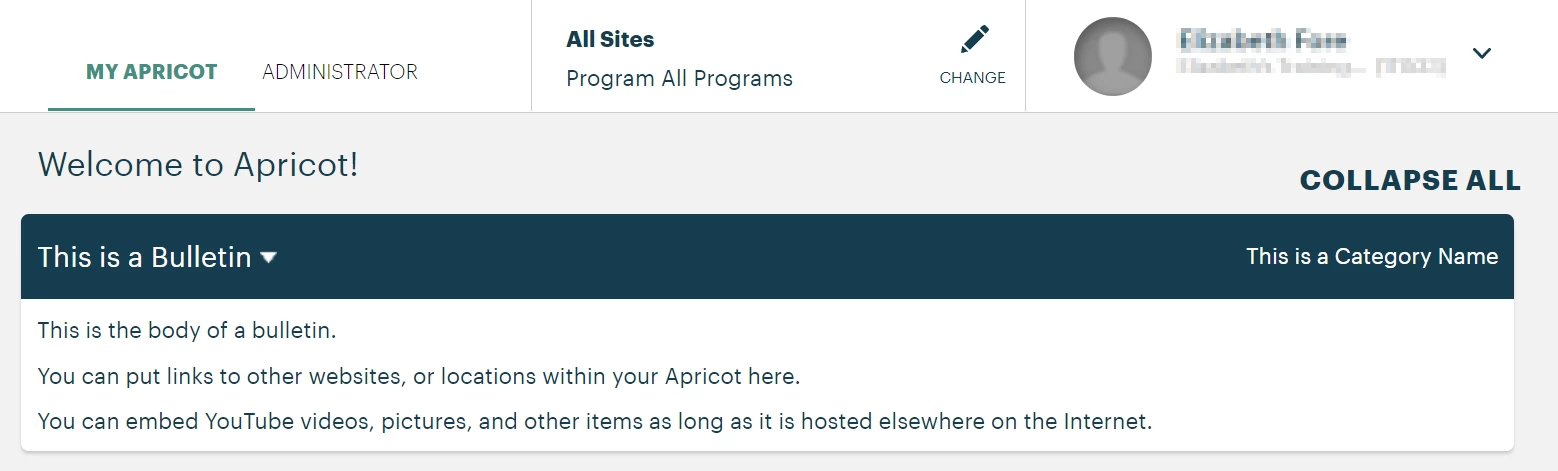
Bulletins are special announcements that can be created by an Apricot Administrator to provide timely messages to staff, to provide instructions for how to enter new data, to provide tips or links related to easing workflow, to display an Apricot report, etc. In our above example:
-
"This is a Bulletin": is the name you give a bulletin
-
"This is the Category Name": is the name of the category in which the bulletin was created under
-
Below that is the body of the bulletin that which can be customized.
-
If you don't see a bulletin your site may not have one.
-
For step-by-step instructions please check out this article!
How do I view dashboard bulletins in Apricot | How do I create a bulletin in Apricot | Why can’t I see bulletins on my dashboard | How do I categorize bulletins in Apricot | How do I customize the bulletin message | How do I add links to a dashboard bulletin | How do I update or remove a bulletin in Apricot