

Using Apricot Palettes
What is a Palette?
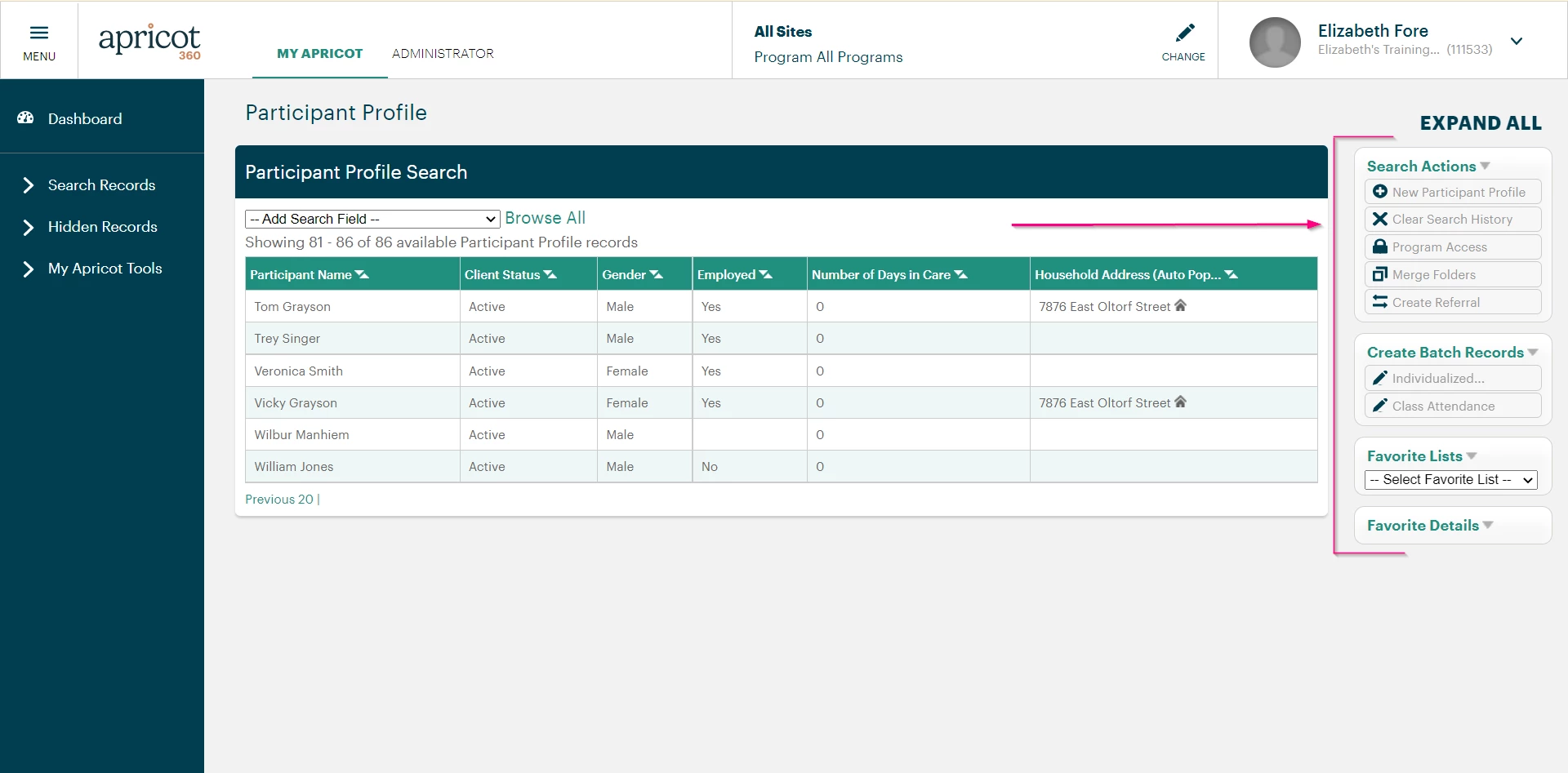
In the example above, on a Tier 1 search page, the Palettes contain available actions on the right hand side of the screen.
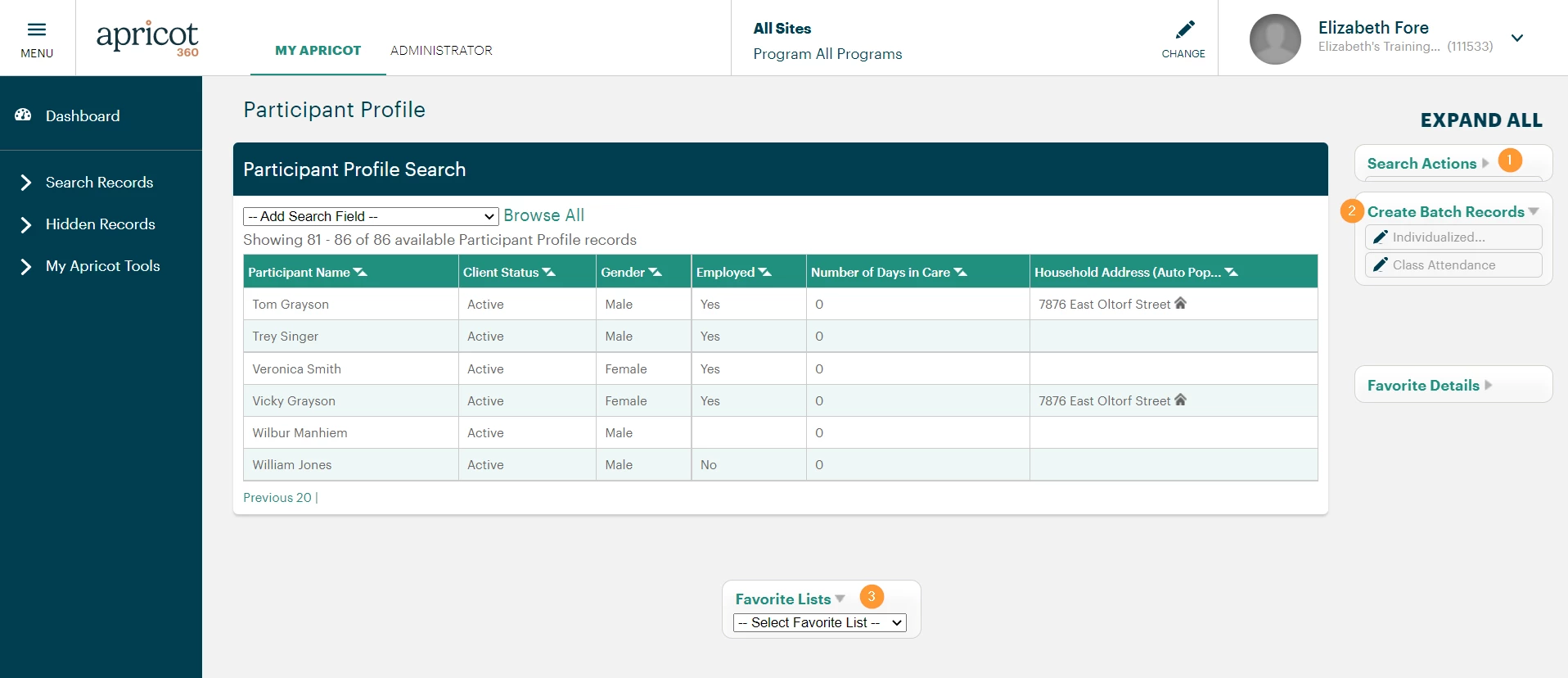
-
A Palette can be collapsed by clicking the gray arrow next to the Palette name.
-
You can open the Palette again by clicking on the same gray arrow.
-
You can also drag the Palettes around the page.
What is an Apricot palette | How do I use palettes in Apricot | How do I collapse or expand a palette | How do I move a palette on the page | What actions are in the Apricot palette | How do I find available actions in Apricot | How do I customize Apricot palettes