

How to: Upload early vote data
Only state and national administrators can upload early vote data. Administrators perform uploads via Bulk Upload or API.
If you have questions about your early vote data, including when it will be updated, contact your state or national administrator. If you are on SmartVAN, contact TargetSmart.
Read more about APIs in our developer's guide
Getting started
Before you begin, be sure:
-
Your early vote data file contains VANID or StateFile ID in the first column and at least one column of early vote data
-
The current election is set. You can check this at the top of Early Voting on a contact record or in Create A List. If the previous election is set, submit a support request to have it updated. You can also request to have the previous election’s data cleared out at that time.
-
There is no early vote data from the previous election. You can check this using Include Anyone Who Has Early Voted under Early Voting in Create A List.
Early vote laws and early vote data vary from state to state. The fields available to load early vote data in My Voters vary as well. If you want to apply a type of data that is not available to you in Bulk Upload, contact our support team to see if it can be added.
Applying Early Vote data
Open Bulk Upload Wizard from the sidebar. Select Load data with Voter File VANID or StateFile ID > Next > Select a file > Upload.
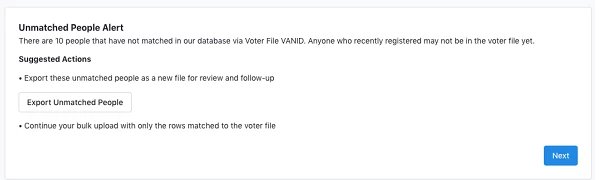
If there are records that don’t match, you will be prompted to export unmatched records.
Select Apply Early Vote Info and map your fields like you would with any other type of bulk upload. When you’re ready, click Next to finish the mapping.
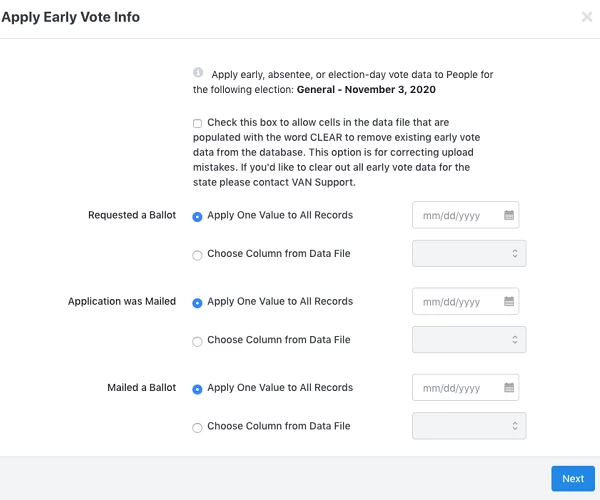
Continue mapping other information as needed. Once you’re ready to complete the upload, click Finish to proceed to the Bulk Upload Batches page, where you can view the progress of your upload by refreshing the page. After a short period of time, the upload will be complete.
Correcting or clearing early vote data
If you find that you or another user loaded incorrect early vote data, you can correct it by simply uploading a new file. The most recent data will override any existing early vote data on those records.
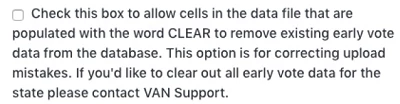
To clear incorrect data, your file must have CLEAR in the cells that you want to empty. When you select Apply Early Vote Info in the mapping dropdown, check the box for clearing out data.
How do I how to: upload early vote data? | How does how to: upload early vote data work in EveryAction? | Why can't I how to: upload early vote data? | Where do I how to: upload early vote data in EveryAction? | What is how to: upload early vote data in EveryAction? | How to how to: upload early vote data? | Can I how to: upload early vote data in EveryAction?